
Find out how to use report statistics to understand the scale and patterns of your organisation’s transaction reporting.
Report statistics provides a high-level view of your organisation's submitted transaction reports and reporting activity. You can see these through report volumes, transaction values and other reporting trends.
The information is based on when you submitted reports to us.
Depending on the reports your organisation submits, statistics may include information about:
- report submissions
- transaction values
- transaction locations
- reporting timeliness
- suspicious matter report (SMR)-related offences and criminal threat categories.
The statistics show aggregated reporting information, rather than the contents or identifiable details of individual reports.
How to access report statistics
- Go to AUSTRAC Online.
- Log in with your username and password.
- Select Reporting then Make a Report.
- Select Transaction reporting dashboard.
- Select Statistics.
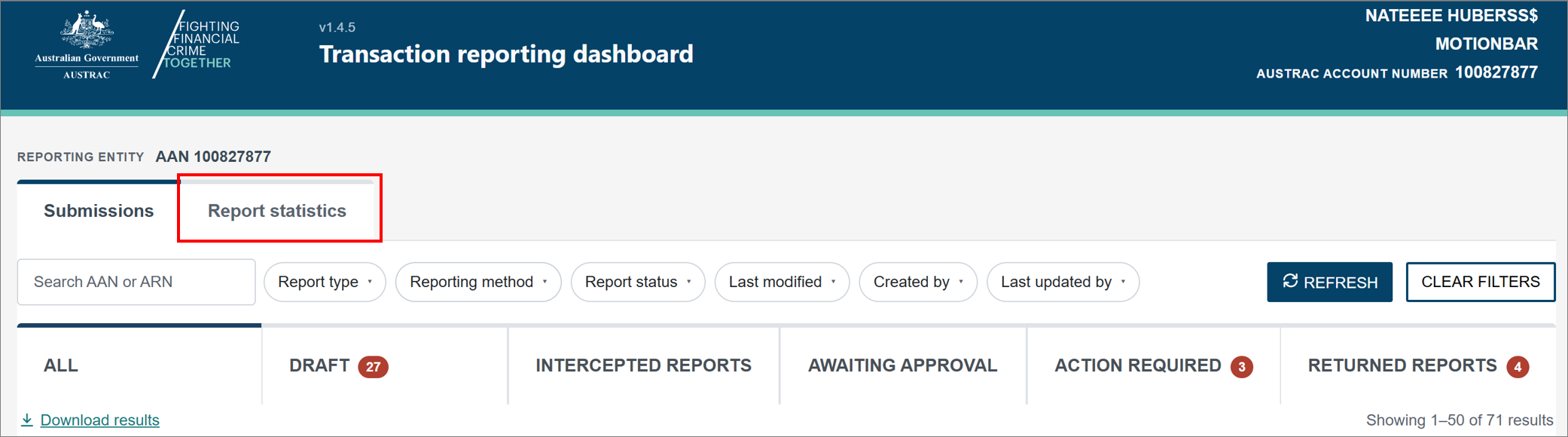
How to view your report statistics
You can use the statistics page to find information about your organisation's submitted reports.
The information displayed changes depending on the reports your organisation has submitted, and the reporting period you select.
The report statistics page is divided into the following sections:
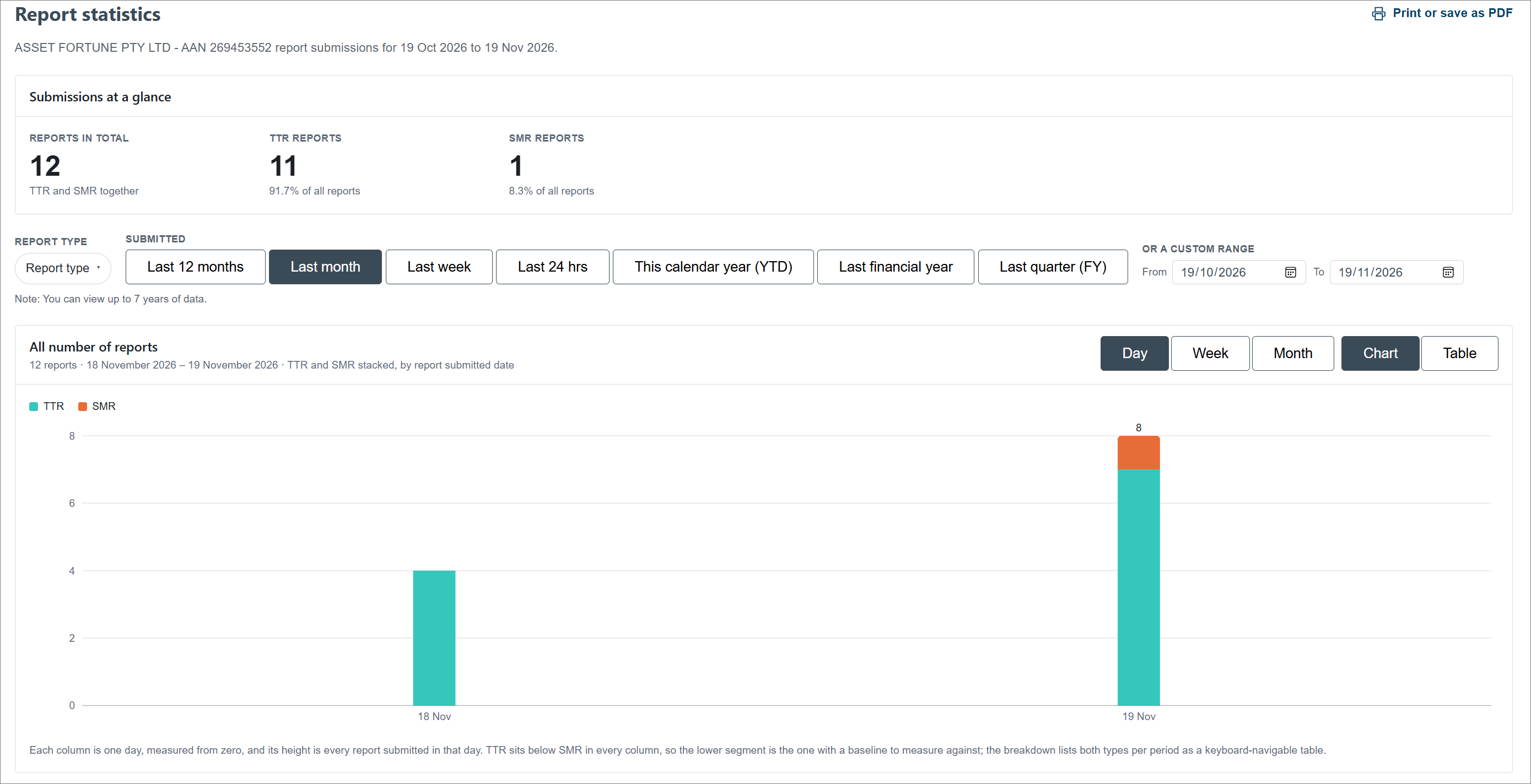
All reports
This section provides an overview of your organisation’s submitted reports. This includes:
- the total number of reports
- the breakdown between threshold transaction reports (TTRs) and suspicious matter reports (SMRs)
- reports submitted over time.
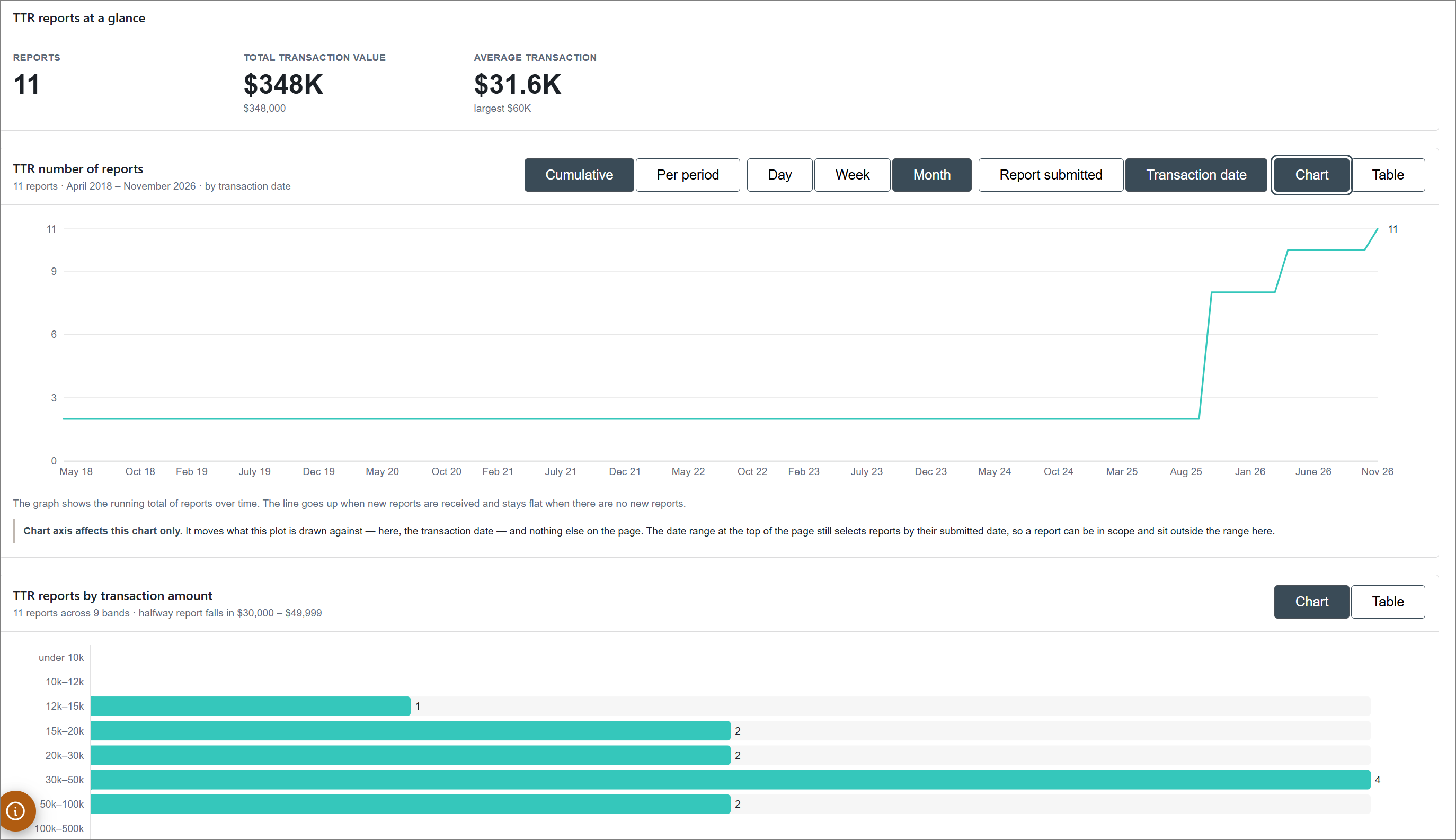
Threshold transaction reports
This section provides statistics about your organisation’s TTRs. It includes:
- report numbers
- transaction values
- breakdowns by available transaction information.
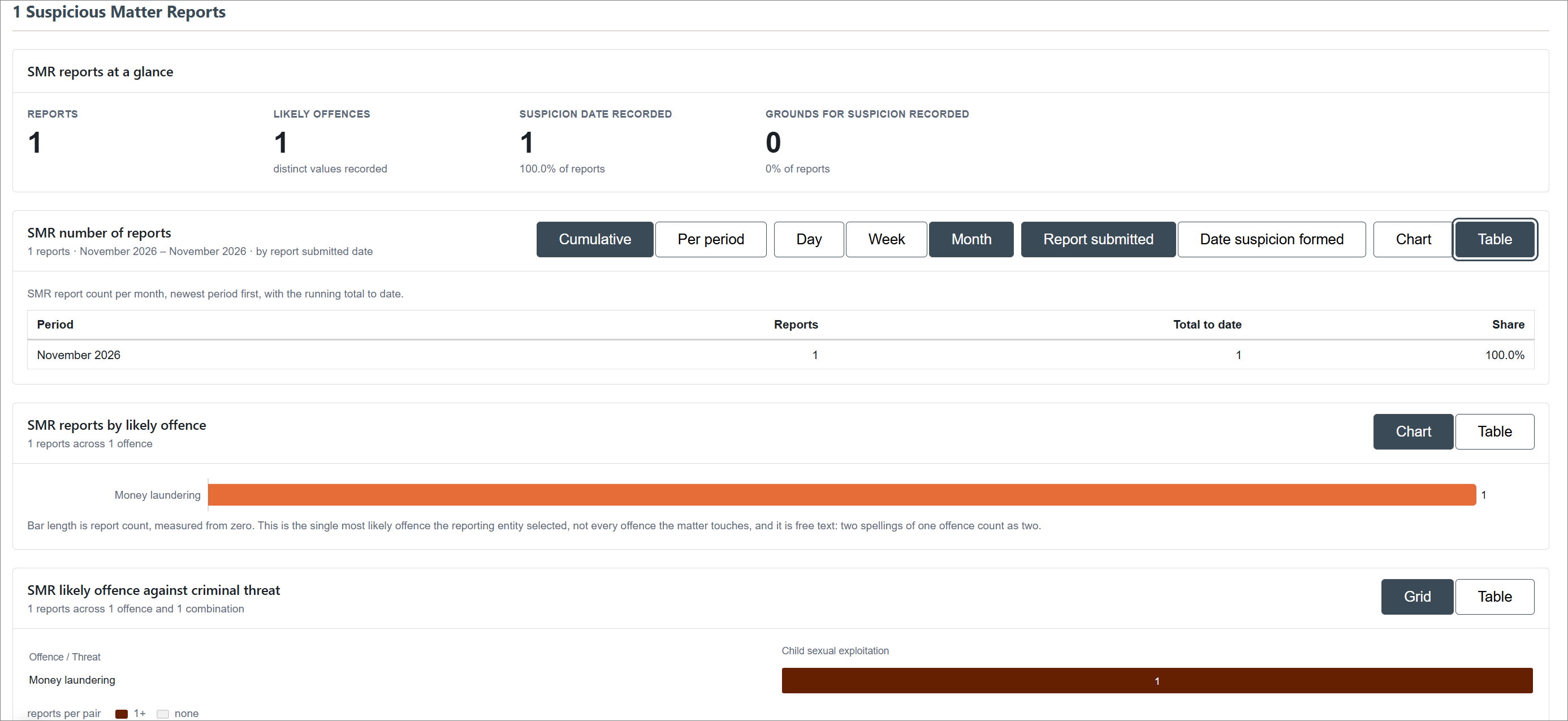
Suspicious matter reports
This section provides statistics about your organisation’s SMRs.
It includes reports submitted over time and breakdowns by related offence and crime or criminal threat.
How to filter your report statistics
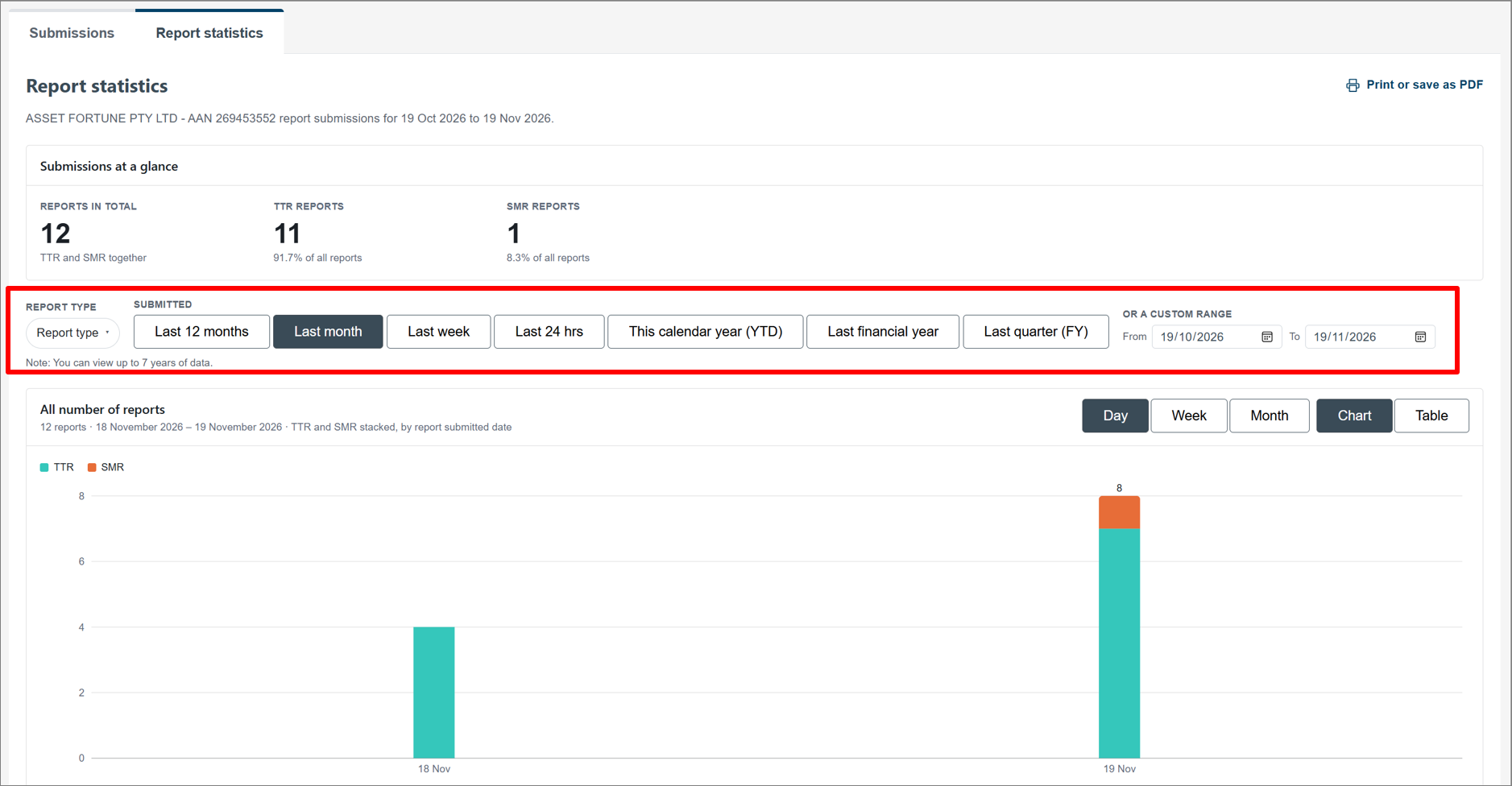
You can change the information displayed on the statistics page by filtering your report statistics by reporting period.
- Select the reporting period you want to view.
- If needed, select a custom date range.
- Review the updated statistics.
How to save or print your report statistics
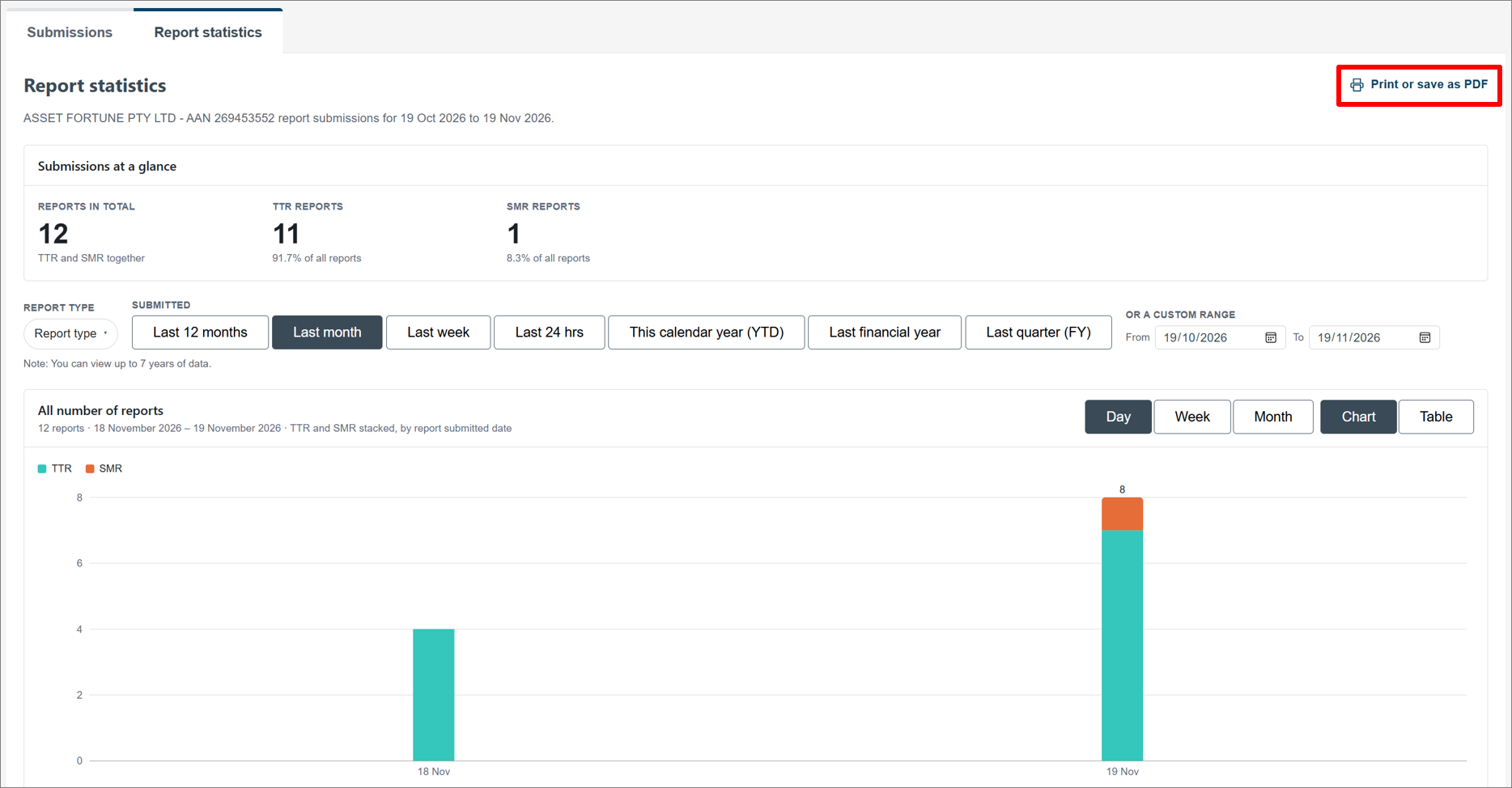
You can save or print a copy of your report statistics for the selected reporting period.
- Select the reporting period you want to view.
- Review the statistics displayed.
- Select the option to Print or save as PDF.
- Save the statistics as a PDF or print a copy.
This guidance sets out how we interpret certain Australian legislation, along with associated Rules and regulations. Australian courts are ultimately responsible for interpreting these laws and determining if any provisions of these laws are contravened.
The examples and scenarios in this guidance are meant to help explain our interpretation of these laws. They’re not exhaustive or meant to cover every possible scenario.
This guidance provides general information and isn't a substitute for legal advice. This guidance avoids legal language wherever possible and it might include generalisations about the application of the law. Some provisions of the law referred to have exceptions or important qualifications. In most cases your particular circumstances must be taken into account when determining how the law applies to you.