
If you want to form a reporting group, you must enrol with us if you intend to be a member of the reporting group or the lead entity Members must enrol as a reporting entity however the lead entity may enrol as either a reporting entity or as a lead entity only.
Details you need
Have the following details ready to help you fill out the form.
Lead entity
If you’re a lead entity, your application must include information about the members that are reporting entities. This includes:
- the name of each reporting entity. This must be the exact name enrolled with AUSTRAC (for example, McDonalds Pty Ltd, not Maccas)
- the AUSTRAC Account Number (AAN) for each reporting entity.
Member entities
If you’re a member of a reporting group and not the lead entity, your application must include:
- the lead entity’s name. This must be the exact name registered or enrolled with AUSTRAC
- the AUSTRAC Account Number (AAN) for the lead entity.
Alternatively, if you do not yet have this information for all members or the lead entity, you can add this later using the Update Enrolment details form.
You must update us of any changes to your enrolment details within 14 days of the change occurring.
How to set up a reporting group in AUSTRAC Online
We require businesses to specify how they will report to us, either individually or as part of a reporting group.
Complete the Reporting Group section on the New Enrolment form (if you are enrolling a new business), or the Update Enrolment details form (when you are updating an enrolment). This is in the Where you operate section of the forms.
Learn more about reporting groups.
Step by step guide:
- Go to AUSTRAC Online.
- Log in with your username and password.
If you do not have an account, read the New user sign up guide.
- If you are enrolling a new business, select:
- Business
- Enrol New Business
- If you are already enrolled, select:
- Business
- Business Profile
- Update Enrolment details.
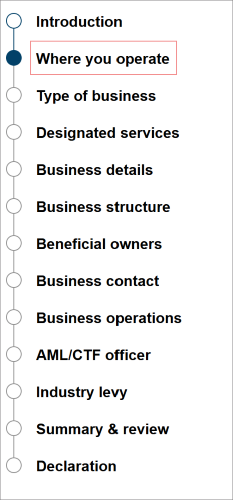
- Go to the Where you operate section.
- If you are part of a reporting group, confirm the following:
- If you are the lead entity, do you know if any members of your reporting group have been issued an AUSTRAC account number (AAN)?
- If you are a member entity, do you know if your lead entity has been issued an AAN?
Or if you are not part of a reporting group, select No.
Note: This section only applies to businesses that are part of a reporting group. If this does not apply to your business, select No.”

Lead entity
If you’re the lead entity of the reporting group, you must enter all your member entities.
- Select Yes.
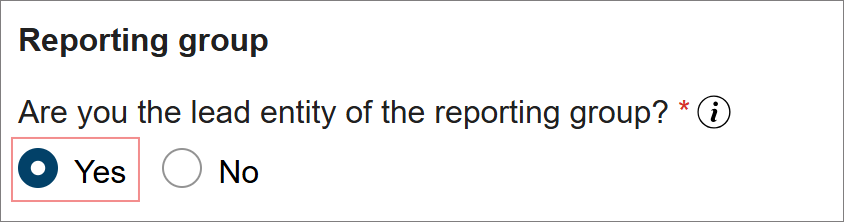
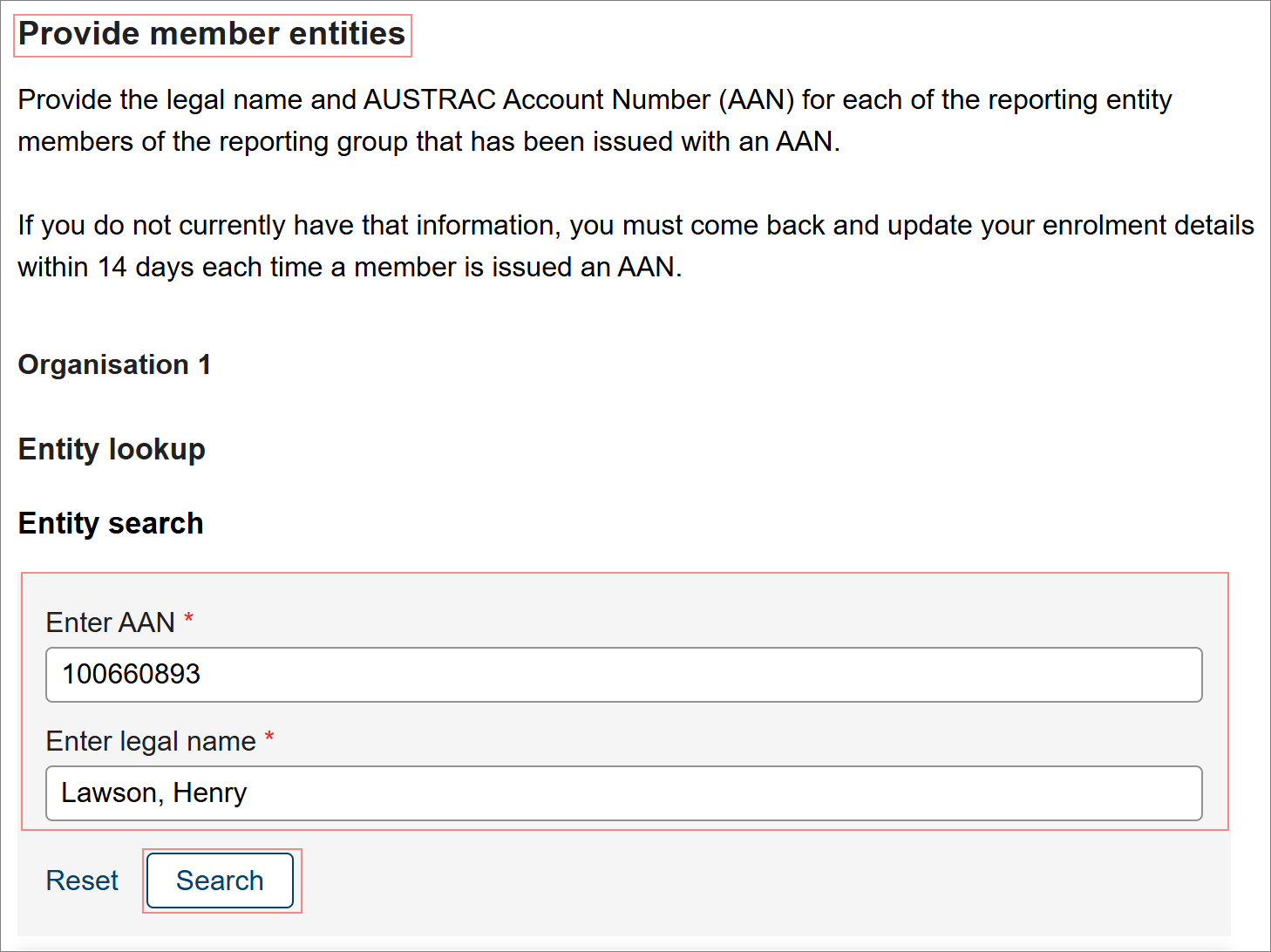
For each member:
- Enter their AAN and legal name in the Entity search.
- Select Search.
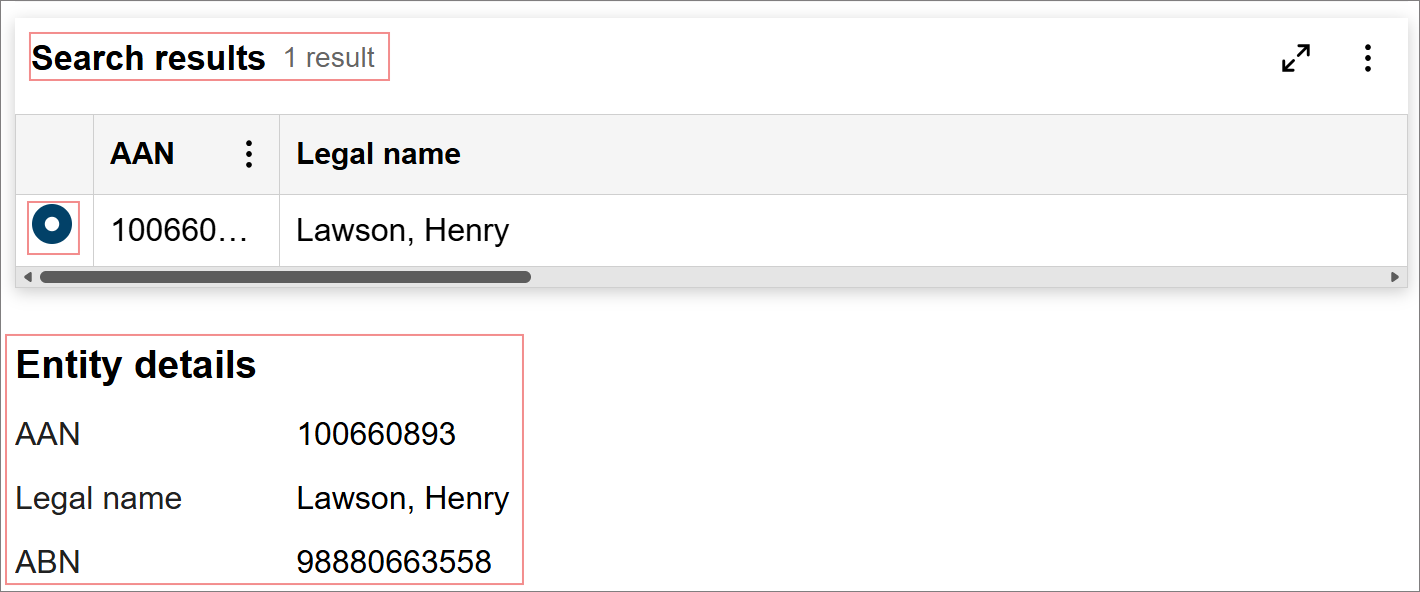
- The search results will then appear with the business details.
- Select the member from the search results.
- The member details will be displayed.
- Select the delete icon to delete members. The delete icon is available when there is more than one member in the group.
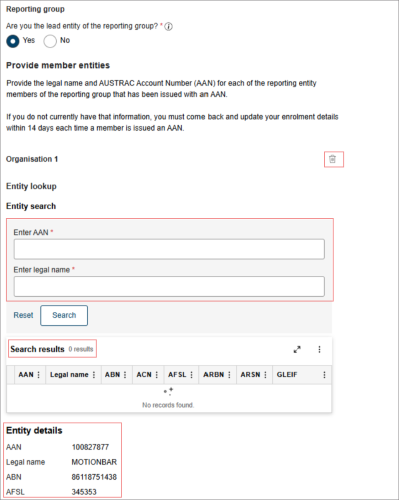
- Select + Add Entity to continue adding other member entities or select Next to continue.

Member entity
If you’re part of a reporting group as a member entity, you must enter the details of the lead entity of the reporting group.
- Select No.
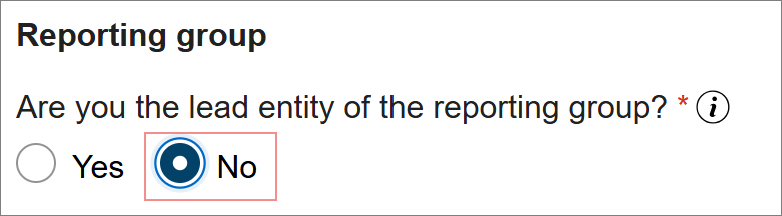
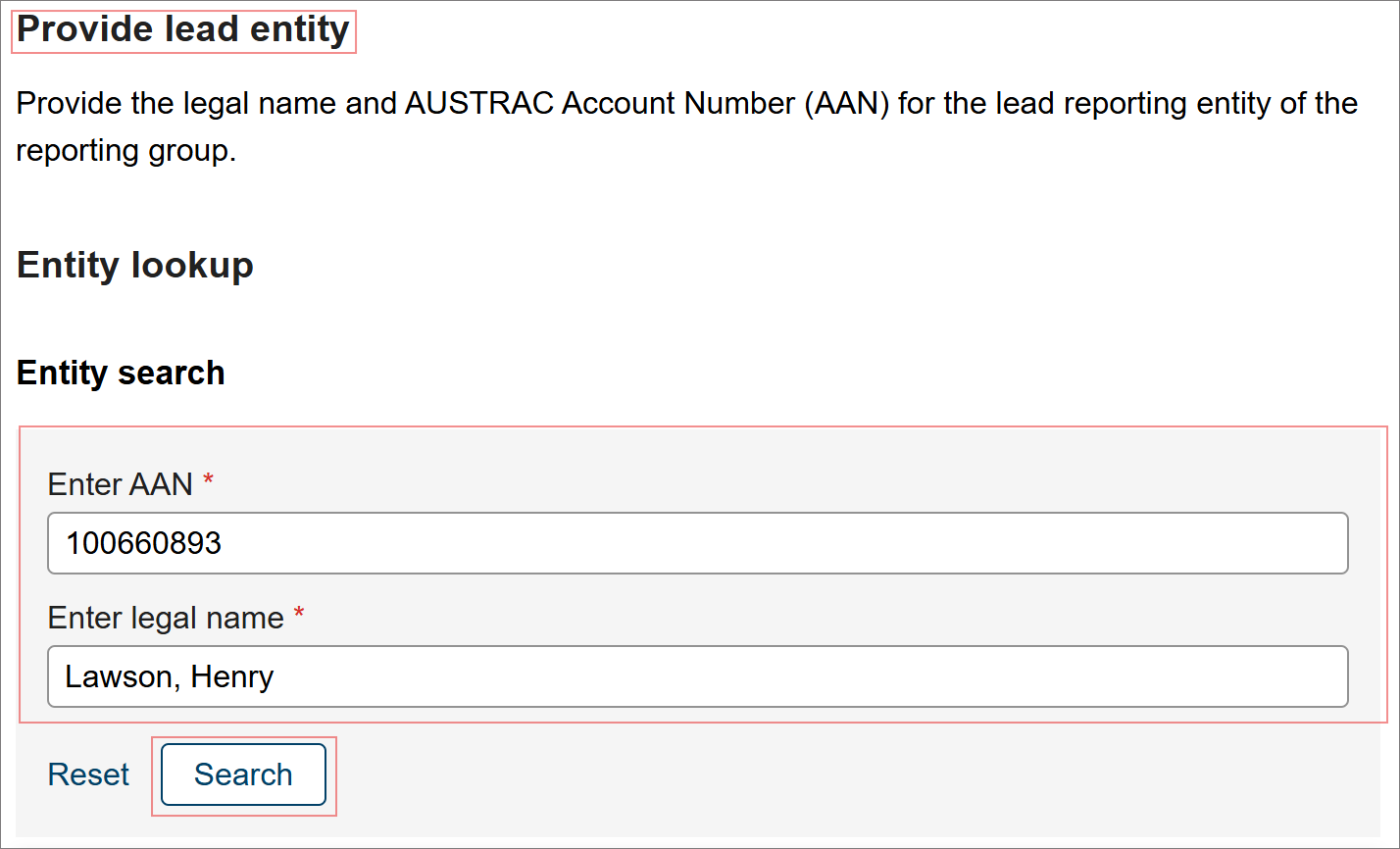
- Enter the lead entity’s AAN and legal name in the Entity search.
- Select Search.
- The search results will then appear with the business details.
- Select the entity from the search results.
- The entity’s details will be displayed.
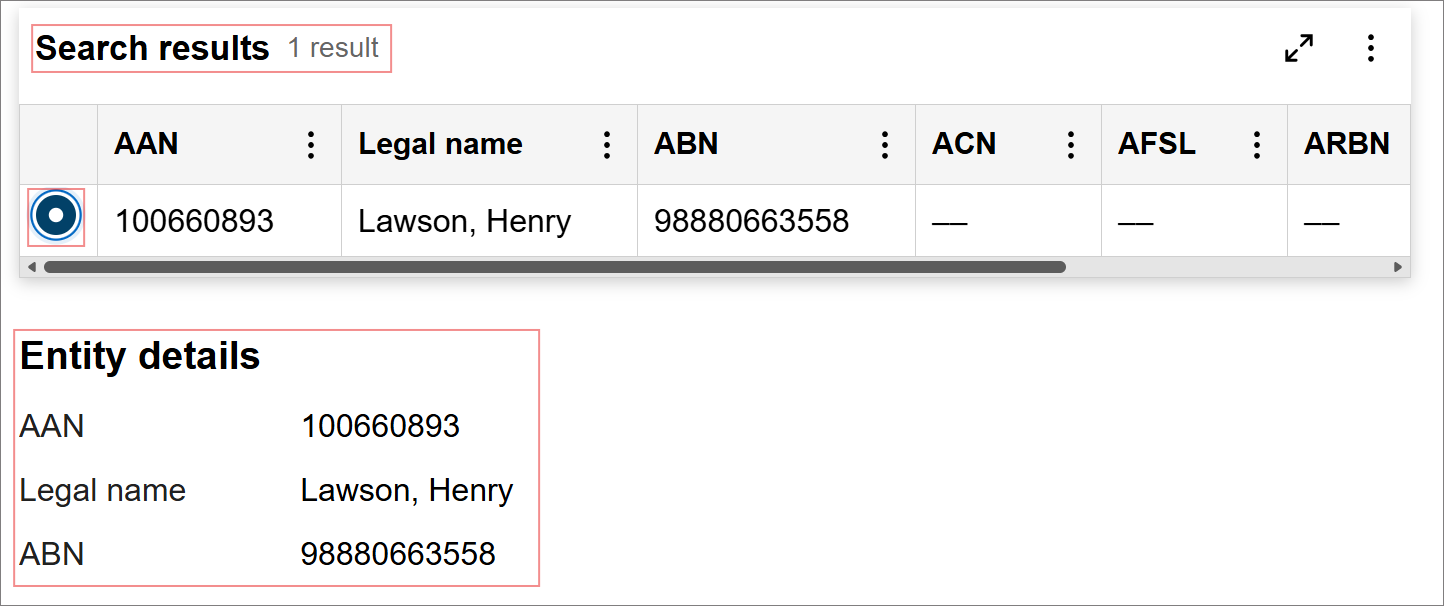
- Select Next.
Note: In the enrolment form, under the Designated services section, an additional question will appear if you select ‘No’ to all designated services. This question asks whether the business is (or intends to be) the lead entity of a reporting group.
How to leave a reporting group
To leave a reporting group, you must update the reporting group details through the Update Enrolment details form in AUSTRAC Online. The lead entity and all reporting group members must do this. This is applied once all parties have successfully submitted their changes.
- Go to AUSTRAC Online.
- Log in with your username and password.
- Select Business.
- Select Business Profile.
- Select Update Enrolment details.
- Go to the Where you operate section.
Lead entity and all members
If you’re part of a reporting group, to leave the reporting group, you will need to update your responses using Update Enrolment details.
- Select No, to leave the reporting group.
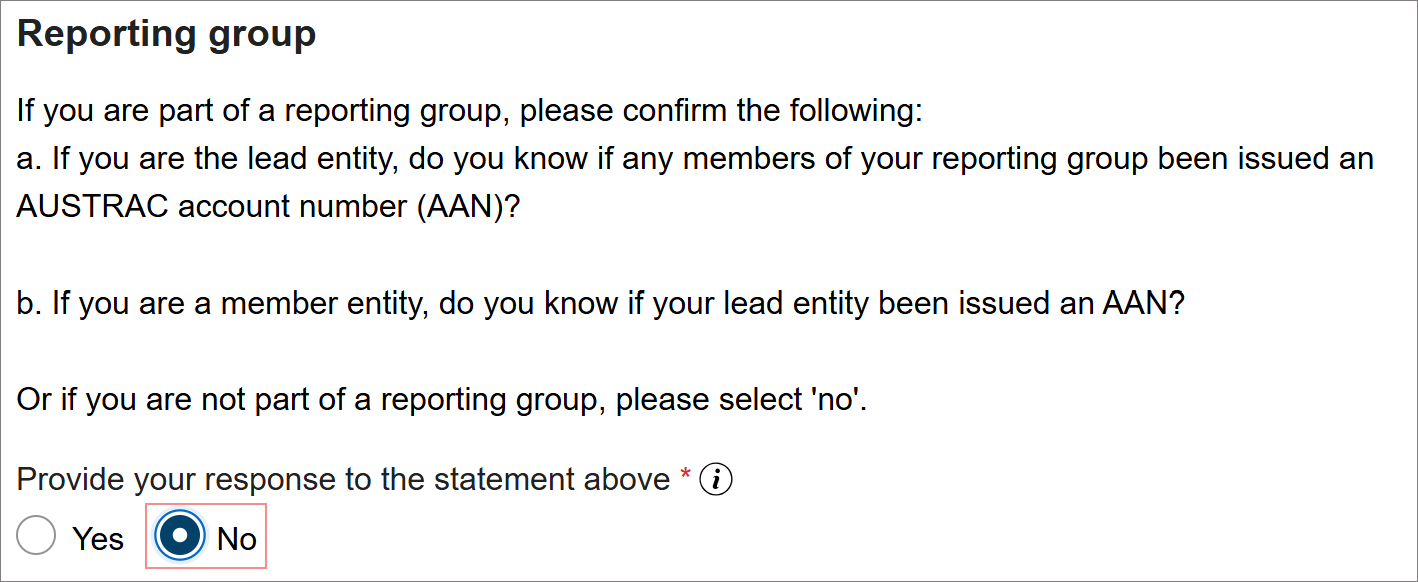
- Select Next
How to change the lead entity of a reporting group
The current lead entity must leave the reporting group. Follow the steps for lead entity:
The new lead entity will need to form a reporting group. Follow the steps for lead entity:
All members
All members must remove the lead entity and then add the new lead entity through the Update Enrolment details form.
Each member must remove the current lead entity. Follow the steps for all members:
Then all members must add the new lead entity. Follow the steps for all members:
Note: A reporting group will only be formed once the lead entity and all member entities have updated their reporting group details and submitted their enrolment form.
This guidance sets out how we interpret certain Australian legislation, along with associated Rules and regulations. Australian courts are ultimately responsible for interpreting these laws and determining if any provisions of these laws are contravened.
The examples and scenarios in this guidance are meant to help explain our interpretation of these laws. They’re not exhaustive or meant to cover every possible scenario.
This guidance provides general information and isn't a substitute for legal advice. This guidance avoids legal language wherever possible and it might include generalisations about the application of the law. Some provisions of the law referred to have exceptions or important qualifications. In most cases your particular circumstances must be taken into account when determining how the law applies to you.