
Learn how to access the business menu and manage your business profile.
On this page
Access the Business menu
The Business menu is only available to users with Administrator user access. This section lets you:
- view and update your business details
- lodge your AML/CTF compliance reports.
Select the Business menu to view and access the sub-menu items. Once you select one of these options, you’ll be able to view, add and edit details. The sub-menu options are:
- Business Profile
- Compliance Report
- Manage DBG (designated business group)
- Enrol New Business
- Manage Branches
- Manage Agents.
Business Profile
View our video on how to use your business profile.
Select Business Profile to open a display of all business profile details. This page has tabs so you can switch between the following sections:
- Business details
- Contacts
- Designated services
- Regulatory profile
- Other registration details
- Submissions
- Industry contribution.
The Update enrolment details form and Remove from RE Roll form are at the top of the page.
You can find your business details by selecting the Business Details tab.
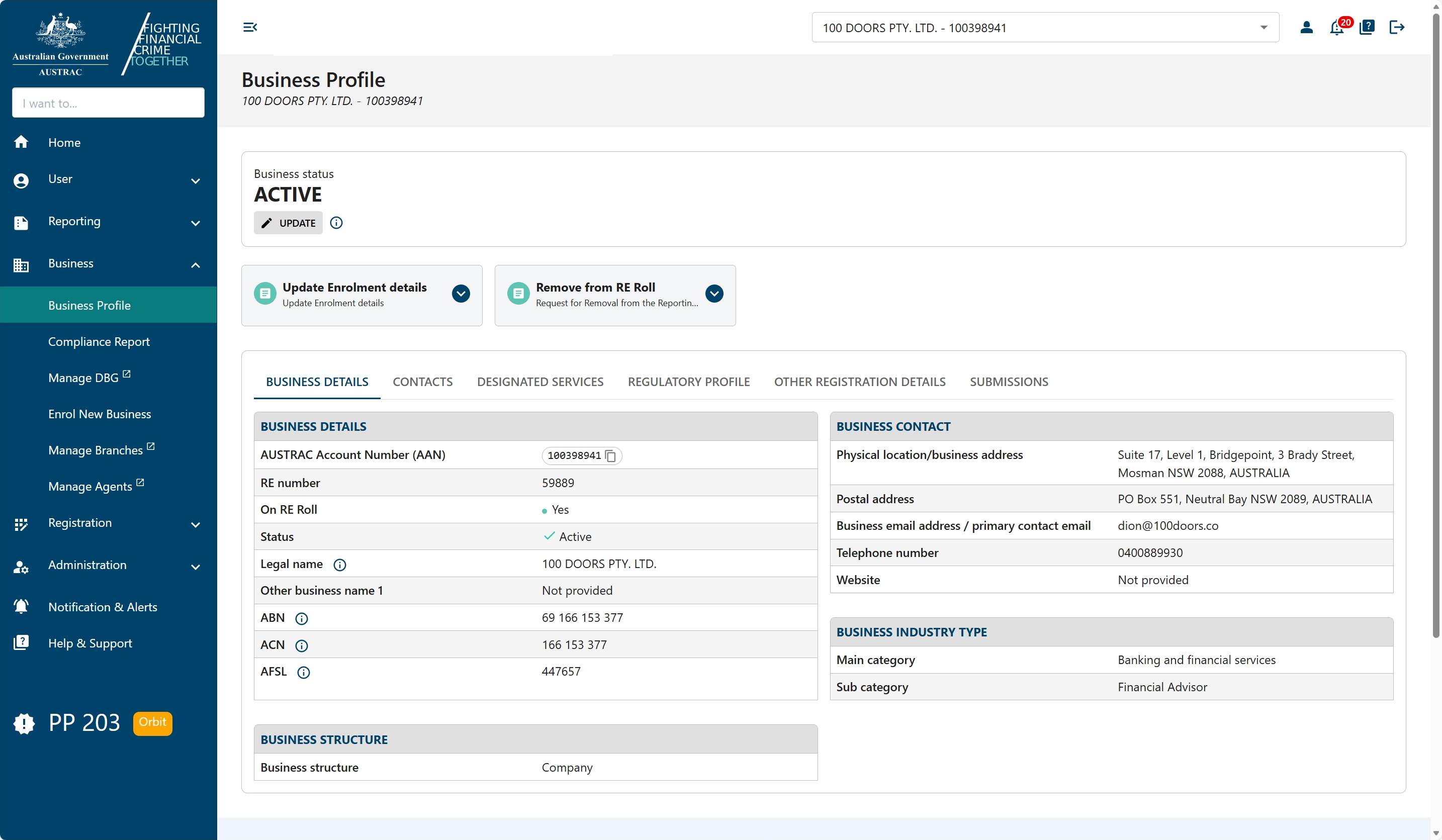
The ‘Business Details’ tab allows you to view the information you shared with us about your business.
Change business details
If you need to change any of the details on the ‘Business Profile’ page, you need to submit the AUSTRAC Update Enrolment Details form.
You can do this by selecting Update enrolment details.
Find contacts information
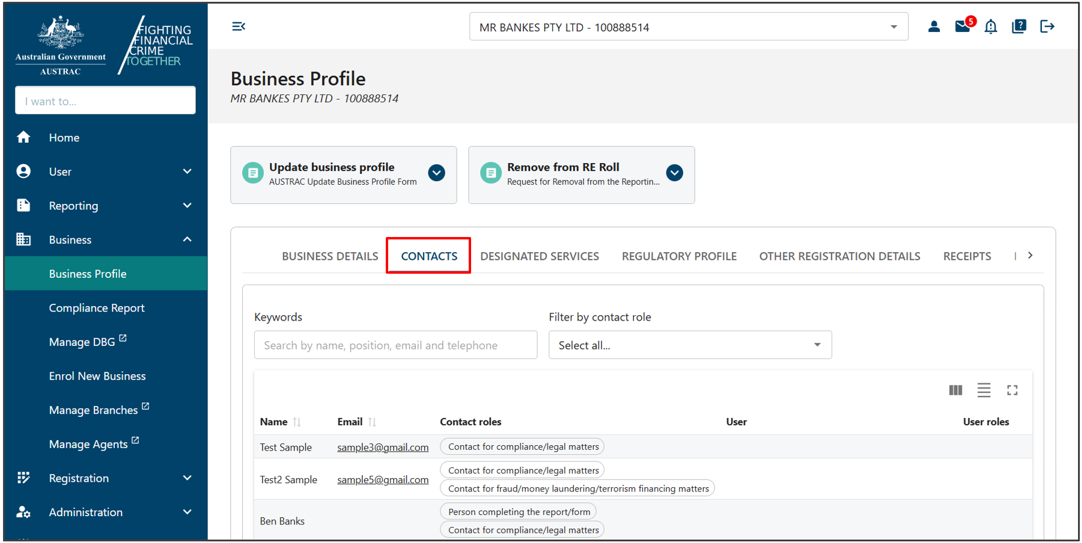
You can find contacts information by selecting the ‘Contacts’ tab. This lets you view all contacts linked to your business.
You can sort and filter the contacts. To sort the contacts by descending or ascending order, select the column name. You can filter the contacts by ‘Keywords’ and ‘Filter by contact role’.
Designated services information
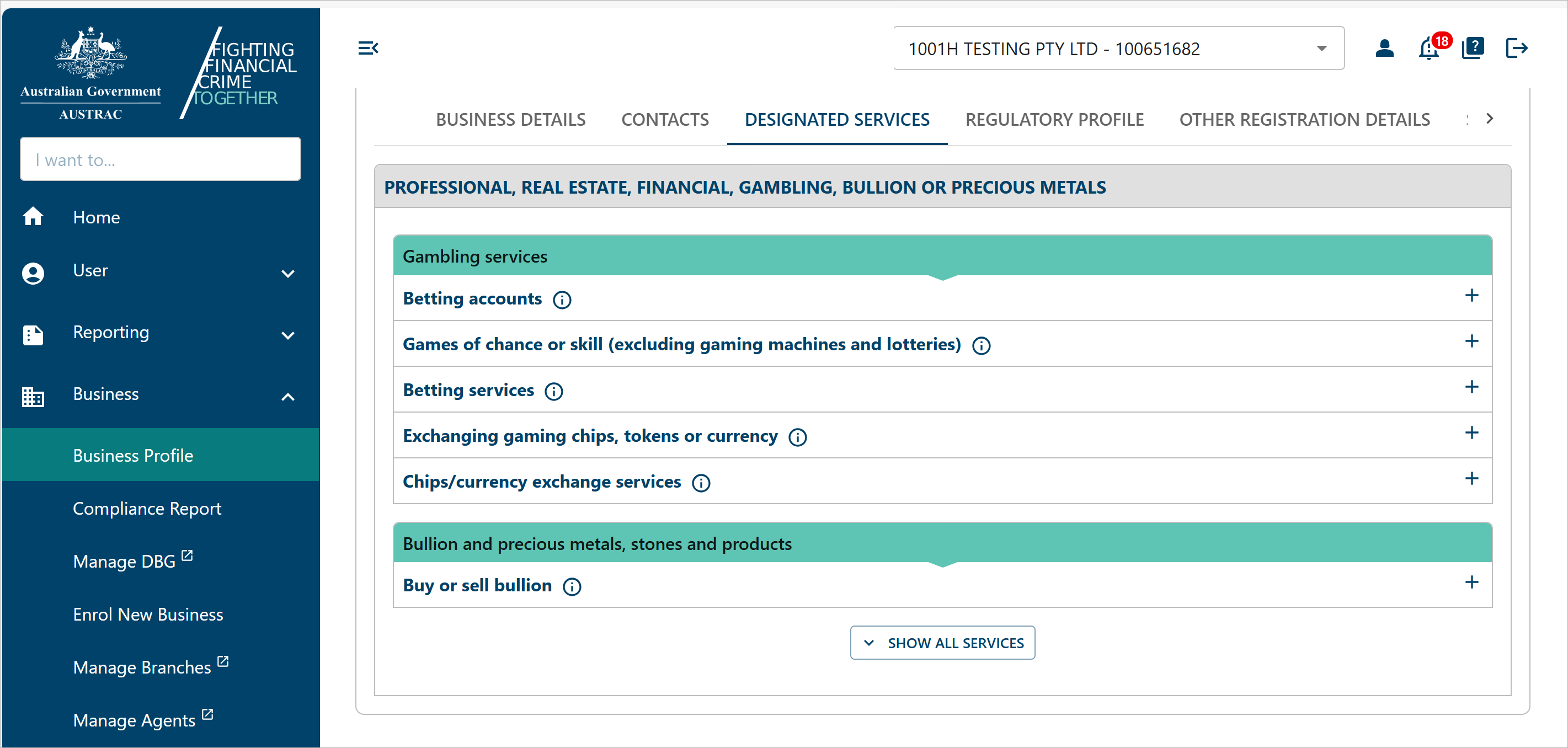
You can find designated service information by selecting the Designated Services tab. This tab lists all the designated services linked to your business.
You can expand or hide the services. To do this:
- Select the information icon for more information on certain labels.
- Select the registration number to copy the number.
- Select the forward arrow icon to view the registration on the ‘My Registrations’ page.
Your regulatory profile
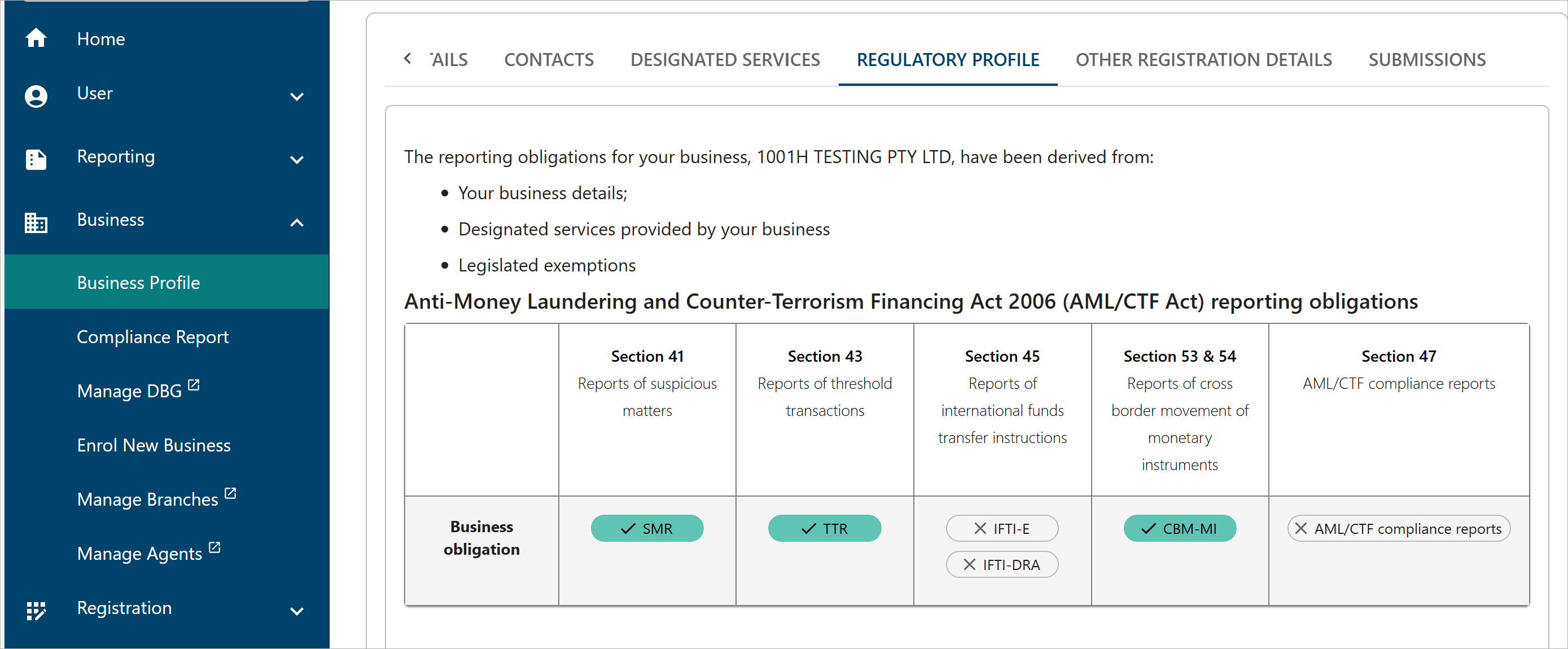
You can find regulatory profile information by selecting the Regulatory Profile tab.
Other registration details
You can find other registration information by selecting the Other Registration Details tab. This lists all applicable foreign registrations and associated entities’ details.
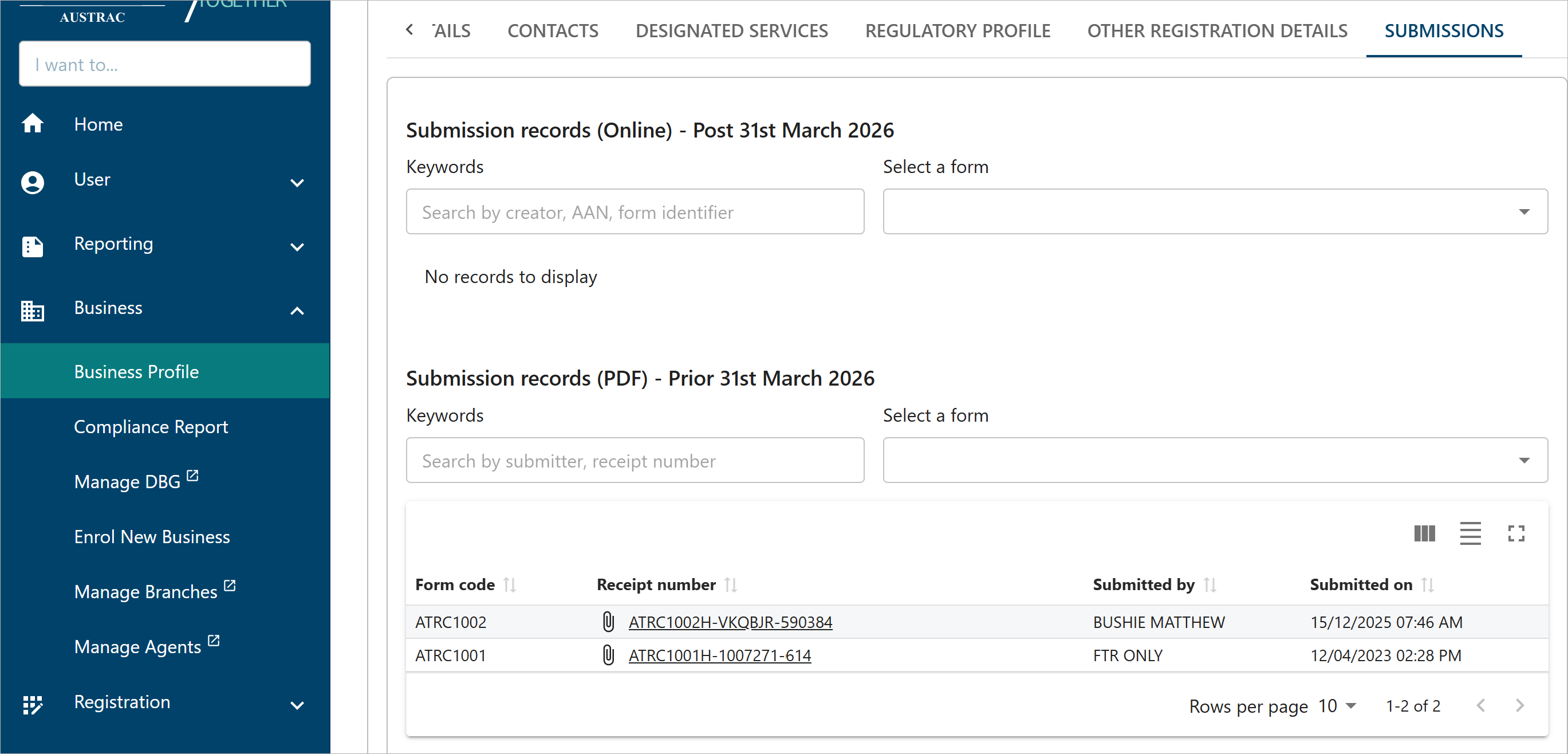
Submissions
You can find your submission history by selecting the submissions tab. This lists your previous submissions to AUSTRAC.
This guidance sets out how we interpret certain Australian legislation, along with associated Rules and regulations. Australian courts are ultimately responsible for interpreting these laws and determining if any provisions of these laws are contravened.
The examples and scenarios in this guidance are meant to help explain our interpretation of these laws. They’re not exhaustive or meant to cover every possible scenario.
This guidance provides general information and isn't a substitute for legal advice. This guidance avoids legal language wherever possible and it might include generalisations about the application of the law. Some provisions of the law referred to have exceptions or important qualifications. In most cases your particular circumstances must be taken into account when determining how the law applies to you.