
Find out how to submit threshold transaction reports (TTR) or suspicious matter reports (SMR) using the file upload feature in AUSTRAC Online.
We provide multiple methods of submitting TTR and SMR reports. This includes single report entry and file upload (XML).
You can find out more about single report entry in our TTR and SMR quick reference guides:
For file upload we provide XML schemas to assist you in generating XML files to submit multiple TTR and SMR reports. This is helpful for businesses who process a large number of transactions or want to automate their reporting to AUSTRAC. You can find the schemas in our AUSTRAC Online document library.
Note: All reporting entities that want to use the file upload reporting method must complete a test file assessment process before submitting reports to AUSTRAC using this method. This ensures your data extraction and reporting systems are fit for purpose and free from systemic data quality issues.
To schedule testing or find out more about the test file assessment process, contact AUSTRAC at datacapabilities@austrac.gov.au.
There is a version of the file upload function in our TTR/SMR training environment. You can use this to explore the file upload functionality before you start reporting to us. You can learn more in our quick reference guide on the TTR/SMR training environment.
How to upload a TTR or SMR XML file
We recommend that you prepare your XML file before you start the process of uploading it in AUSTRAC Online.
- Go to AUSTRAC Online.
- Log in with your username and password.
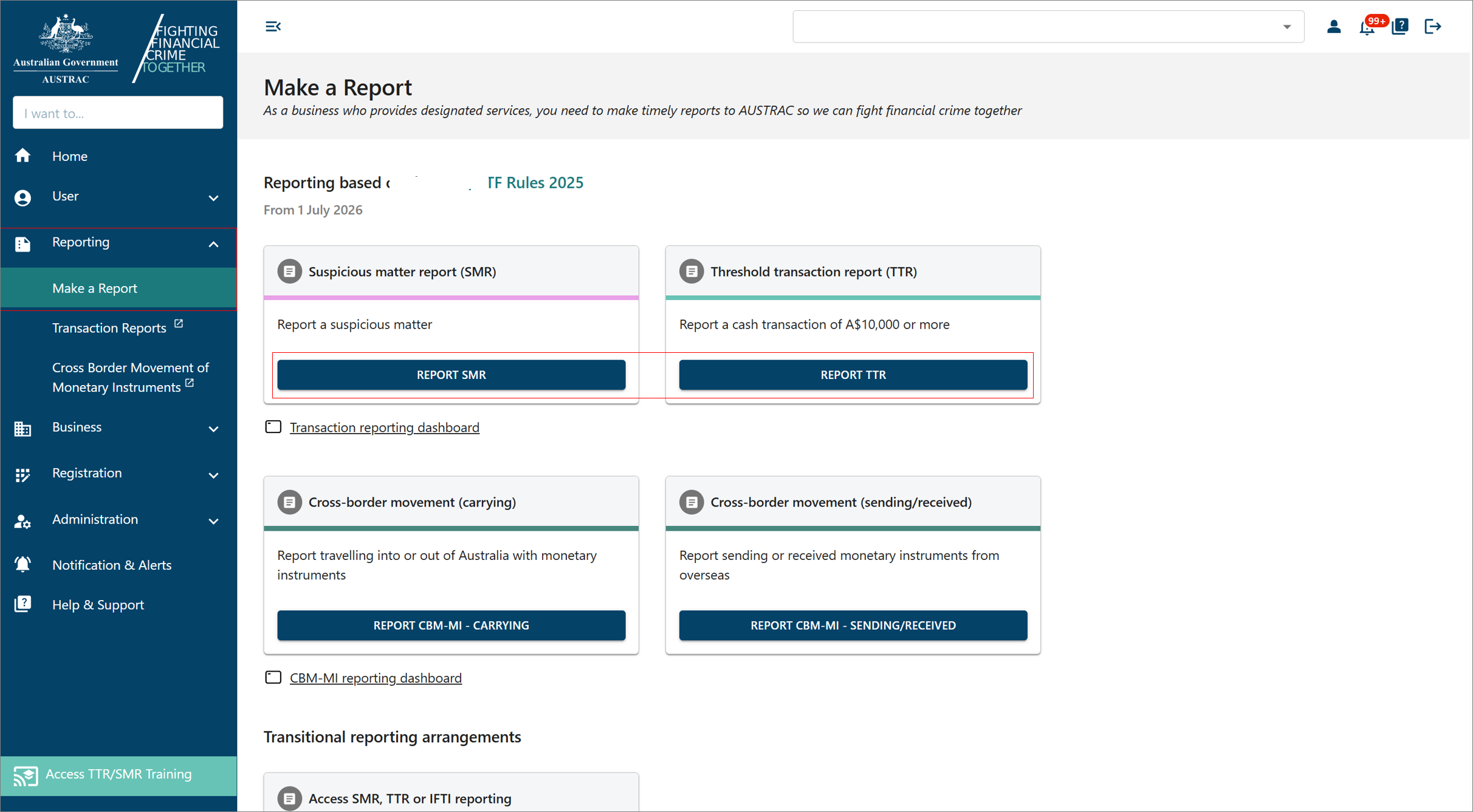
- Select Reporting then Make a Report
- Select Report SMR or Report TTR
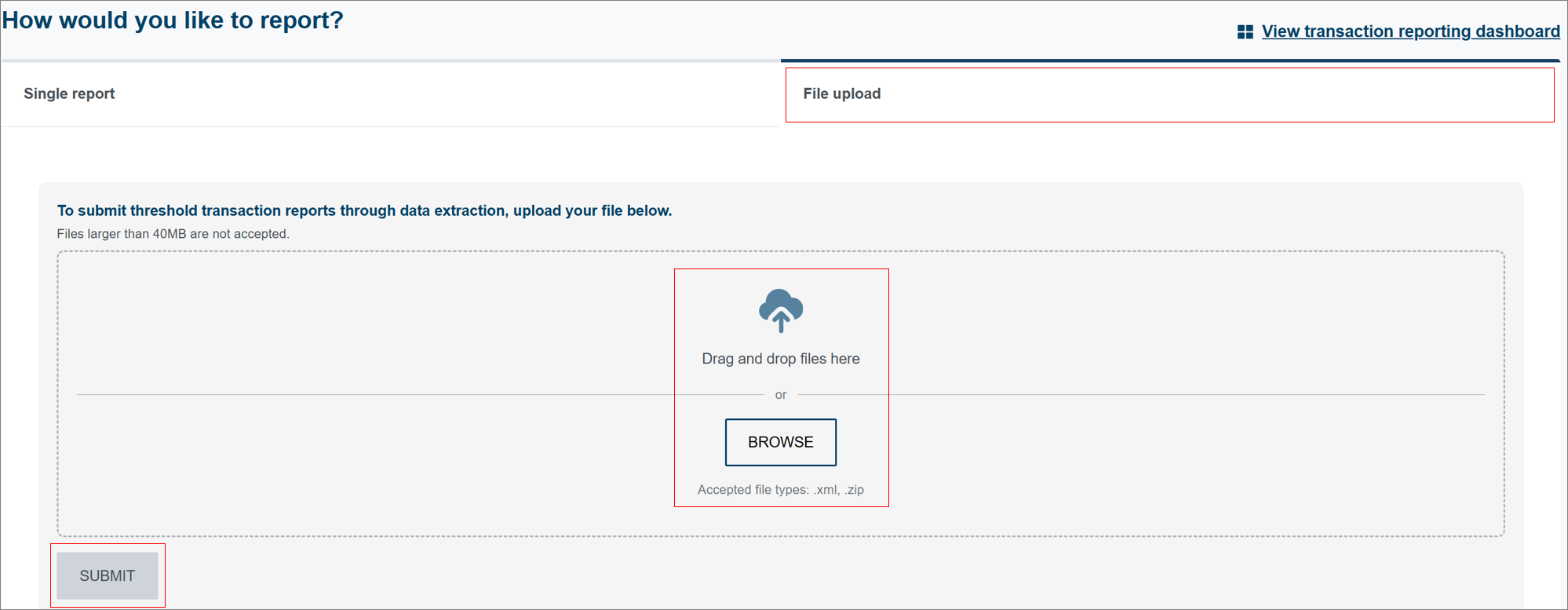
- On the Threshold Transaction Report or Suspicious Matter Report page, select File upload.
- Upload your file by either dragging and dropping the file into the upload area, or selecting Browse to locate the file on your computer.
- Once the file is added select Submit.
Accessing the training environment version
To access the file upload function in the training environment:
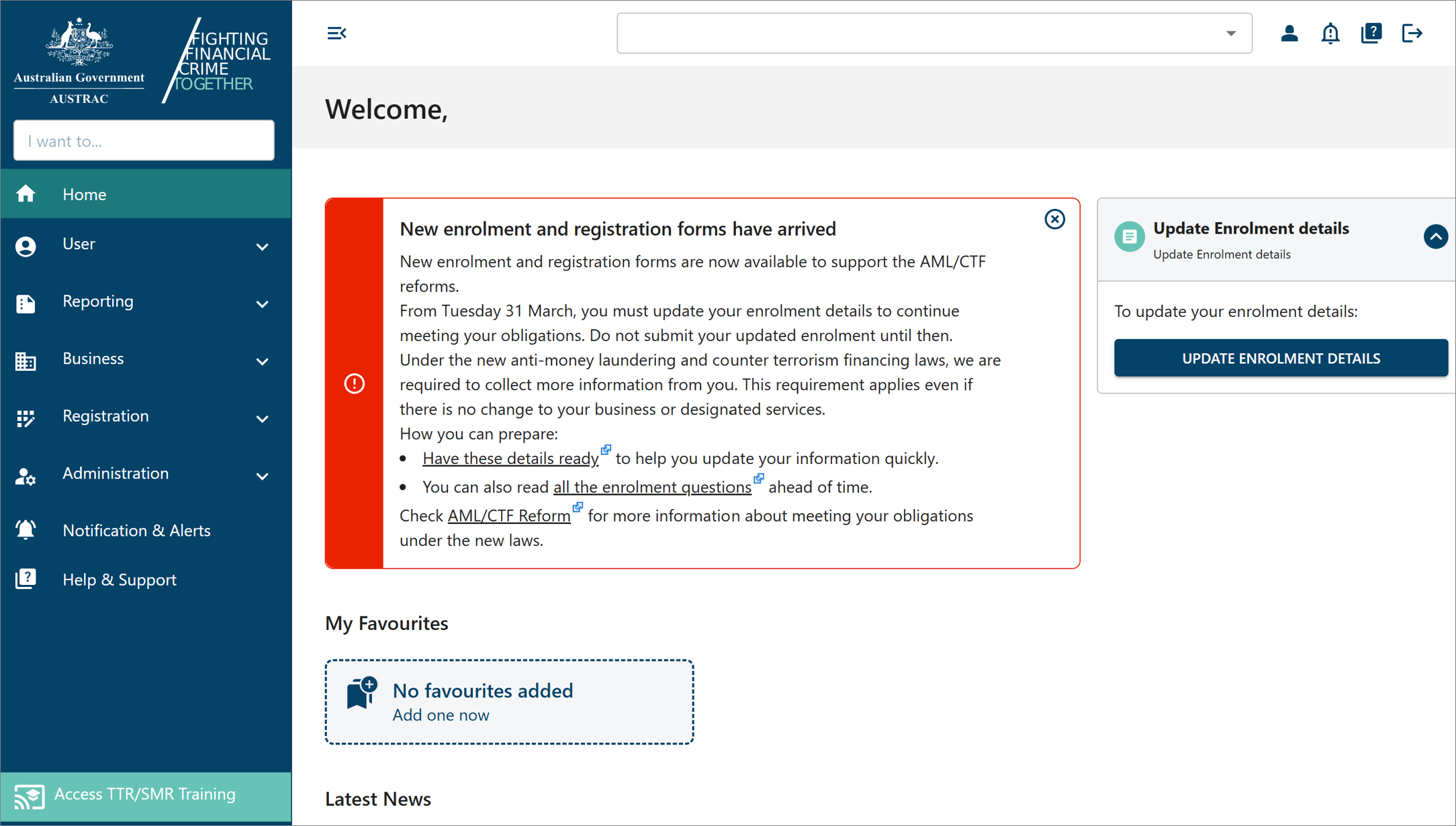
- Select Access New TTR/SMR Training.
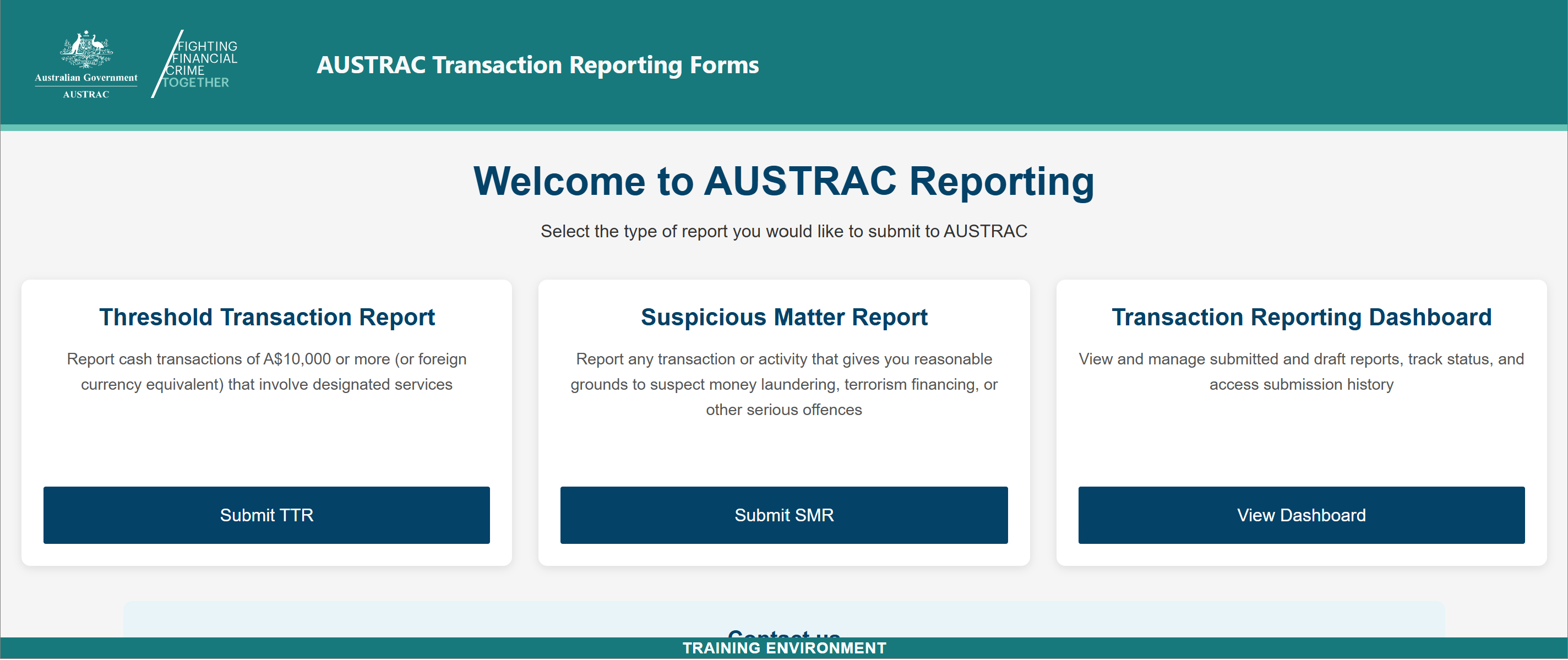
- Select Report TTR or Report SMR.
What happens after you upload a file
- Your file is checked against the XML schema definition file and reporting rules.
- The file submission status screen will appear.
- If the file meets validation requirements, you can proceed with submission.
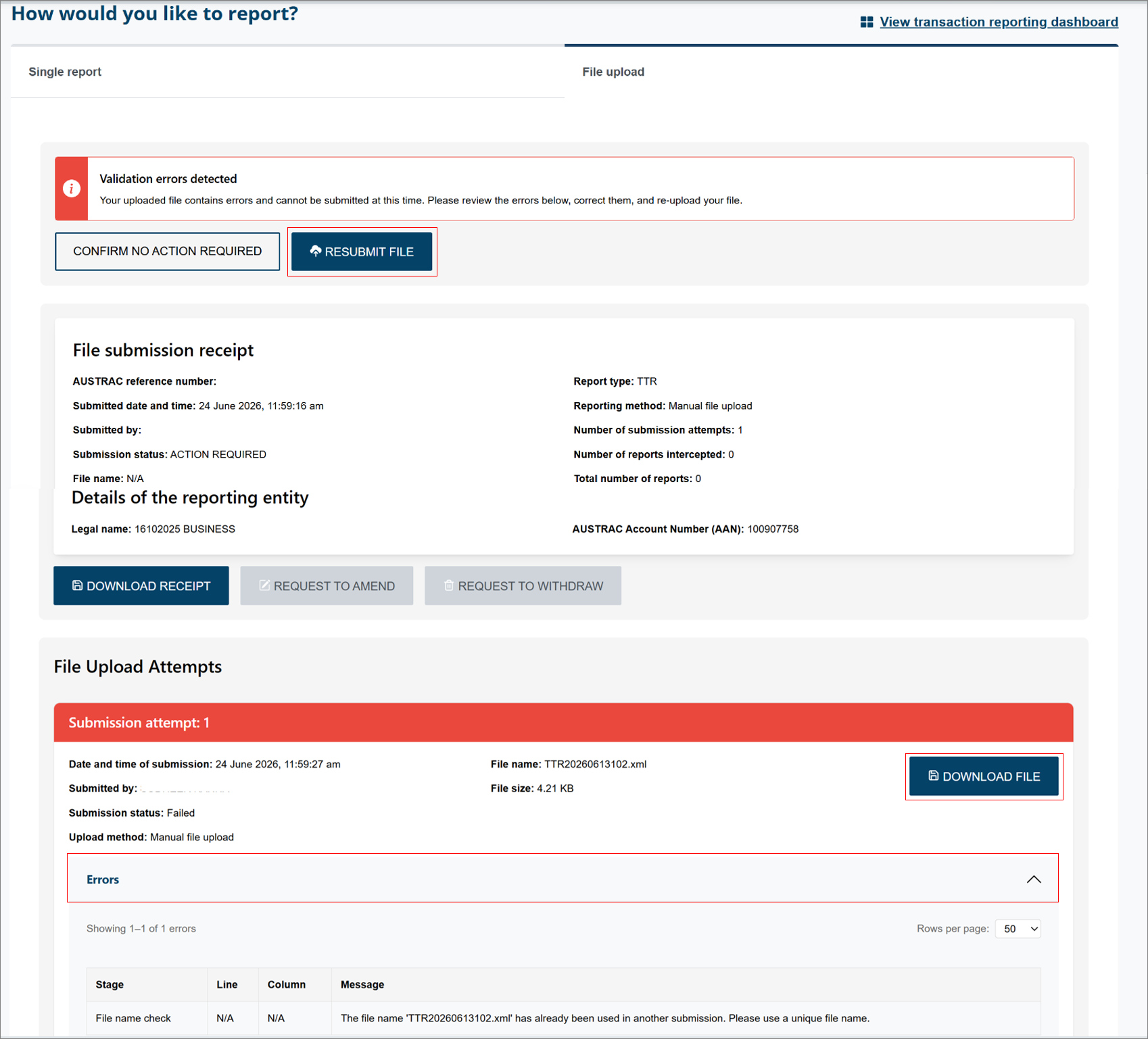
- If there are issues with the file, error message(s) will display explaining what needs to be fixed.
Note: You can correct the file and upload it again once the issues are resolved.
If your uploaded file contains errors
If your file contains errors, you’ll see error messages that:
- identify the field or section with an issue
- explain what needs to be corrected, for example missing information or incorrect formatting.
To fix this:
- Select the Errors drop-down menu from the File Upload Attempts section, to view the details of what needs to be corrected.
- Correct the issue and resubmit the file, where applicable.
Note: You can choose to resubmit your file at a later time through the reporting dashboard.
After you submit
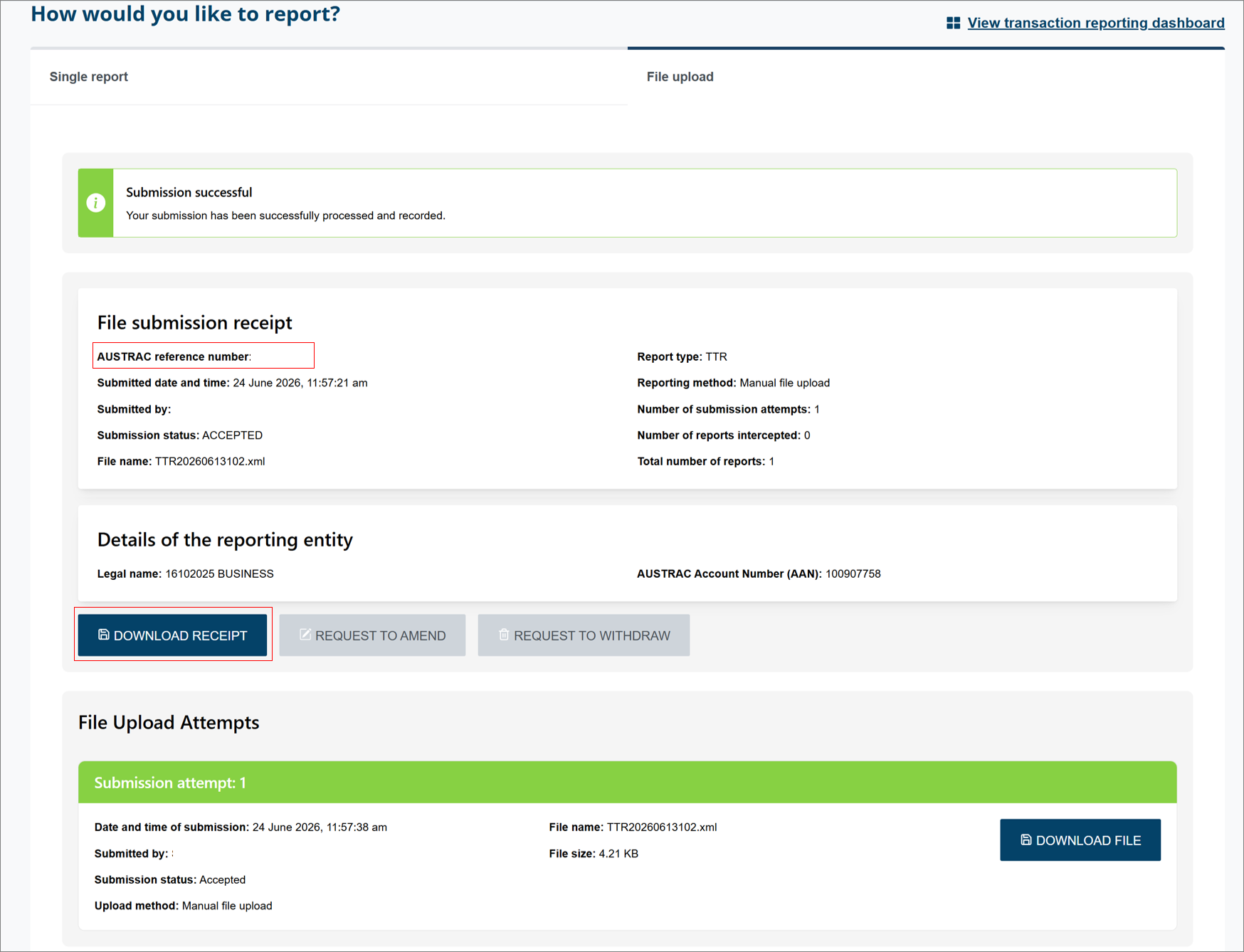
Once you submit your file, a confirmation message will appear indicating that your submission was successful. You will receive a file submission receipt that includes your AUSTRAC reference number and submission details.
You can select Download receipt to save a copy for your records. Additionally, AUSTRAC will send you a confirmation email (noting emails are not sent for training submissions).
This guidance sets out how we interpret certain Australian legislation, along with associated Rules and regulations. Australian courts are ultimately responsible for interpreting these laws and determining if any provisions of these laws are contravened.
The examples and scenarios in this guidance are meant to help explain our interpretation of these laws. They’re not exhaustive or meant to cover every possible scenario.
This guidance provides general information and isn't a substitute for legal advice. This guidance avoids legal language wherever possible and it might include generalisations about the application of the law. Some provisions of the law referred to have exceptions or important qualifications. In most cases your particular circumstances must be taken into account when determining how the law applies to you.