
Find out how to request to amend or withdraw a submitted threshold transaction report (TTR) or suspicious matter report (SMR) in AUSTRAC Online. This includes how to respond to requests initiated by AUSTRAC.
Who can request to amend or withdraw a report
You can manage requests to amend or withdraw reports through AUSTRAC Online.
Only users with RE.Administrator or RE.TR-Approver roles can:
- request to amend or withdraw
- respond to requests initiated by AUSTRAC.
Data entry users do not have access to report management actions. They can only create and submit draft reports, and view the reports they’ve submitted.
How to amend a report awaiting approval
- Go to the Transaction reporting dashboard.
- Select the AWAITING APPROVAL tab.
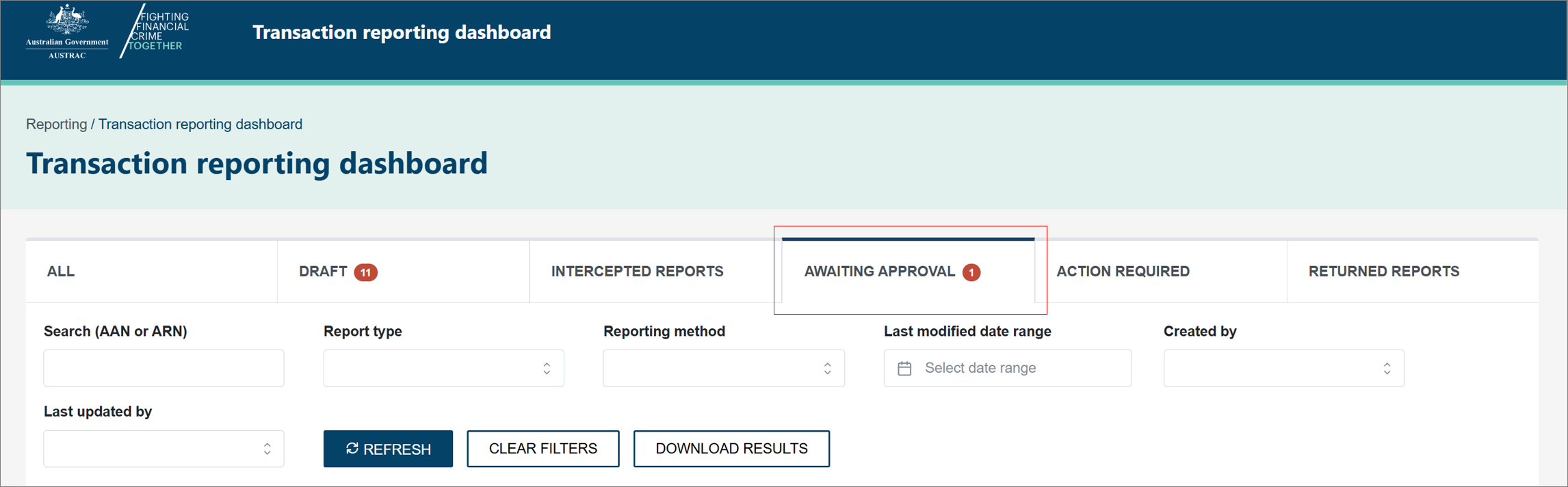
- Locate the report to be reviewed.
- In the Actions column, select the Edit icon.
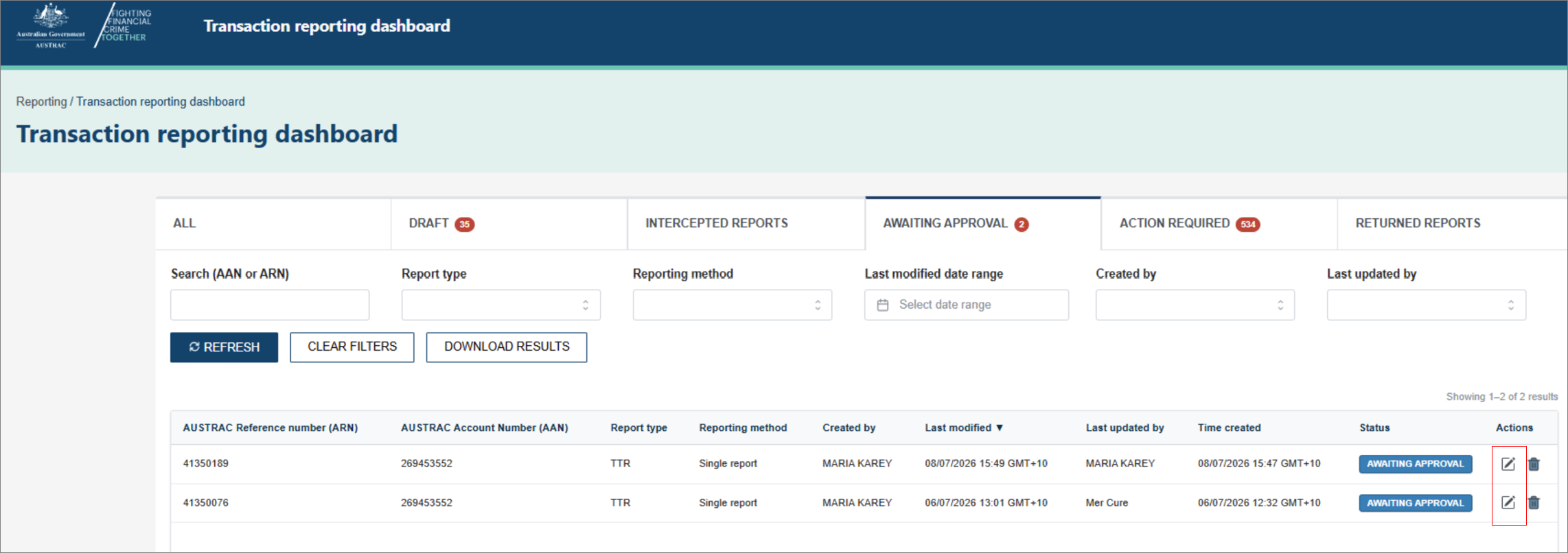
- Review the report details.
- Update the report if changes are required.
- Complete the review and select Submit report.
- Once submitted, the report status updates to Accepted.
How to request to amend or withdraw an approved report
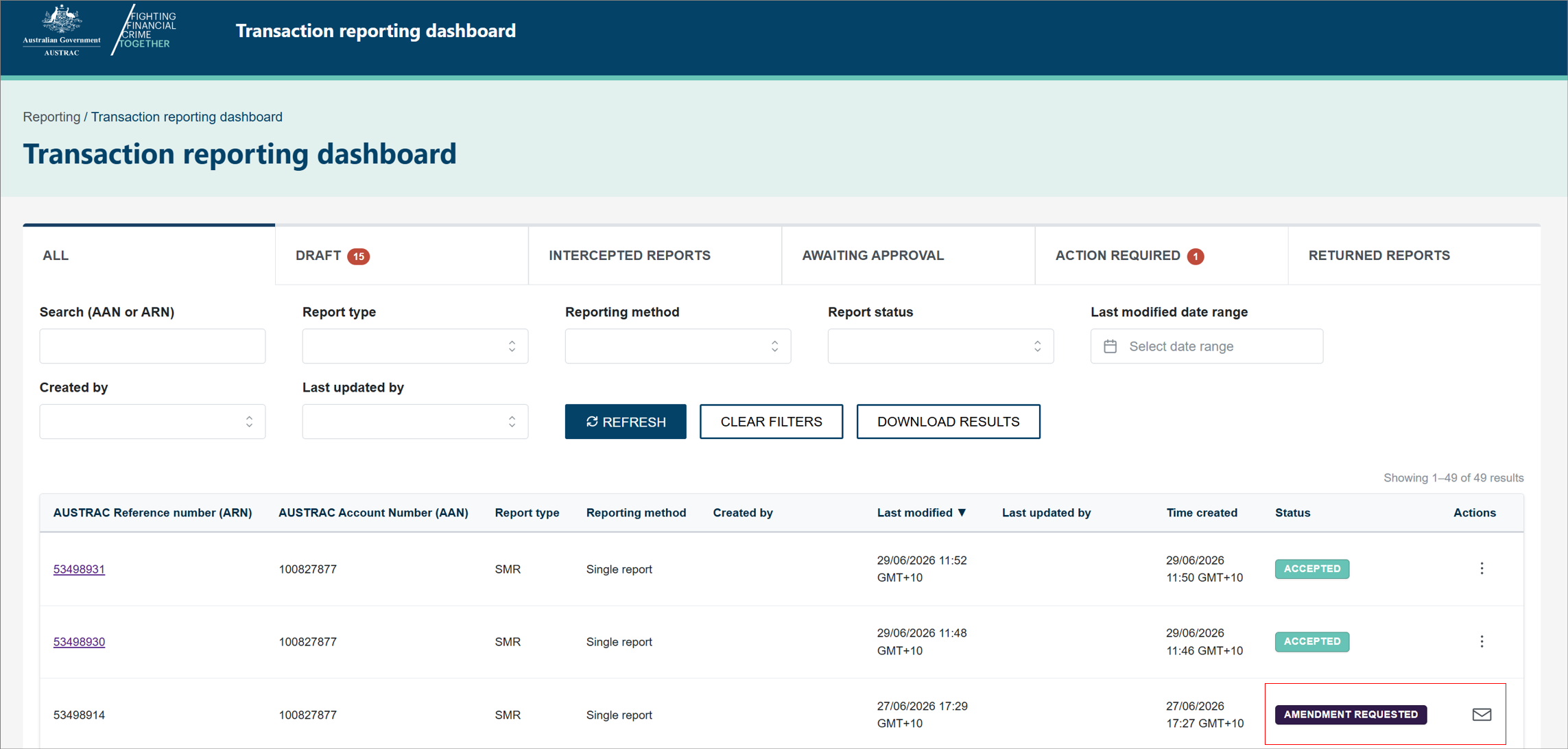
- In the Actions column of the transaction reporting dashboard, select the ellipsis (3 dots) to open the report.
- Select either:
- Request amendment
- Request withdrawal.
- A Raise request form will open. Enter the required details in the message field. Follow the instructions provided in the form:
- For an amendment, provide details of the information to be updated and the affected parts of the report.
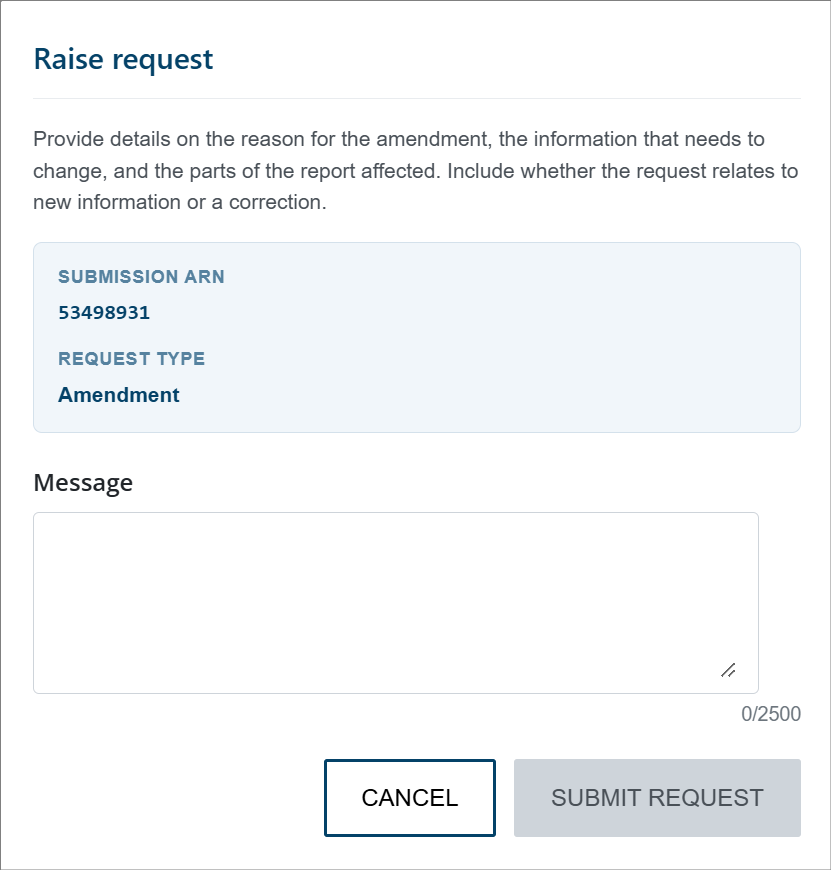
- For a withdrawal, provide the reason for the request in the message field.
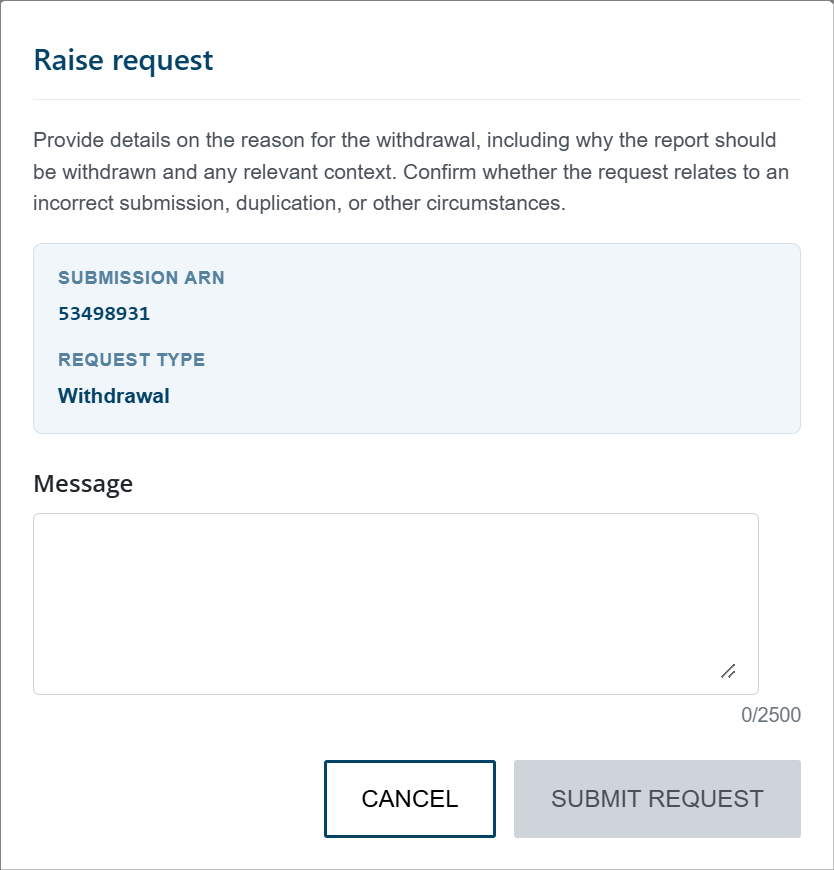
- Select SUBMIT REQUEST.
- The report status updates to either:
- Amendment requested
- Withdrawal requested.
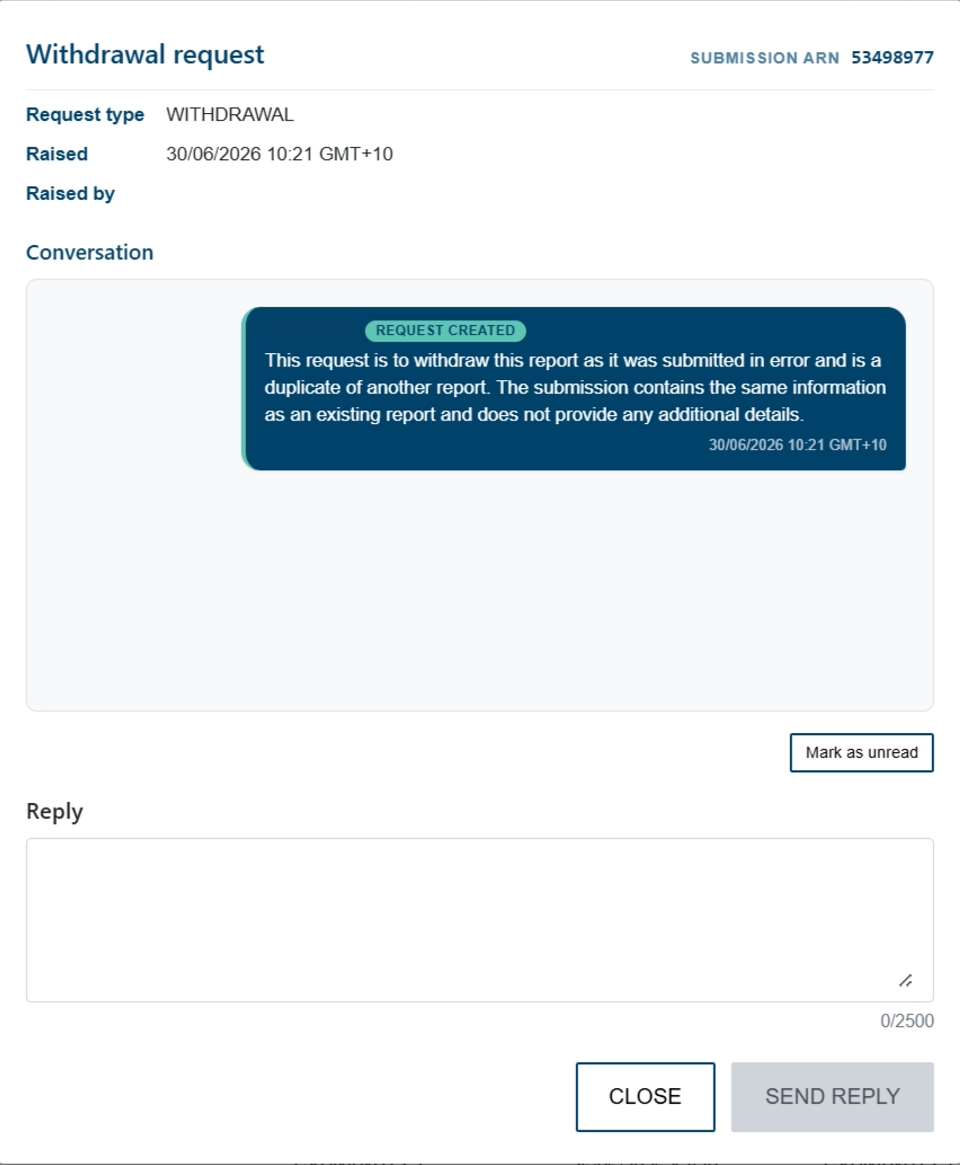
- Once a request has been submitted:
- The report is read-only.
- Select the mail icon to view the request details and conversation history.
How to respond to an AUSTRAC message
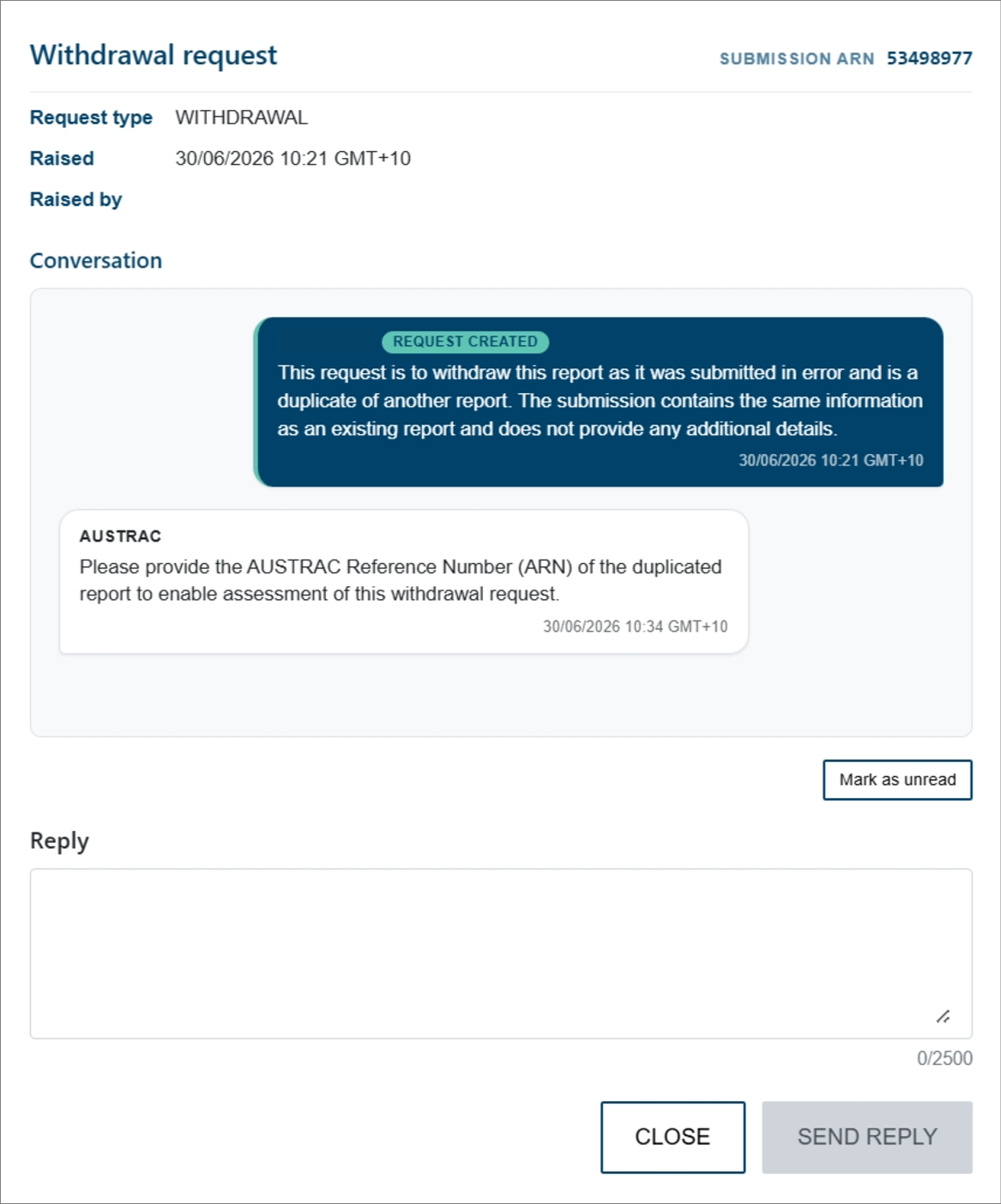
- Select the mail icon for the report.
- Review the request details and conversation history.
- If a response is required, enter your reply in the Reply field.
- Select SEND REPLY.
How to resubmit a returned report
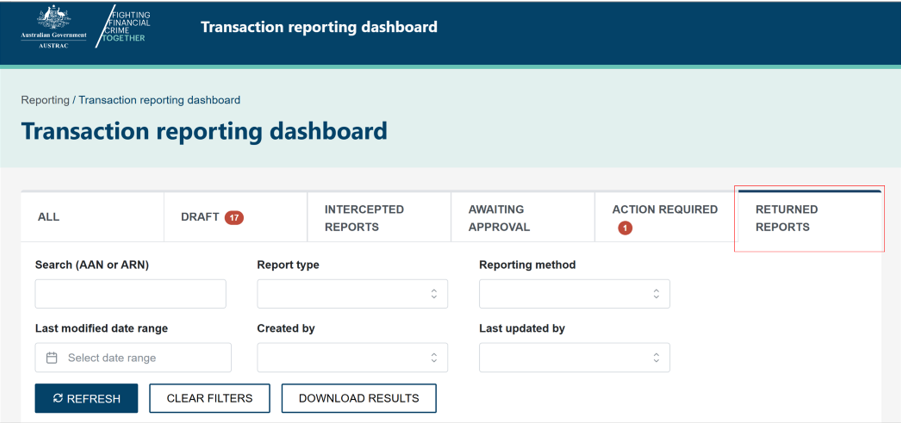
When we return a report for amendment it will display a Returned status.
- Navigate to the RETURNED REPORTS section of the dashboard.
- Open the report and update as required.
- Select Review and respond.
- Select View previous messages to review the request details and conversation history.
- Select the appropriate response:
- Report is correct – no change required.
- Suspend report – non-cash transaction.
- Report is a duplicate.
- I have amended this report.
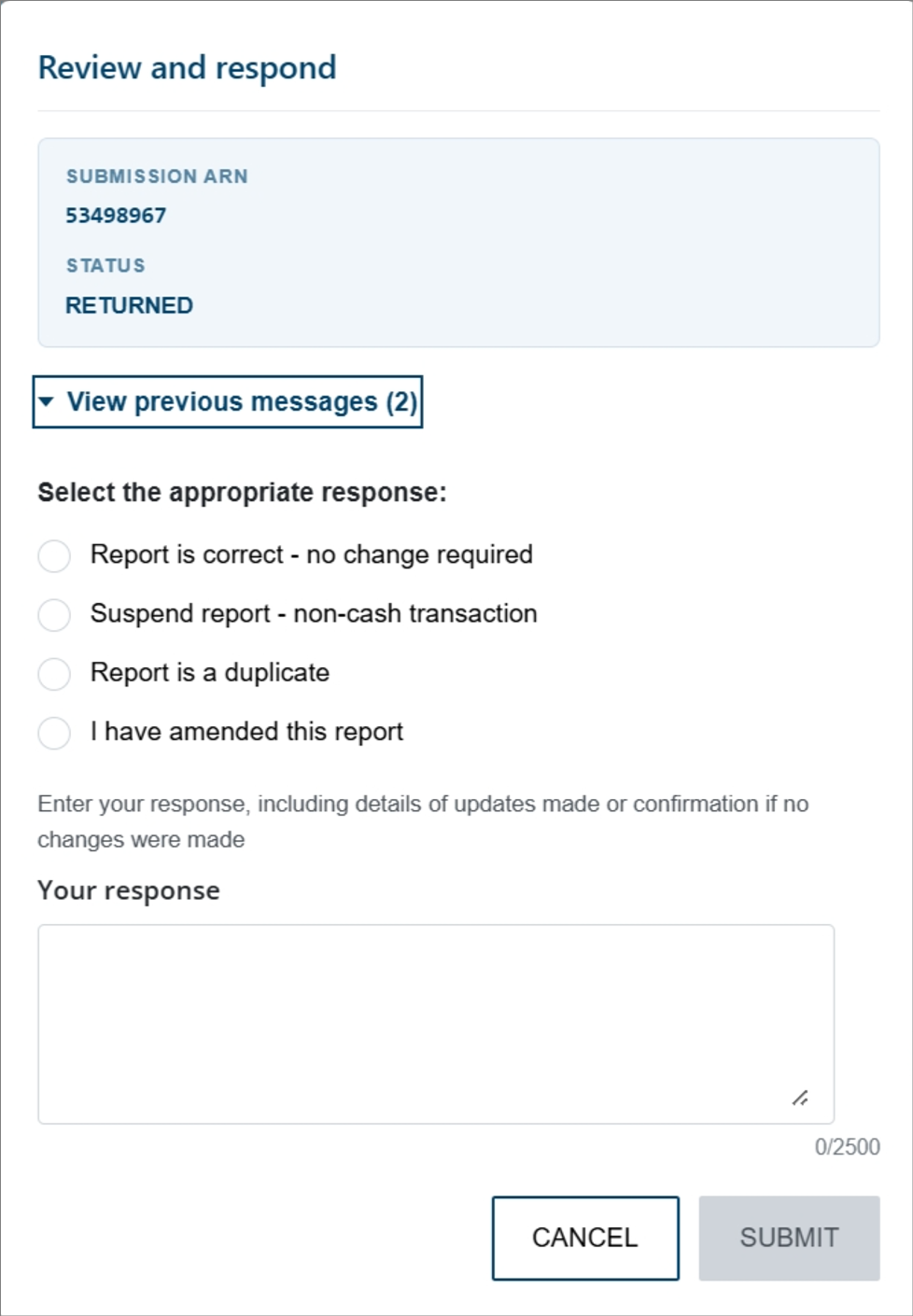
- Enter your response, including details of any updates made or confirmation that no changes were required.
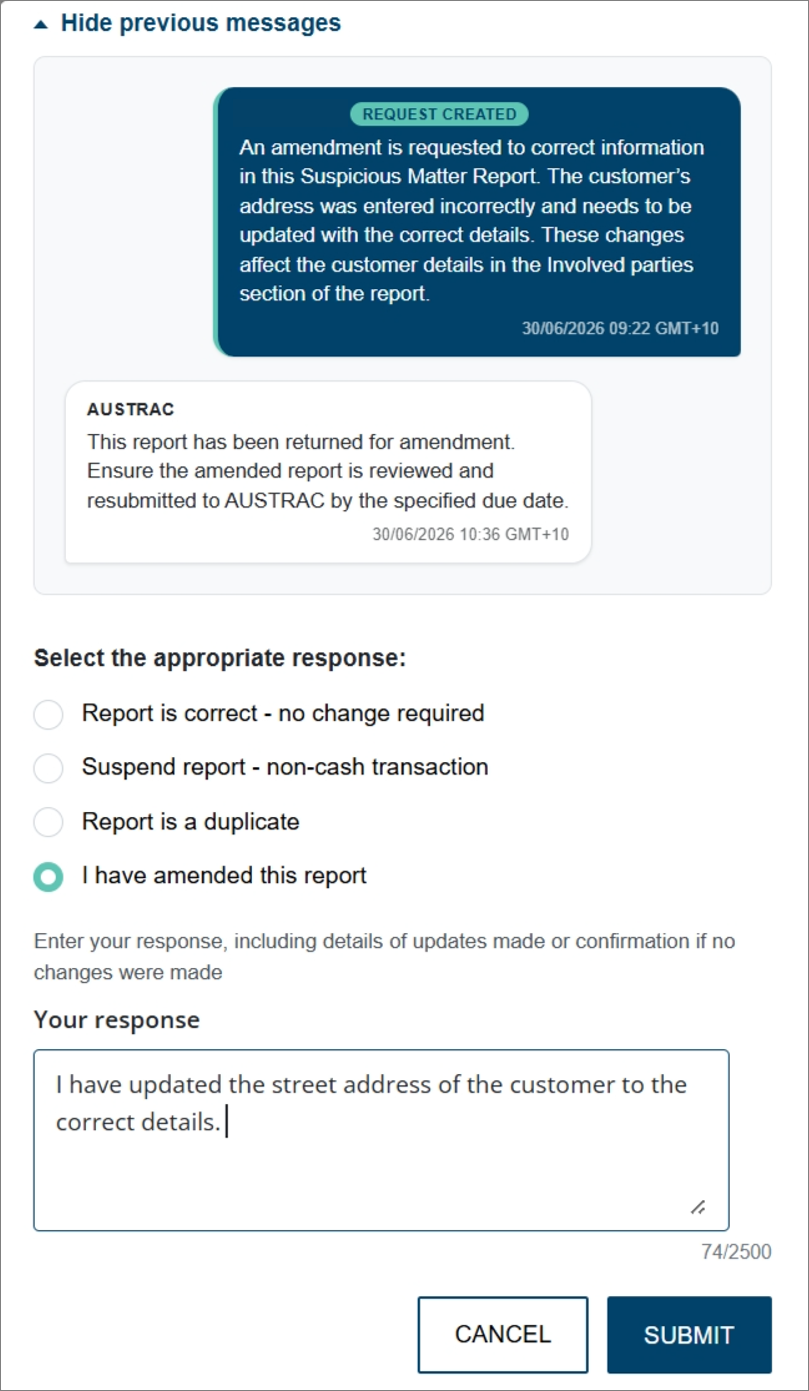
- Select SUBMIT.
This guidance sets out how we interpret certain Australian legislation, along with associated Rules and regulations. Australian courts are ultimately responsible for interpreting these laws and determining if any provisions of these laws are contravened.
The examples and scenarios in this guidance are meant to help explain our interpretation of these laws. They’re not exhaustive or meant to cover every possible scenario.
This guidance provides general information and isn't a substitute for legal advice. This guidance avoids legal language wherever possible and it might include generalisations about the application of the law. Some provisions of the law referred to have exceptions or important qualifications. In most cases your particular circumstances must be taken into account when determining how the law applies to you.