
Learn how to define and maintain transaction reporting function access definitions for user accounts.
This user guide is about the reporting option available for reporting entities enrolled with AUSTRAC on 30 March 2026. This allows those businesses time to transition across to the new transaction reporting system.
If you enrolled on or after 31 March 2026 you must use the new transaction reporting system available from 1 July 2026.
Refer to our quick reference guides on:
Define and maintain reporting function access for user accounts
To add a function access definition to a user account:
- Select Reporting in the left-hand menu.
- Select Transaction Reports.
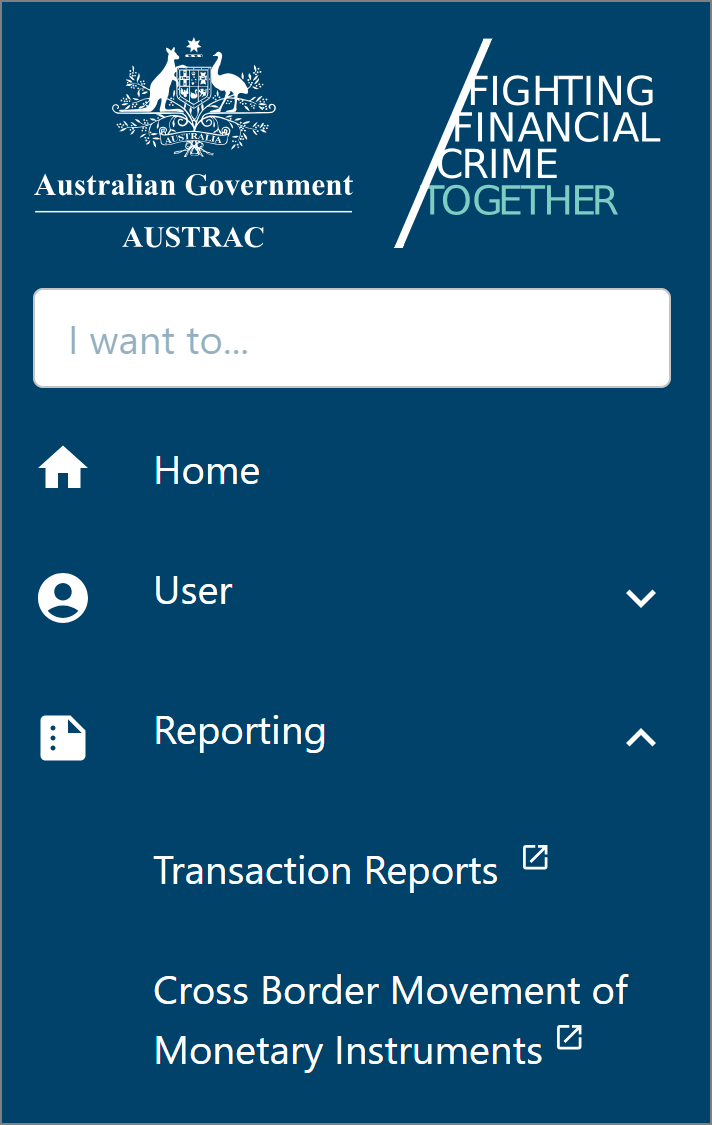
- Transaction Reports page will open in a new browser tab.
- Select Administration on the left-hand menu.
- Select Function Access maintenance.
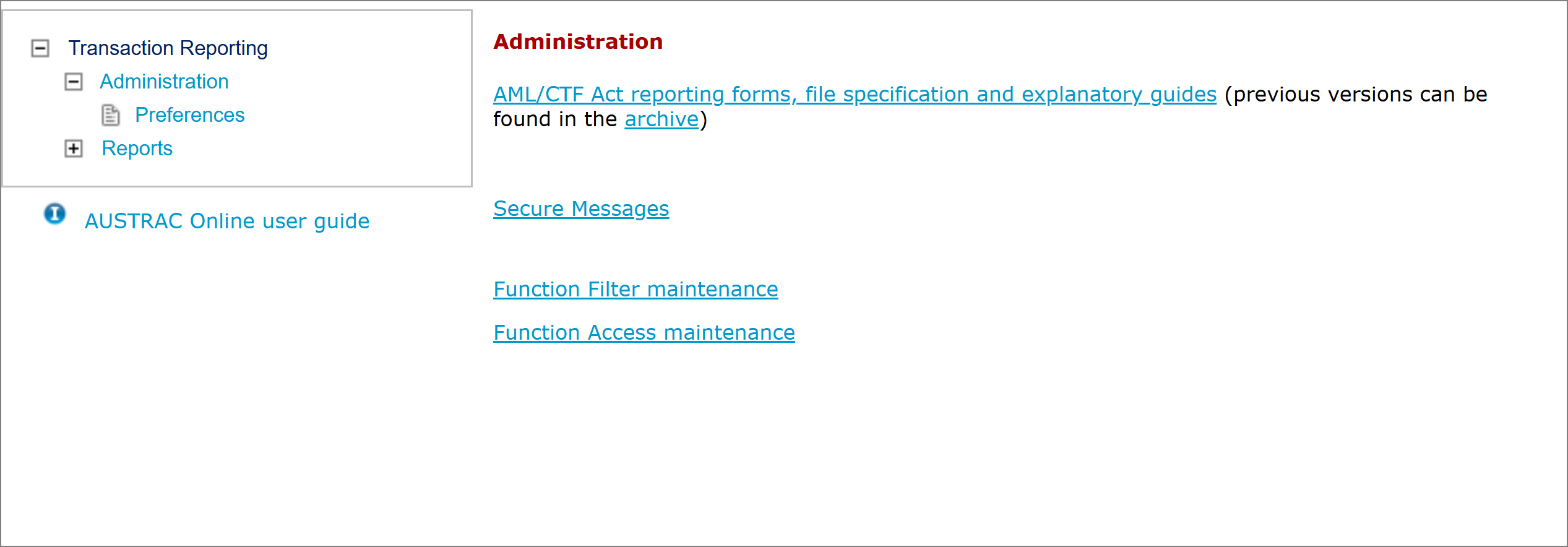
- Select Add new function access by user.
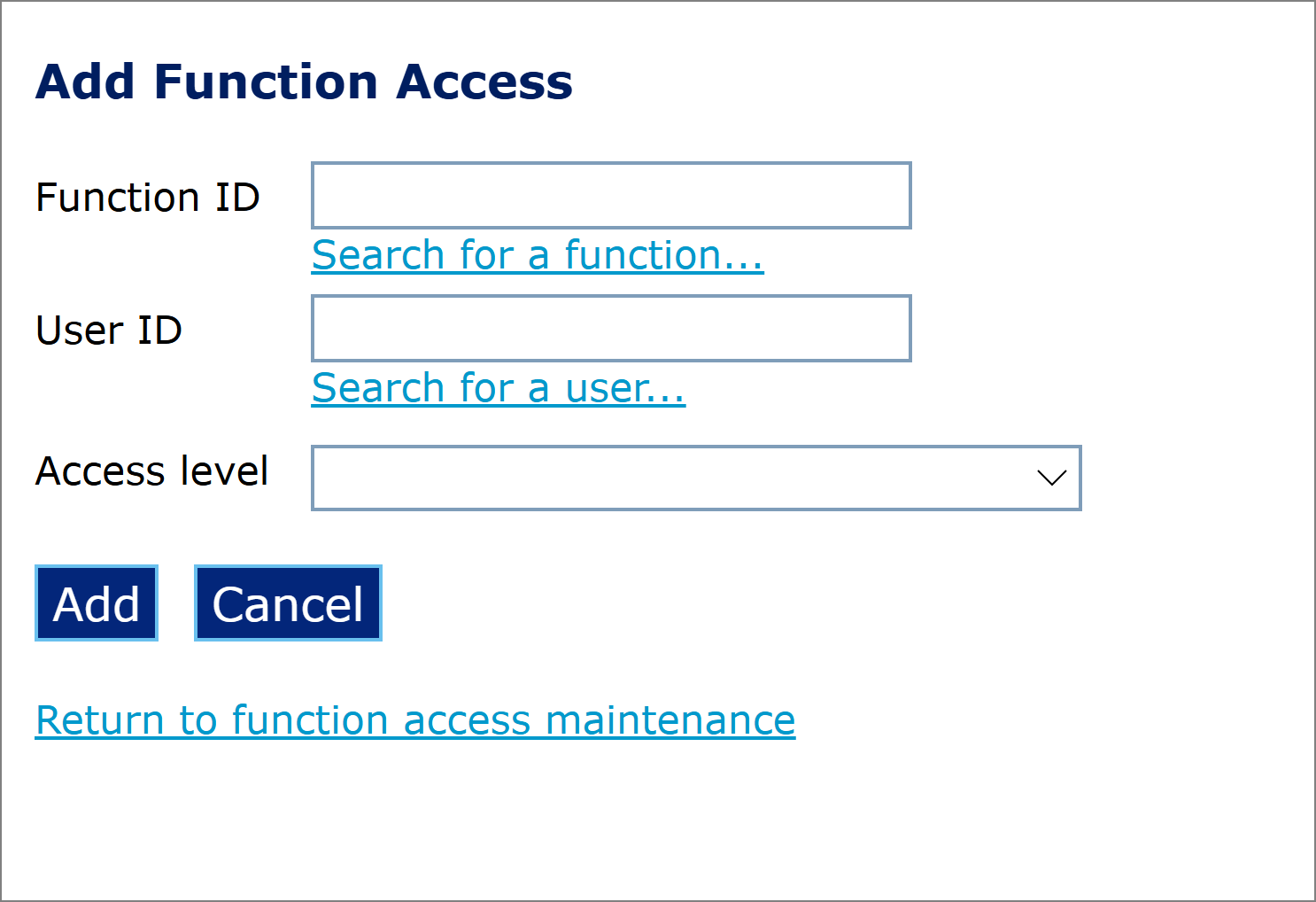
- Enter (or search and select) the ‘Function ID’ to be associated with the user account (go to function identifiers for a list of function IDs).
- Enter (or search and select) the user ID of the user account.
- Select the required access level (go to function access levels).
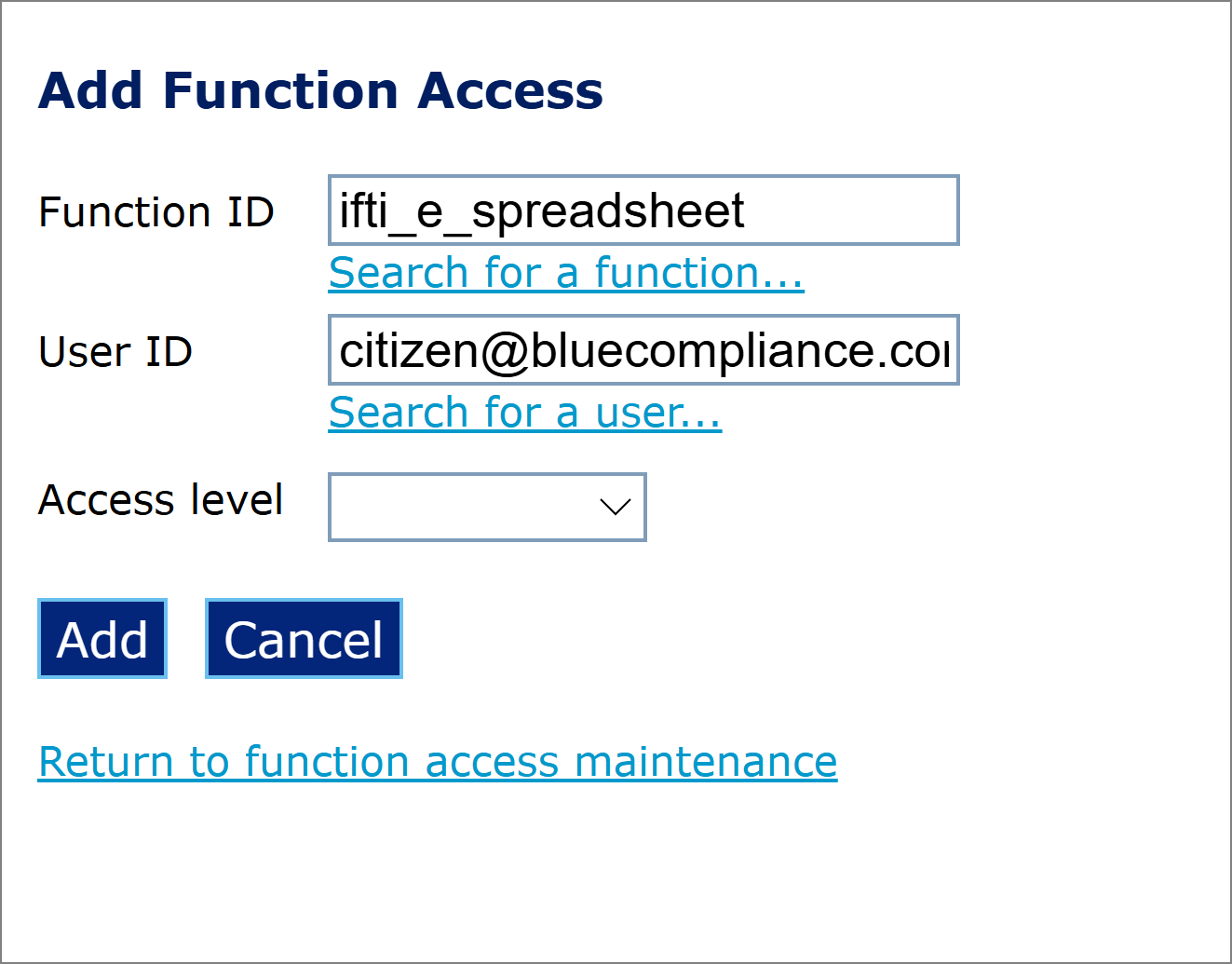
- Select Add to associate the function access definition with the user account.
- Repeat steps 2 through 6 for each function access definition to be associated with the user account.
To change or delete a function access definition for a user account:
- Select the User search tab in the ‘Function Access Maintenance’ screen.
- Default or enter (or search and select) the user ID of the user account.
- Select the Search button.
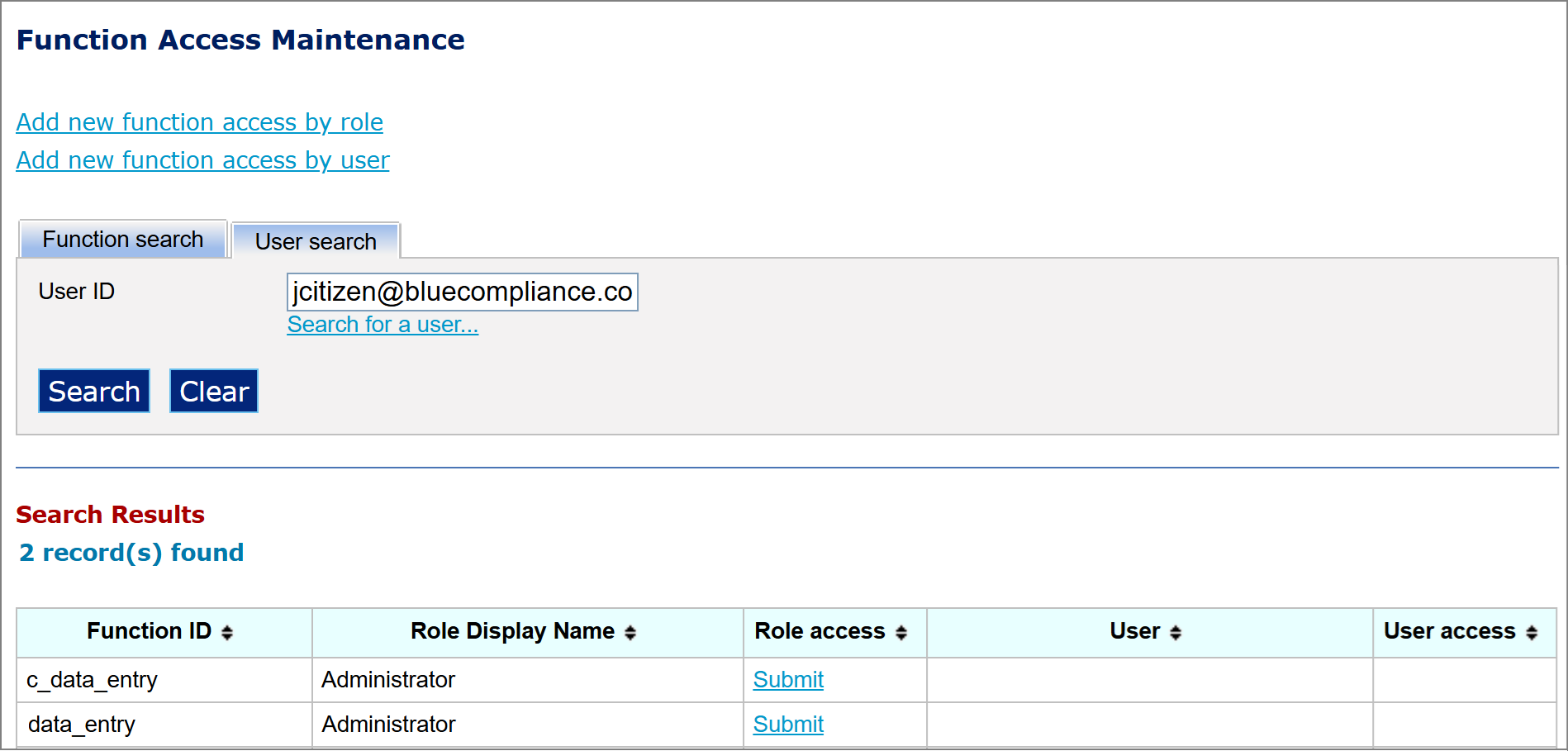
- Select the ‘Function ID’ and/or user ID by selecting the User access link.
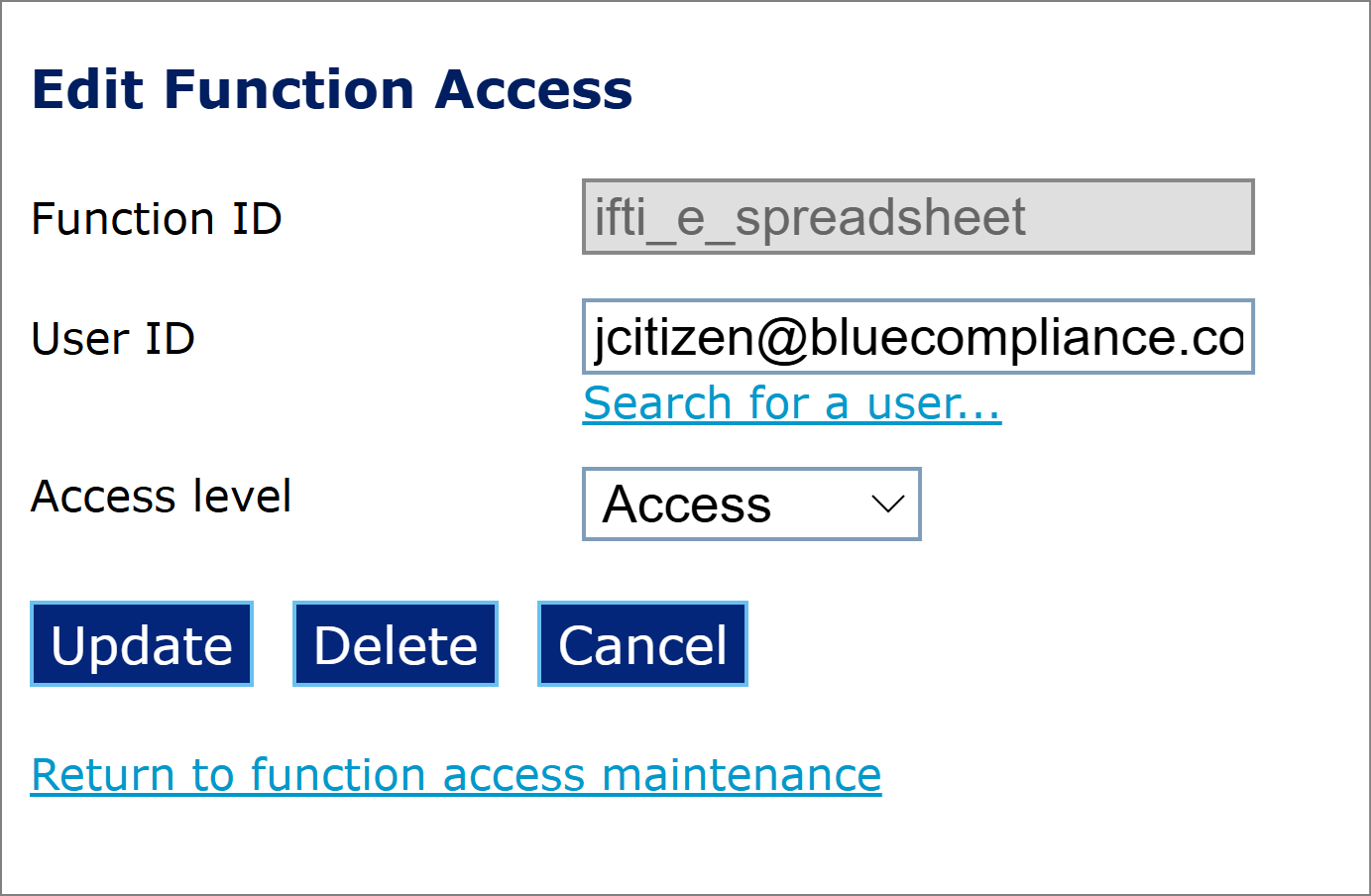
- Select Update to alter any details or Delete to remove the function ID association from the user account.
Deleting a function access definition from a user account means either the user loses access to the function completely or the access setting is reverted to the user’s role. The user’s role is listed under ‘Role access’ in a ‘User search’ of the ‘Function Access Maintenance’ screen.
Function identifiers
AUSTRAC Online administrator users can customise access to the transaction reporting functions for their users of the business by overriding user’s default access settings by adding or restricting access to various function identifiers.
The following table lists all user access function identifiers associated with transaction reporting functions.
|
Function ID |
Description |
|---|---|
| ifti_dra_data_entry | AML/CTF Act international funds transfer instruction under a designated remittance arrangement (IFTI-DRA) report – single data entry function |
| ifti_dra_file_upload | AML/CTF Act international funds transfer instruction under a designated remittance arrangement (IFTI-DRA) report – extraction file upload function |
| ifti_dra_spreadsheet | AML/CTF Act international funds transfer instruction under a designated remittance arrangement (IFTI-DRA) report – spreadsheet function |
| ifti_e_data_entry | AML/CTF Act international electronic funds transfer instruction (IFTI-E) report – single data entry function |
| ifti_e_file_upload | AML/CTF Act international electronic funds transfer instruction (IFTI-E) report – extraction file upload function |
| ifti_e_spreadsheet | AML/CTF Act international electronic funds transfer instruction (IFTI-E) report – spreadsheet function |
| receipts | Receipts page function |
| smr_data_entry | AML/CTF Act suspicious matter report (SMR) – single data entry function |
| smr_file_upload | AML/CTF Act suspicious matter report (SMR) – extraction file upload function |
| stat_charts | Statistical reports page function |
| ttr_fbs_data_entry | AML/CTF Act threshold transaction report (TTR-FBS) for financial and bullion services – single data entry function |
| ttr_fbs_file_upload | AML/CTF Act threshold transaction report (TTR-FBS) for financial and bullion services – extraction file upload function |
| ttr_fbs_spreadsheet | AML/CTF Act threshold transaction report (TTR-FBS) for financial and bullion services – spreadsheet function |
| ttr_gs_data_entry | AML/CTF Act threshold transaction report (TTR-GS) for gambling services – single data entry function |
| ttr_gs_file_upload | AML/CTF Act threshold transaction report (TTR-GS) for gambling services – extraction file upload function |
| ttr_gs_spreadsheet | AML/CTF Act threshold transaction report (TTR-GS) for gambling services – spreadsheet function |
| ttr_isi_data_entry | AML/CTF Act threshold transaction report (TTR-ISI) for investment/superannuation/insurance services – single data entry function |
| ttr_isi_file_upload | AML/CTF Act threshold transaction report (TTR-ISI) for investment/superannuation/insurance services – extraction file upload function |
|
Function ID |
Description |
|---|---|
| ttr_isi_spreadsheet | AML/CTF Act threshold transaction report (TTR-ISI) for investment/superannuation/insurance services – spreadsheet function |
| ttr_msb_data_entry | AML/CTF Act threshold transaction report (TTR-MSB) for money services businesses – single data entry function |
| ttr_msb_file_upload | AML/CTF Act threshold transaction report (TTR-MSB) for money services businesses – extraction file upload function |
| ttr_msb_spreadsheet | AML/CTF Act threshold transaction report (TTR-MSB) for money services businesses – spreadsheet function |
Function access levels
The following table lists the transaction reporting function access levels and how these access levels can be applied.
|
Access level |
Applies to |
Description |
|---|---|---|
| Access | All functions except data entry functions | Permit access for the user account to the function. |
| Admin | Data entry functions only | Gives the user the same authority level as Submit access, but also allows the user to amend, save and submit reports from the ‘Incomplete Queue’ of other users. That is, a person with Admin access can review and manage the reports of all users, which can be handy when another user is absent. |
| Edit | Data entry functions only | Permits users to create and submit reports for approval only. That is, the report is placed in the ‘Awaiting Approval’ queue and is not submitted to AUSTRAC until another user with a higher authority level has approved the details within the report. |
| No access | All functions |
Deny access for the user account to the function. This access level should ideally be used to override an existing access grant that a user already has by default, by virtue of their role. |
| Submit | Data entry functions only |
Permits users to create and submit reports directly to AUSTRAC. It also allows users to:
|
This guidance sets out how we interpret certain Australian legislation, along with associated Rules and regulations. Australian courts are ultimately responsible for interpreting these laws and determining if any provisions of these laws are contravened.
The examples and scenarios in this guidance are meant to help explain our interpretation of these laws. They’re not exhaustive or meant to cover every possible scenario.
This guidance provides general information and isn't a substitute for legal advice. This guidance avoids legal language wherever possible and it might include generalisations about the application of the law. Some provisions of the law referred to have exceptions or important qualifications. In most cases your particular circumstances must be taken into account when determining how the law applies to you.