
If you’re a remittance service provider or a virtual asset service provider, you must apply to renew your registration every 3 years. Learn how to do this before your registration expires.
What happens if you don’t renew your registration
If you don’t apply to renew your registration before it expires, you’ll no longer be registered as a remittance service provider or a virtual asset serviceprovider. This means you won't be able to provide designated services.
Renewing registration – remittance sector register
To renew you registration on the remittance sector register:
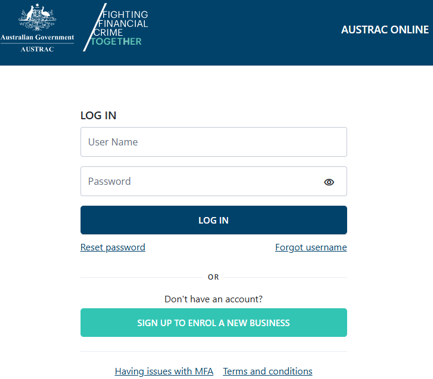
- Go to AUSTRAC Online.
- Log in with your username and password.
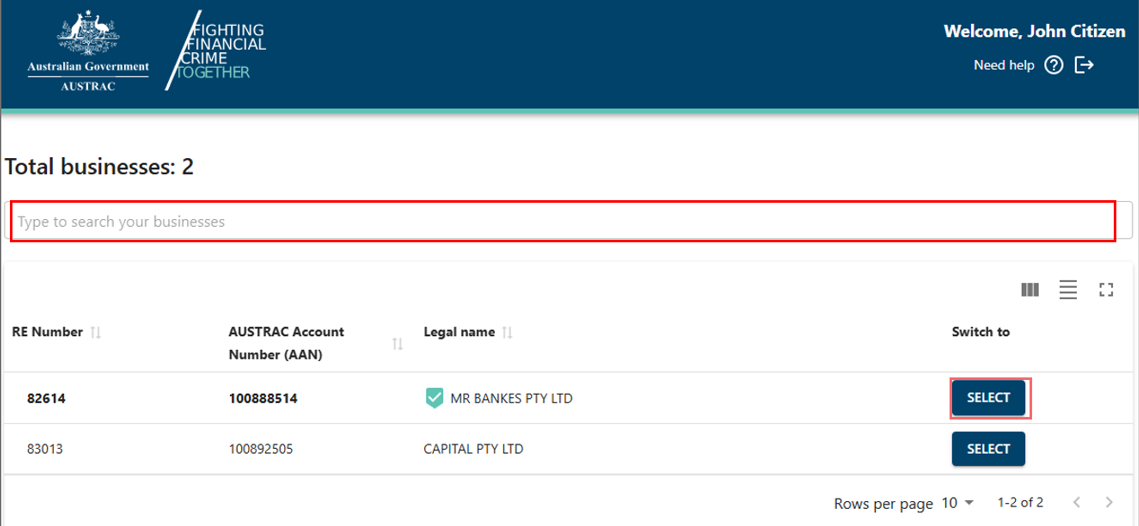
- If you’re a user for more than one reporting entity the screen below will appear. There’s a search function available.
- Select the business you want to renew the registration for.
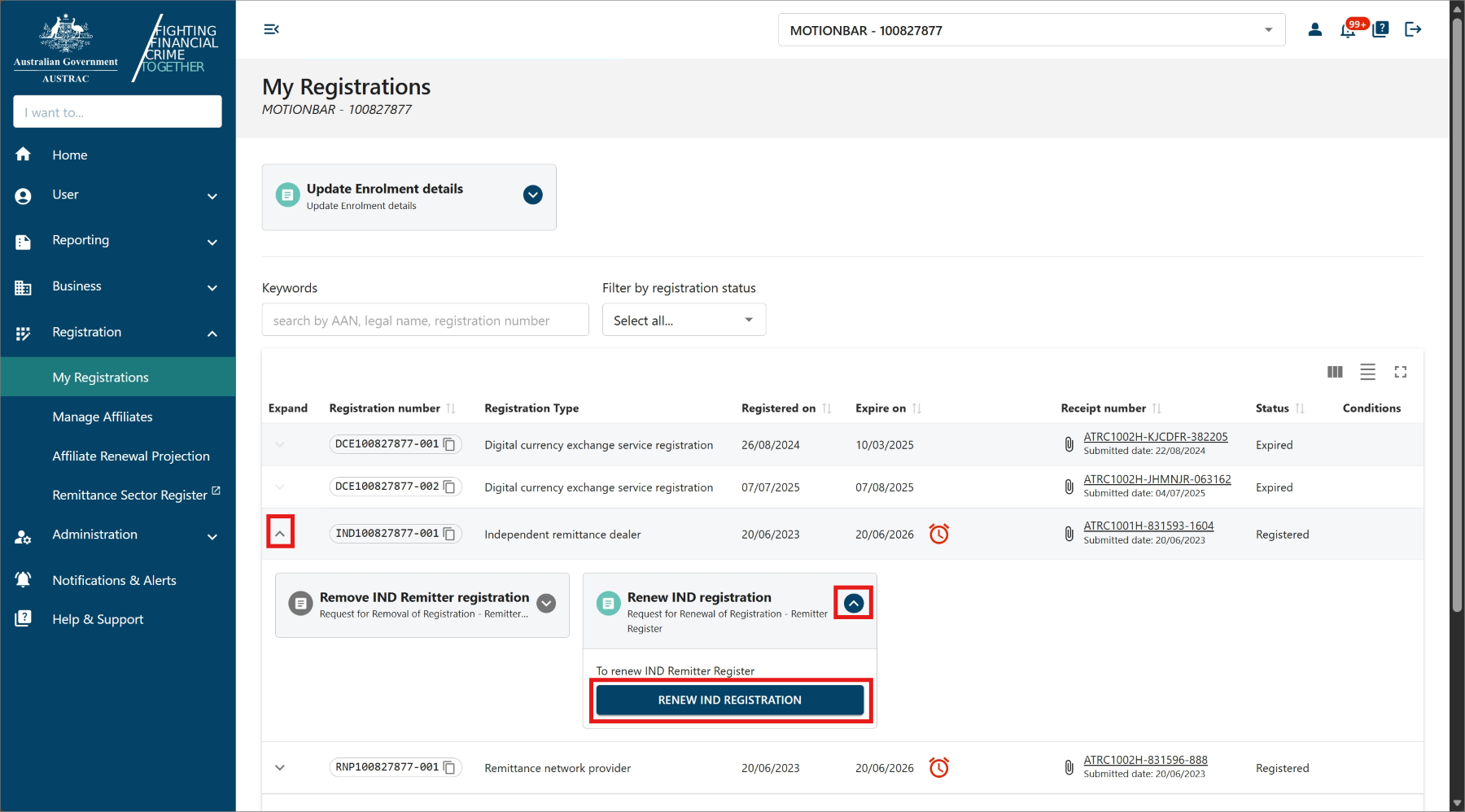
- Select My Registrations in the Registration menu.
- If the expiry date is within the next 90 days, you’ll see the renew symbol (an alarm clock) in the ‘Expiry date’ column.
- Expand the registration row to view more details.
- Expand the ‘Renew remitter registration’ box.
- Select Renew remitter registration.
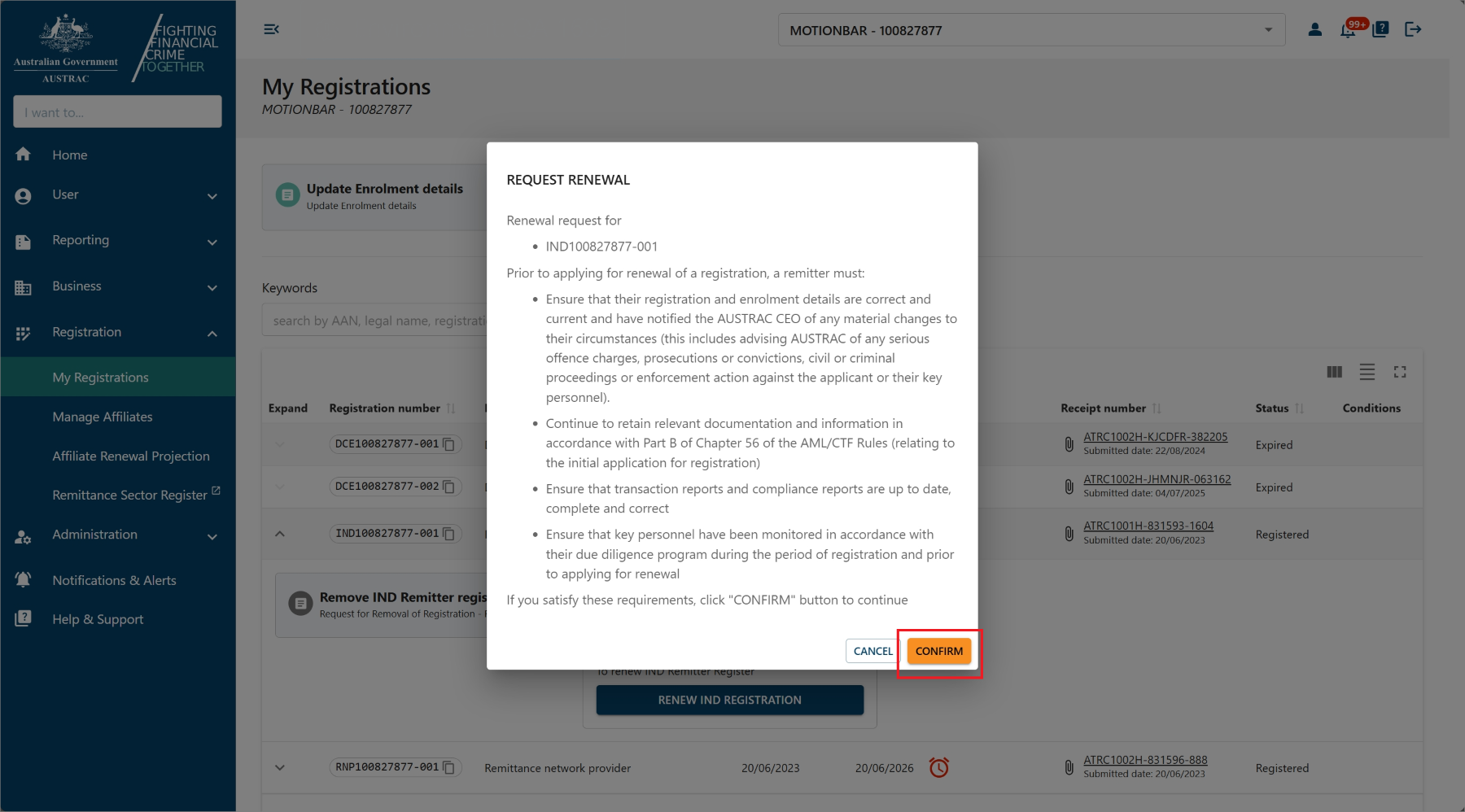
- Select Confirm to open the renewal form.
- Complete all sections on the form and review your business details.
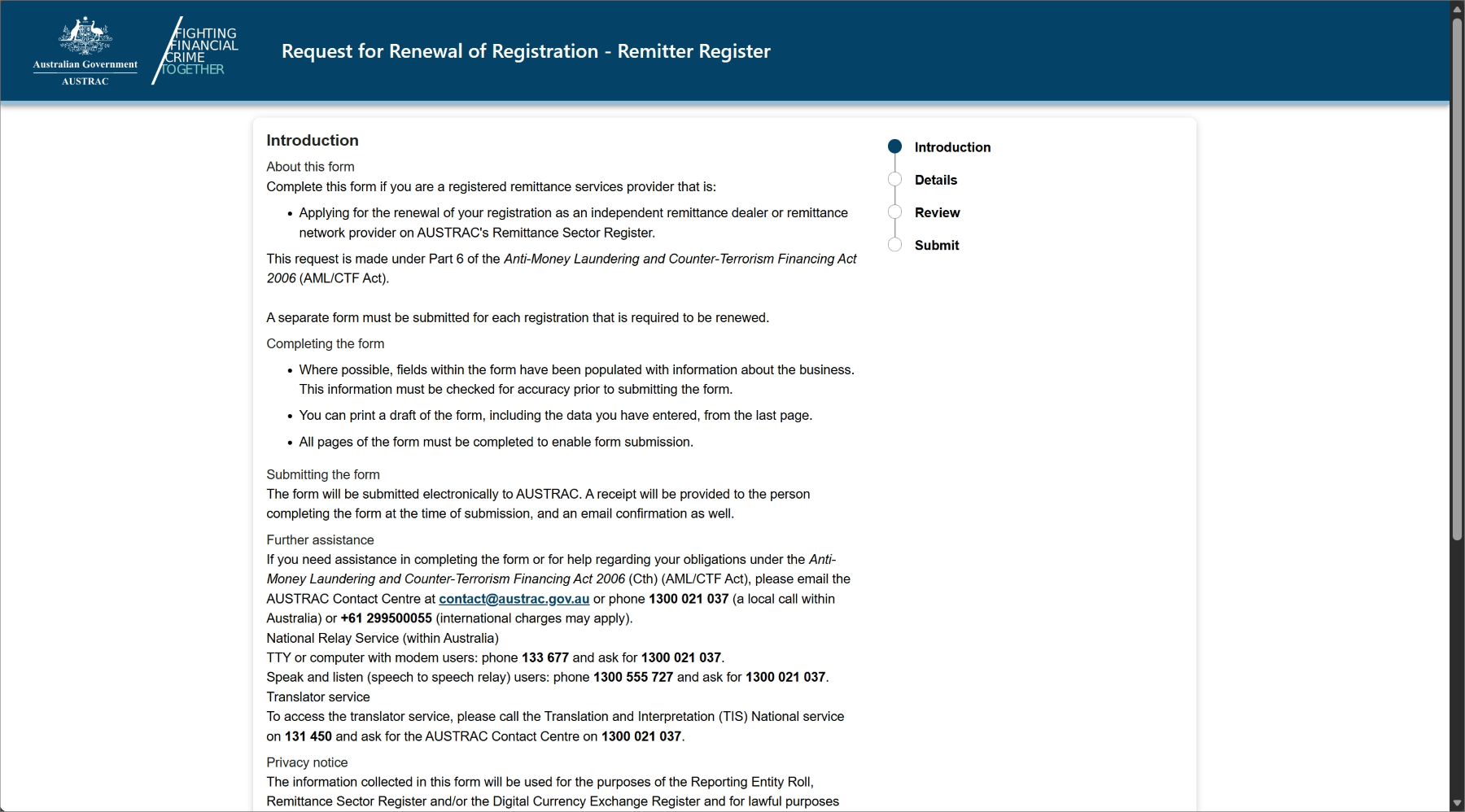
- Check the boxes to confirm the renewal request. If you are renewing an RNP registration, you will also be asked about your affiliates.
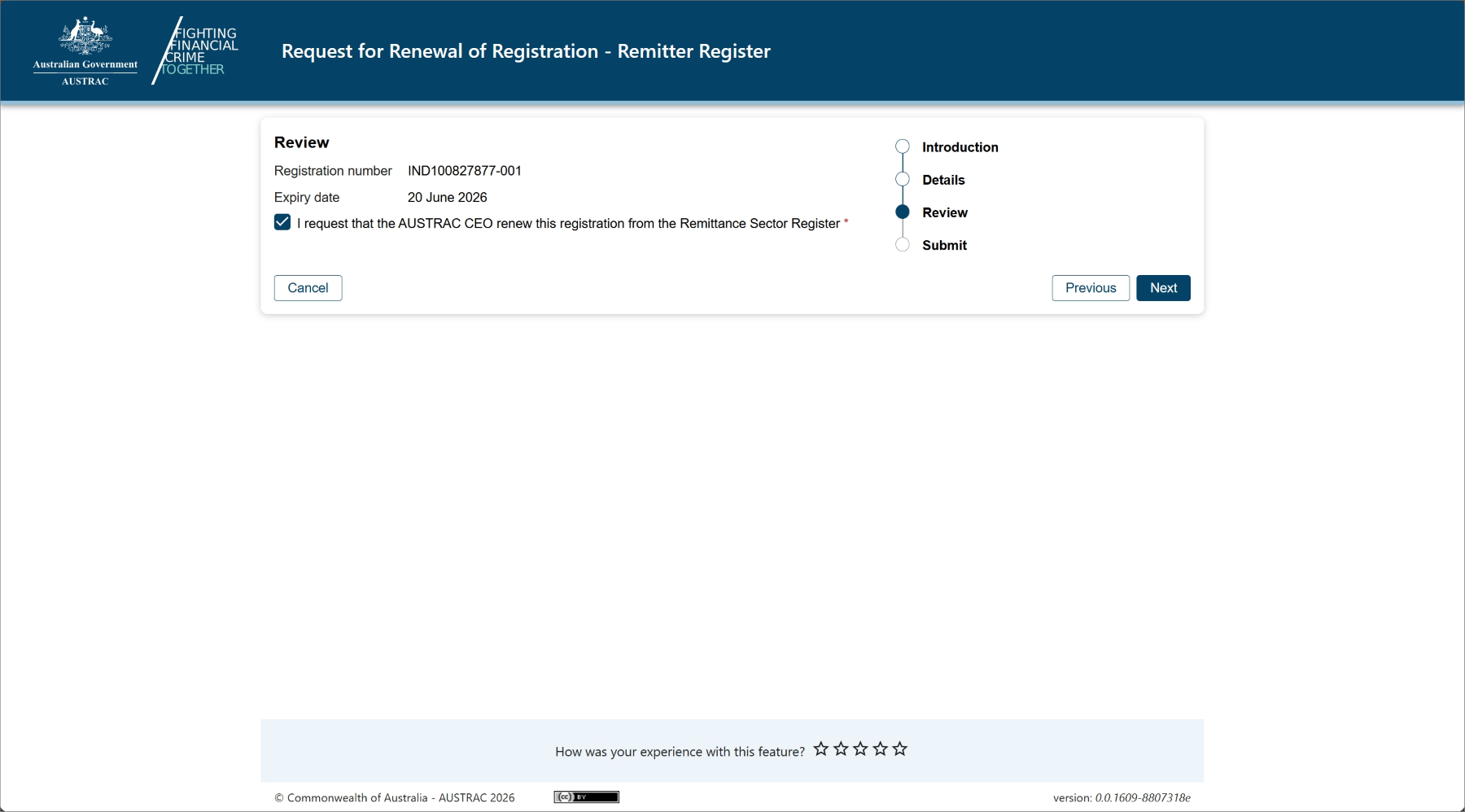
- Select Continue to go to the declaration page.
- When you’re ready to submit your form, select Submit.
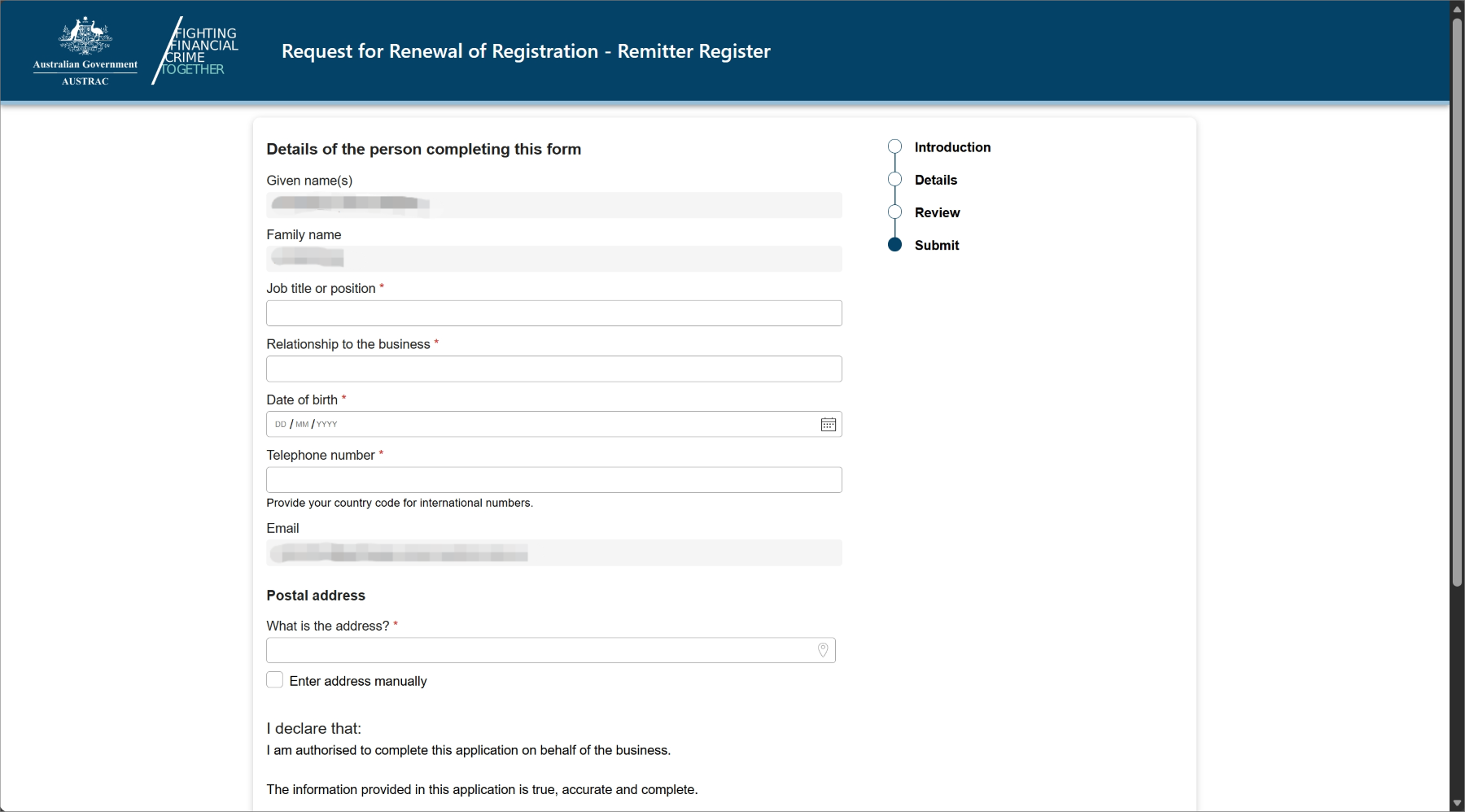
- Upon submission, you will see a confirmation page that includes your submission receipt number. You can quote this for any enquiries about your submission.
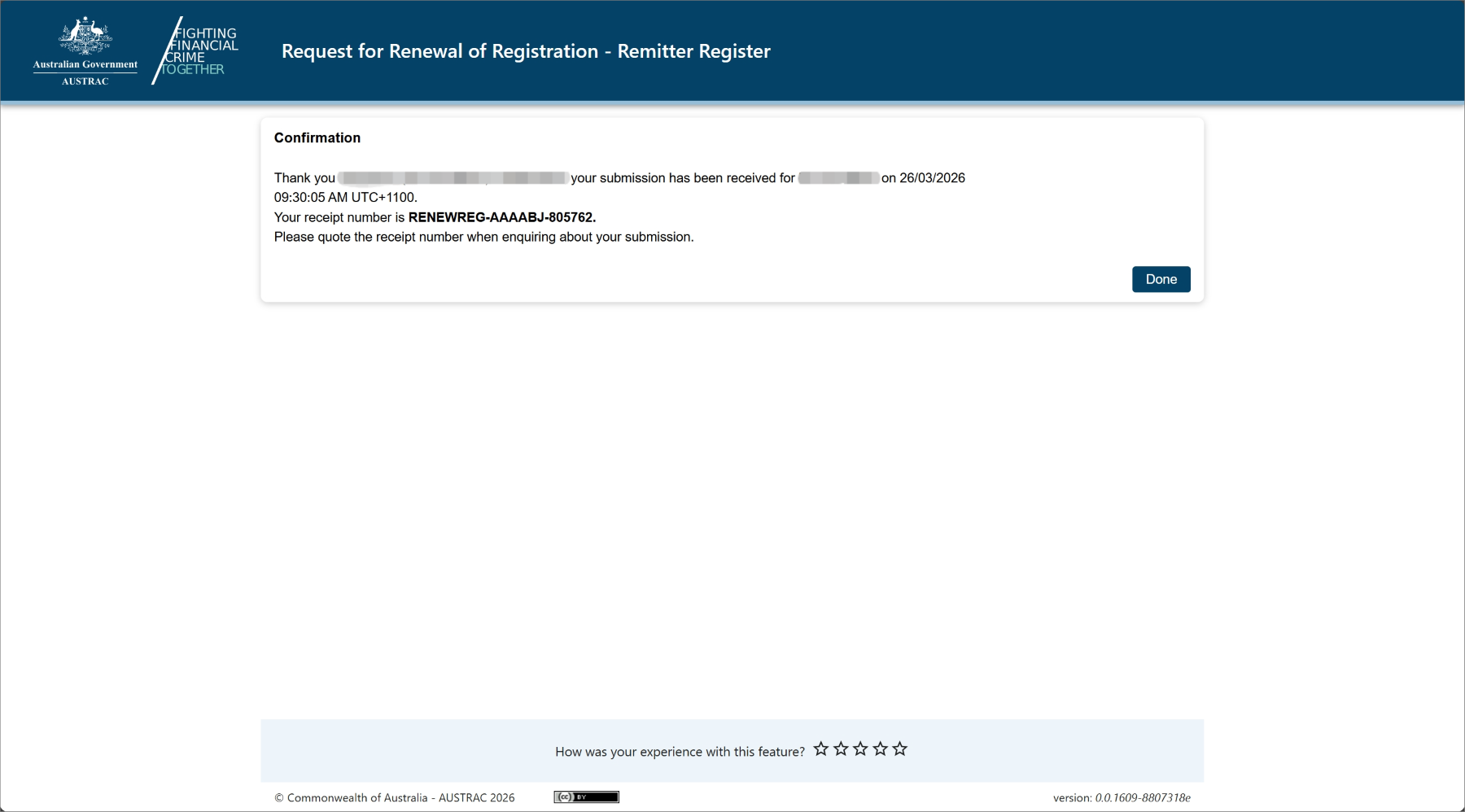
- You’ll also receive a submission confirmation email that contains the submission receipt number, submission date and time. You can also access a copy of the submission details under the Submissions tab in the ‘Business Profile’ sub-menu within the Business menu.
Renewing registration – Virtual Asset Service Provider Register
To renew your registration on the virtual asset service provider register:
- Go to AUSTRAC Online.
- Log in with your username and password
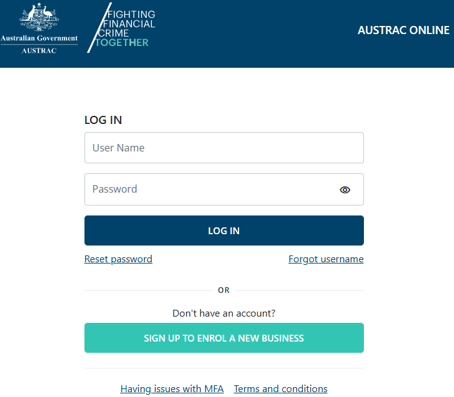
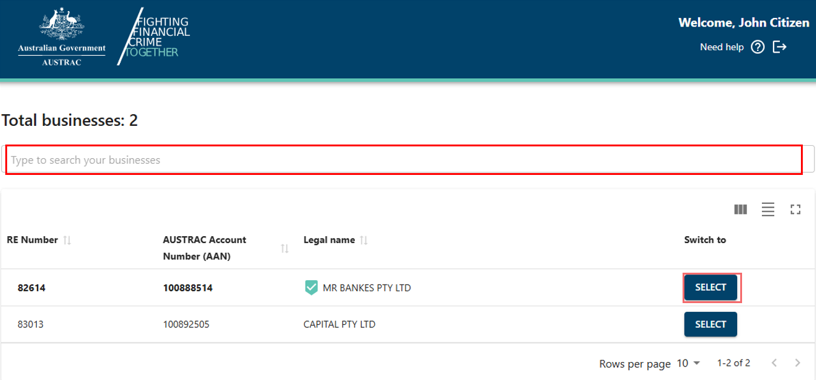
- If you’re a user for more than one reporting entity, the screen below will appear. There’s a search function available.
- Select the business you want to renew registration for.
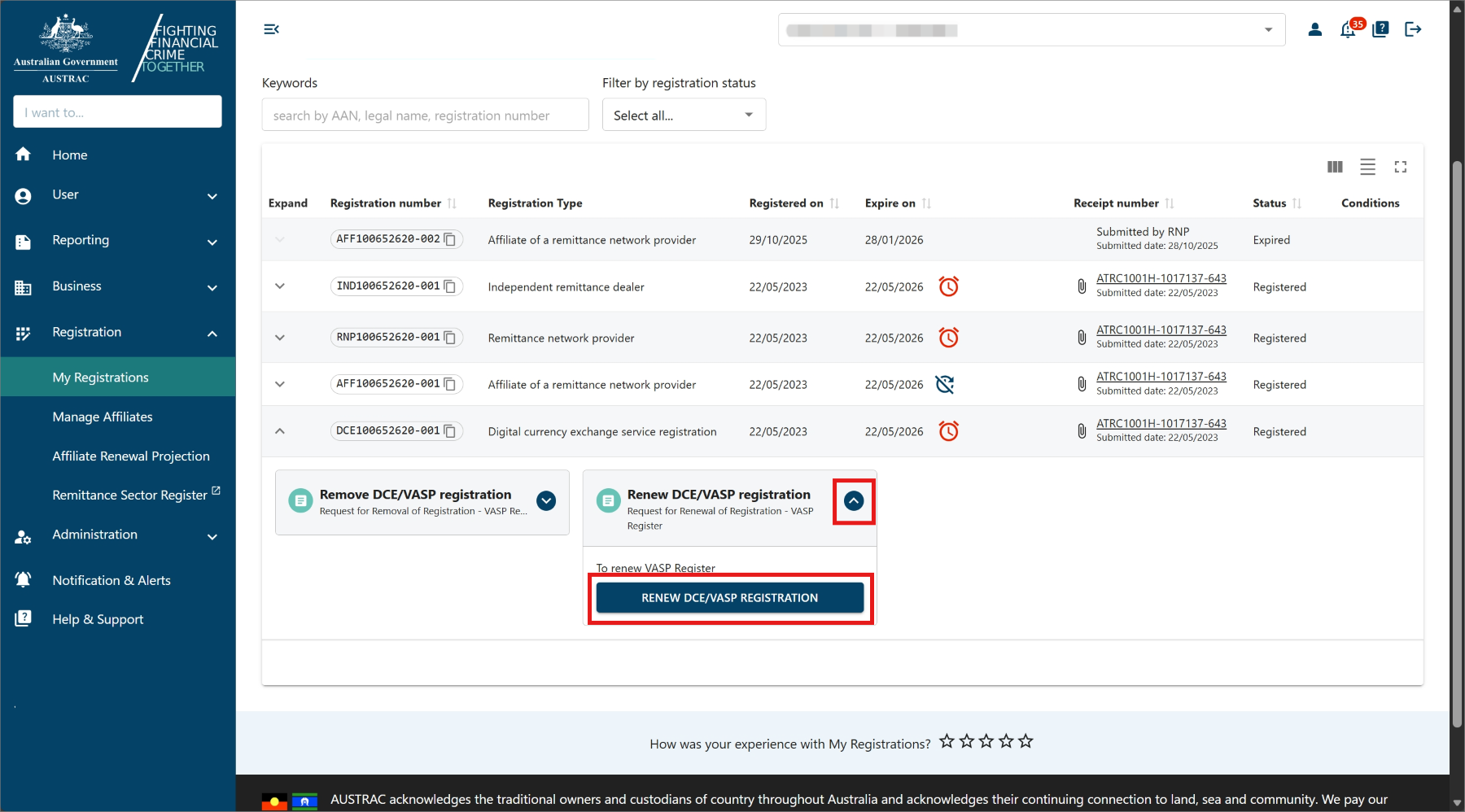
- Select My Registrations in the Registrations menu.
- If the expiry date is within the next 90 days, you’ll see the renew symbol (alarm clock) in the ‘Expiry date’ column.

- Expand the registration row to view more details.
- Expand the ‘Renew VASP registration’ box.
- Select Renew VASP registration to bring up the form.
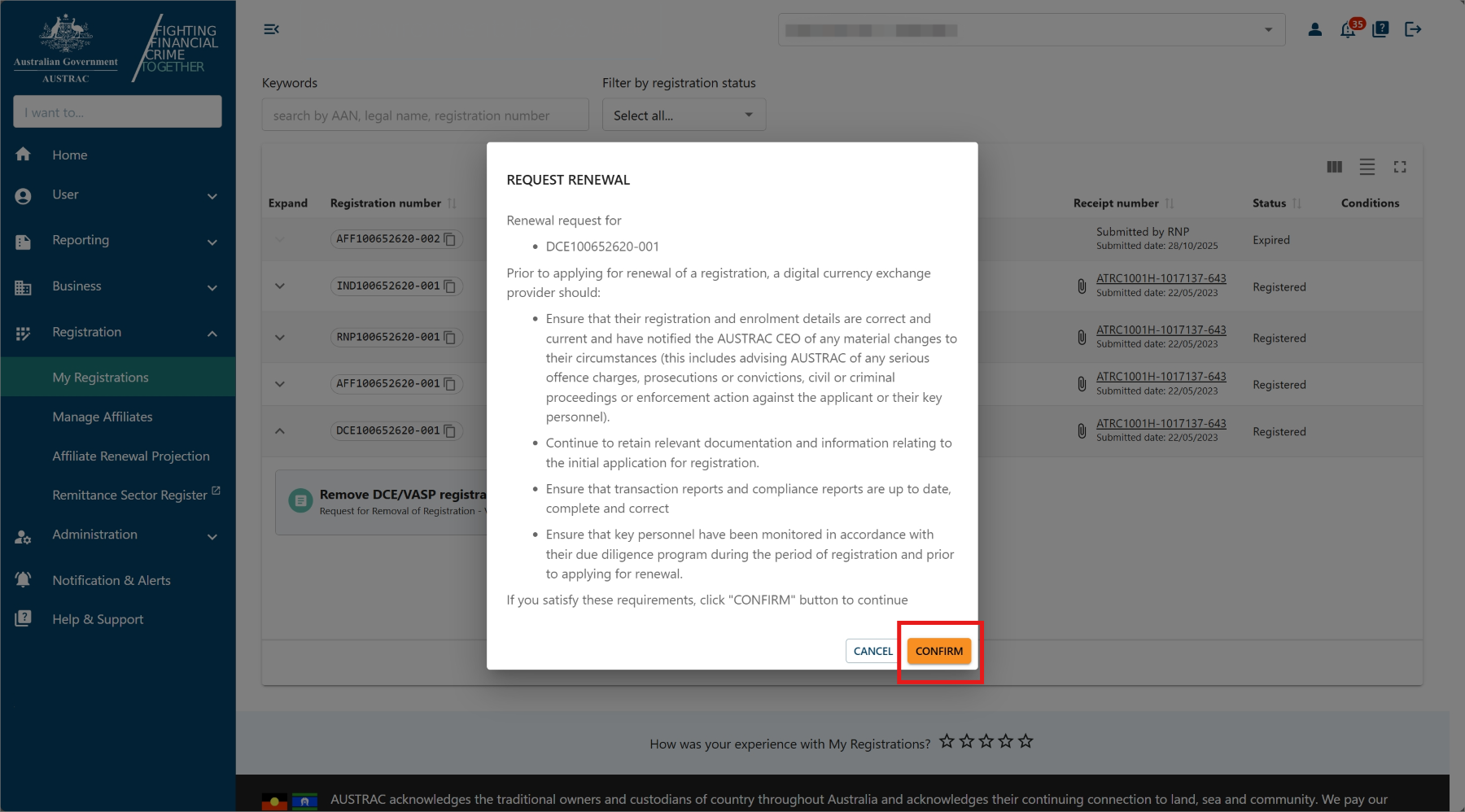
- Select Confirm to open the renewal form.
- Complete all sections on the form.
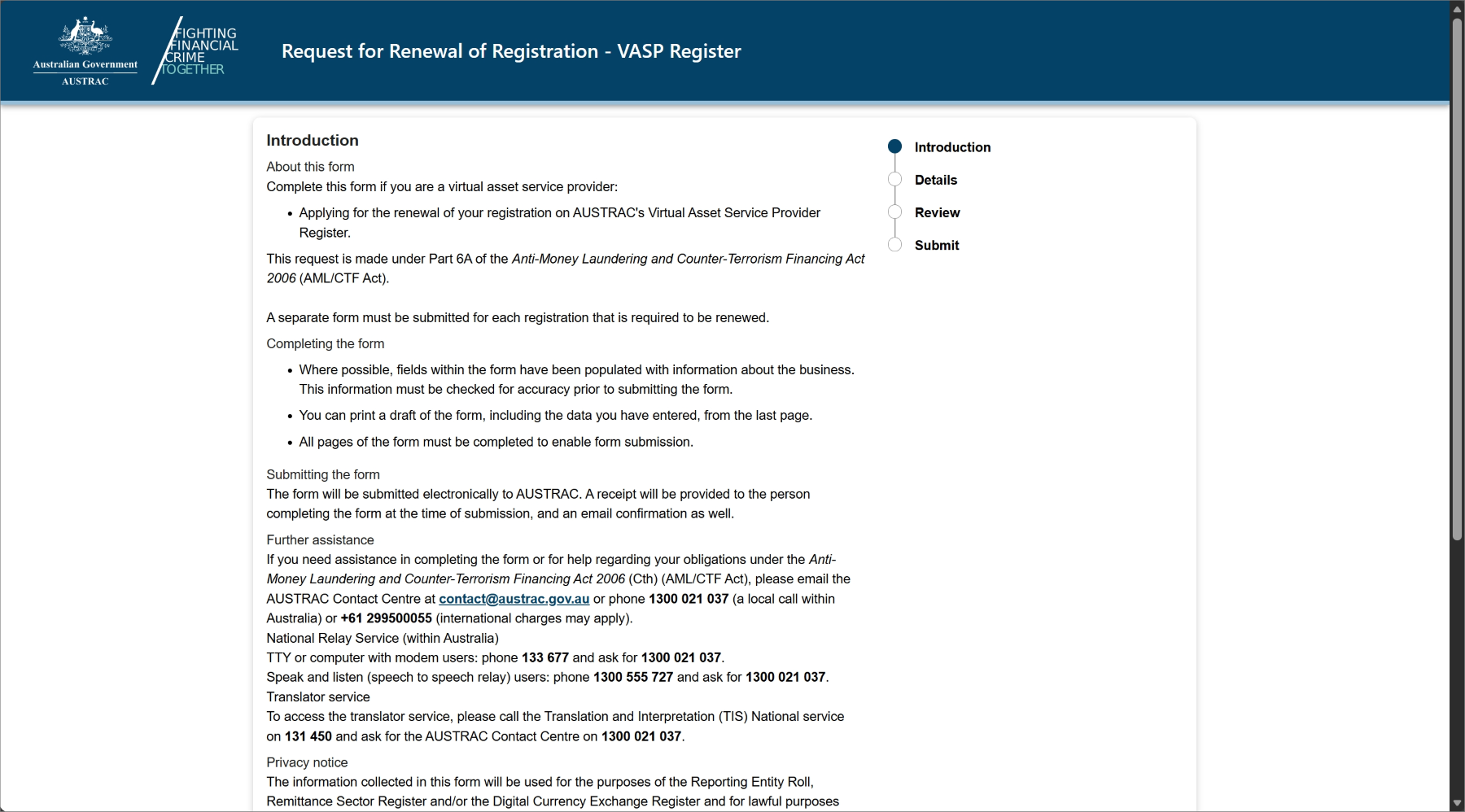
- Check the boxes to confirm the renewal request.
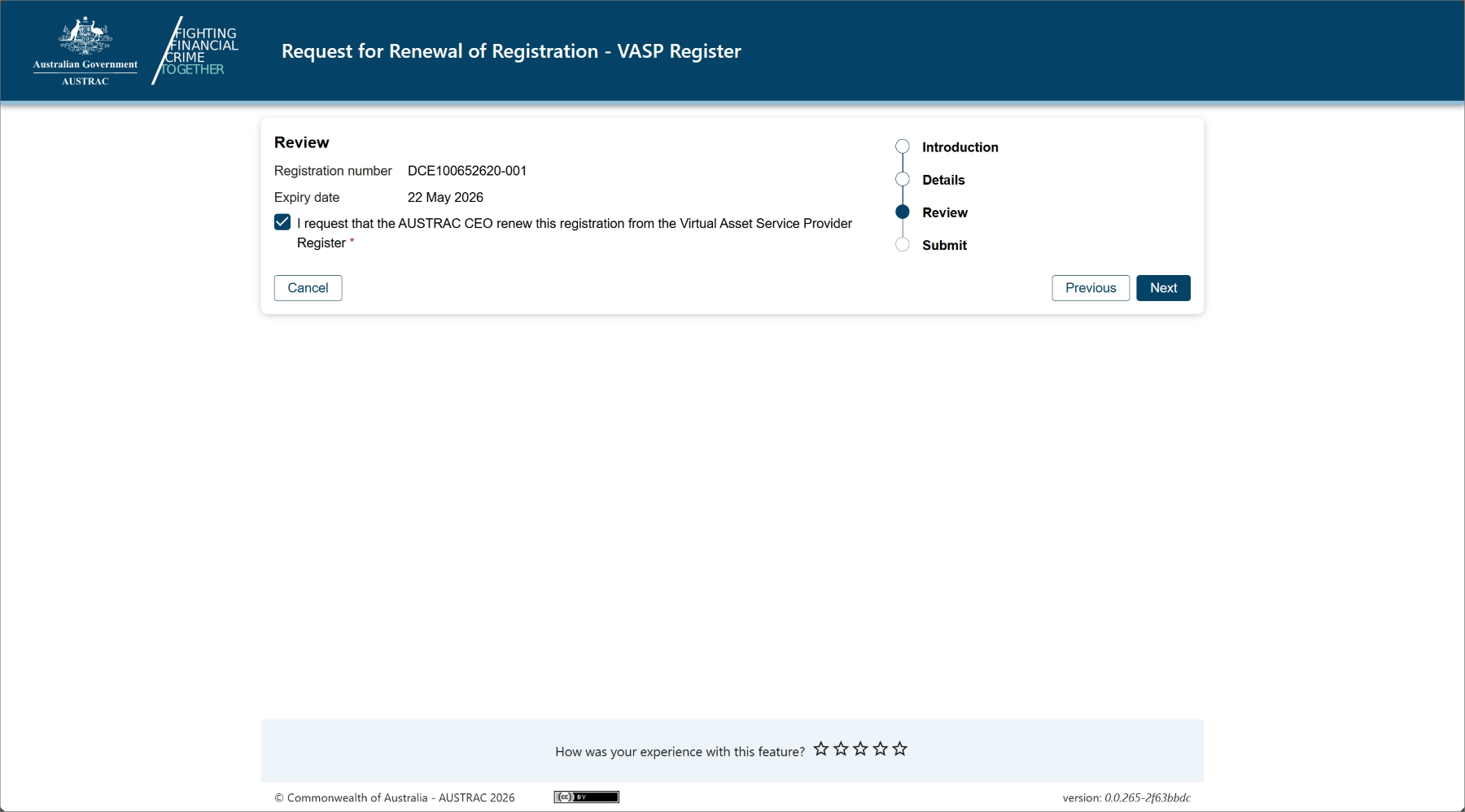
- Select Continue to go to the declaration page.
- When you’re ready to submit your form, select Submit.
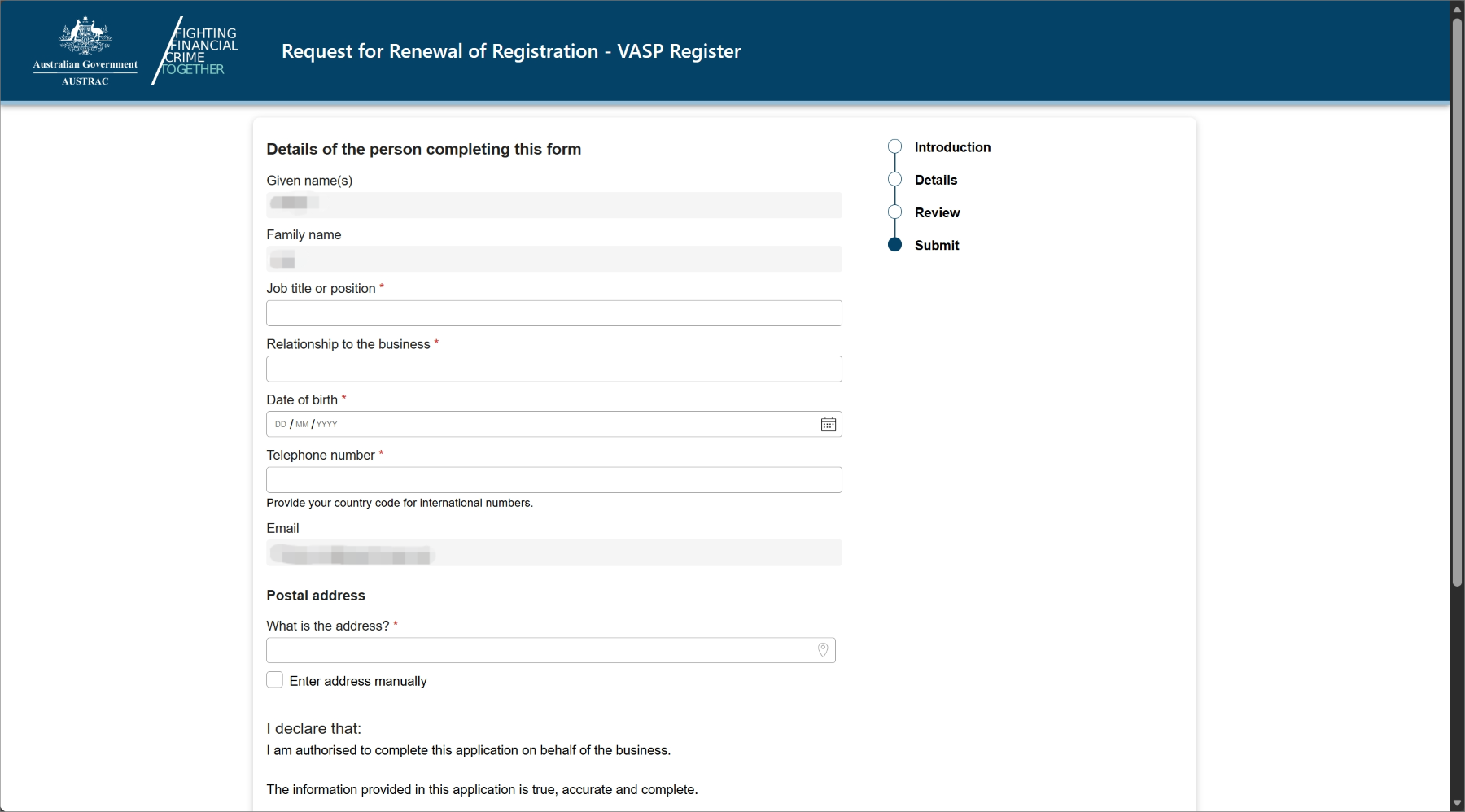
- Upon submission, you will see a confirmation page that includes your submission receipt number. You can quote this for any enquiries about your submission.
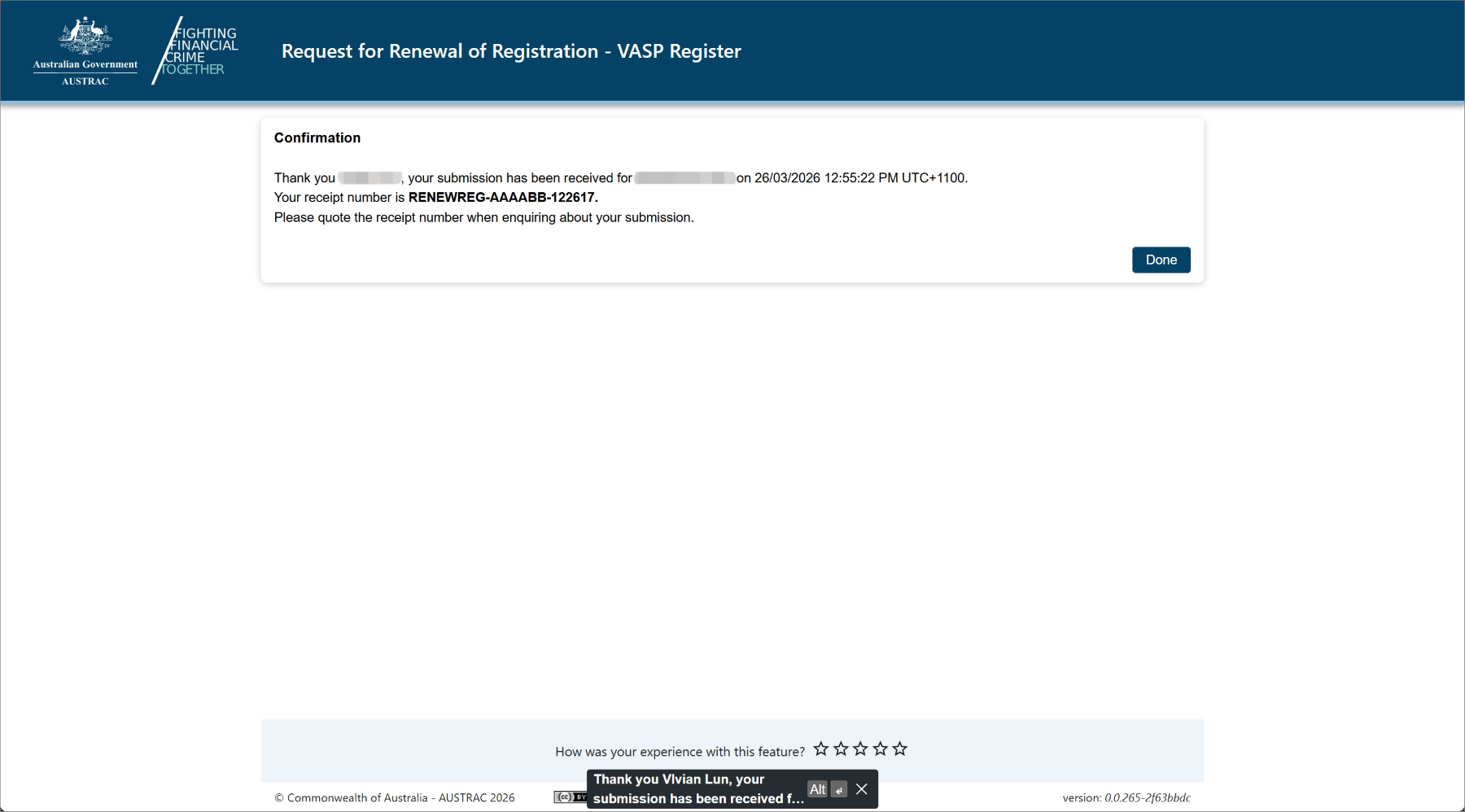
- You’ll also receive a submission confirmation email that contains the submission receipt number, submission date and time. You can also access a copy of the submission details under the Submissions tab in the ‘Business Profile’ sub-menu within the Business menu.
This guidance sets out how we interpret certain Australian legislation, along with associated Rules and regulations. Australian courts are ultimately responsible for interpreting these laws and determining if any provisions of these laws are contravened.
The examples and scenarios in this guidance are meant to help explain our interpretation of these laws. They’re not exhaustive or meant to cover every possible scenario.
This guidance provides general information and isn't a substitute for legal advice. This guidance avoids legal language wherever possible and it might include generalisations about the application of the law. Some provisions of the law referred to have exceptions or important qualifications. In most cases your particular circumstances must be taken into account when determining how the law applies to you.