
You must submit an SMR to us if you suspect on reasonable grounds that:
- information you have may be relevant to crime
- a customer, future customer or their agent isn’t who they claim to be
- a person is planning a money laundering or terrorism financing (ML/TF) offence using a designated service.
There is a training version of the SMR form in our TTR/SMR training environment. You can use this version to explore the SMR form before you start reporting to us. You can learn more in our quick reference guide on the TTR/SMR training environment.
You should not use real information in the test report. The information in these test reports isn’t sent to AUSTRAC.
Note: Visit suspicious matter reports to learn more about your SMR obligations.
How to start a SMR single report
- Go to AUSTRAC Online.
- Log in with your username and password.
- Select Reporting then Make a Report.
- Select Report SMR.
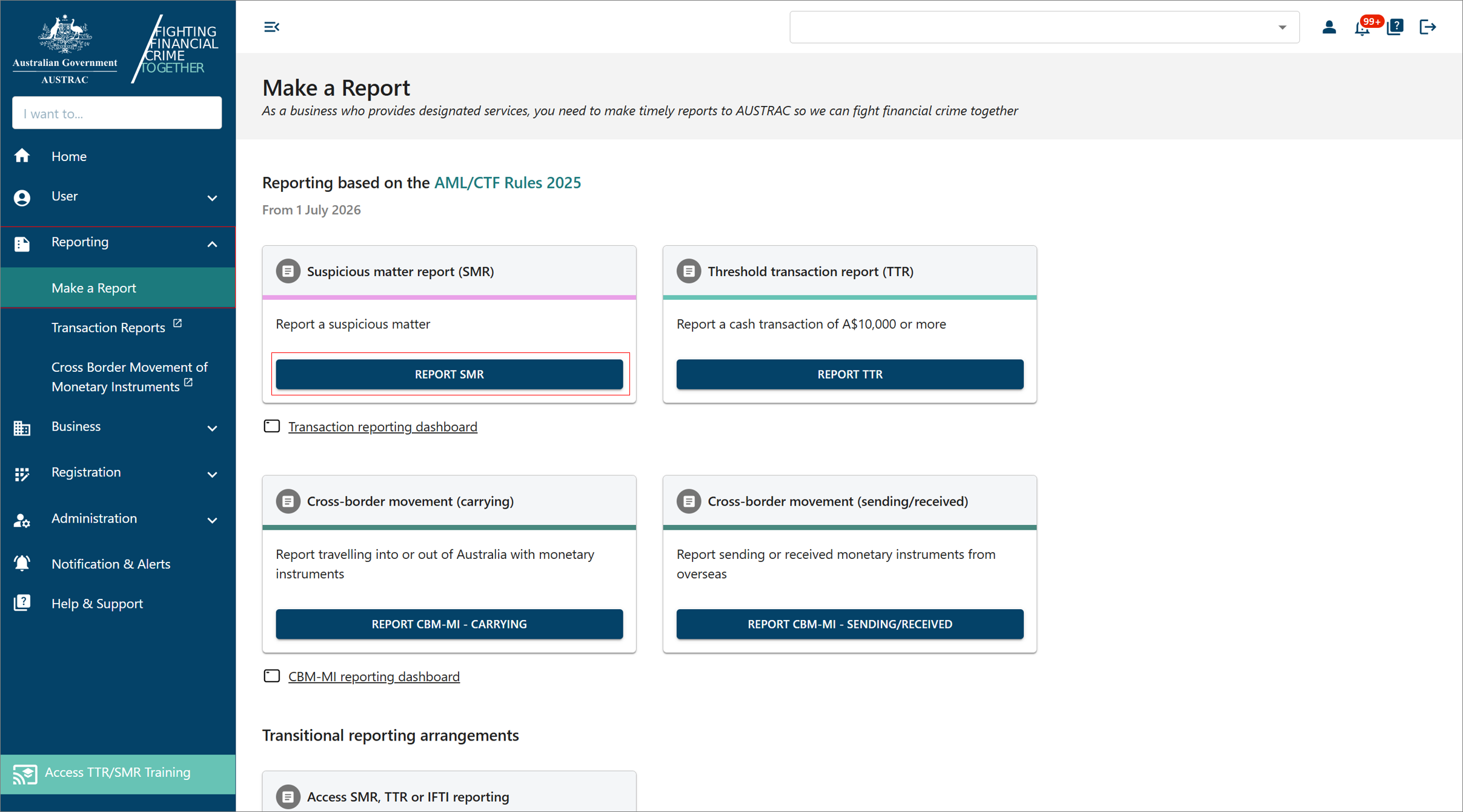
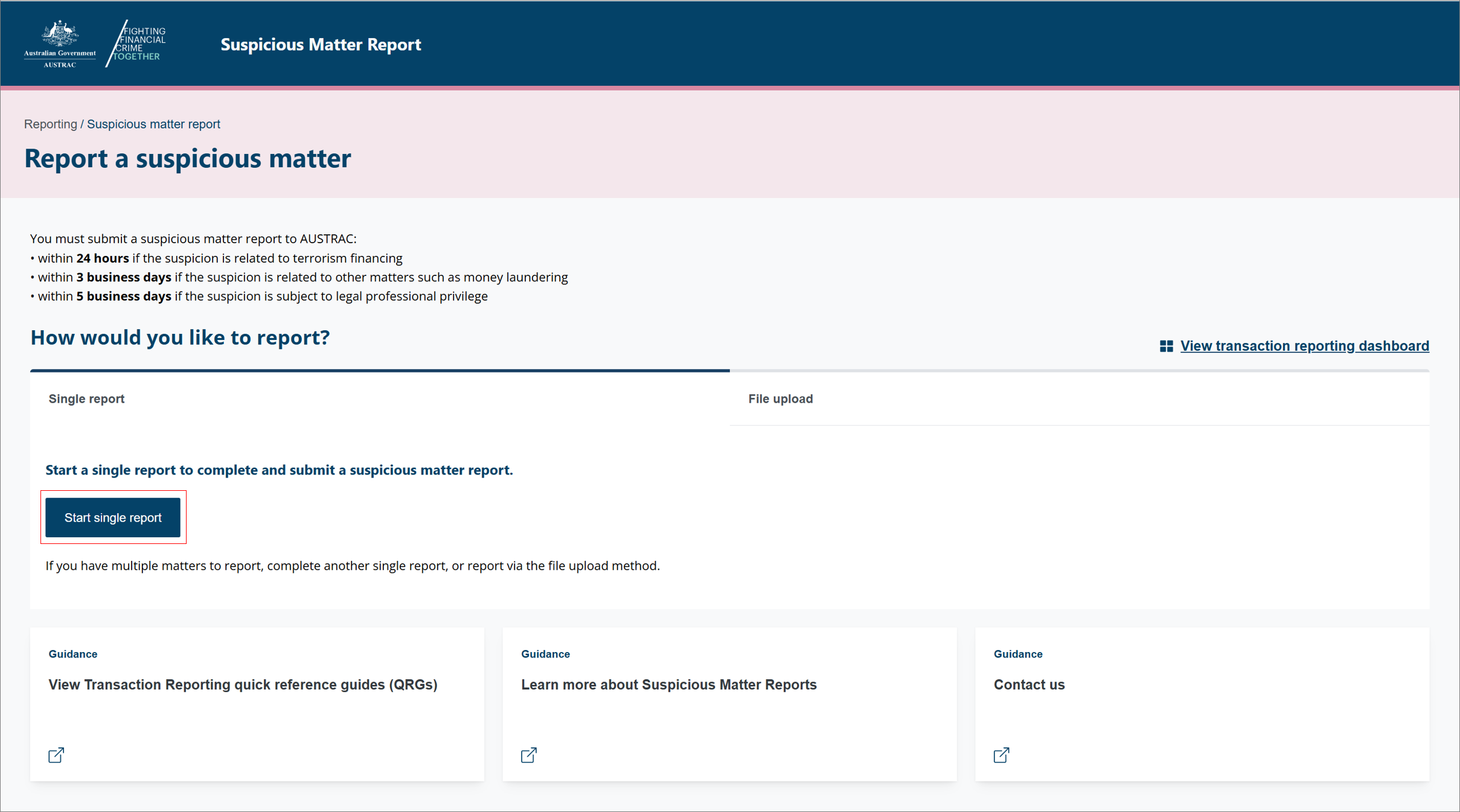
- On the Suspicious Matter Report page, select Start single report.
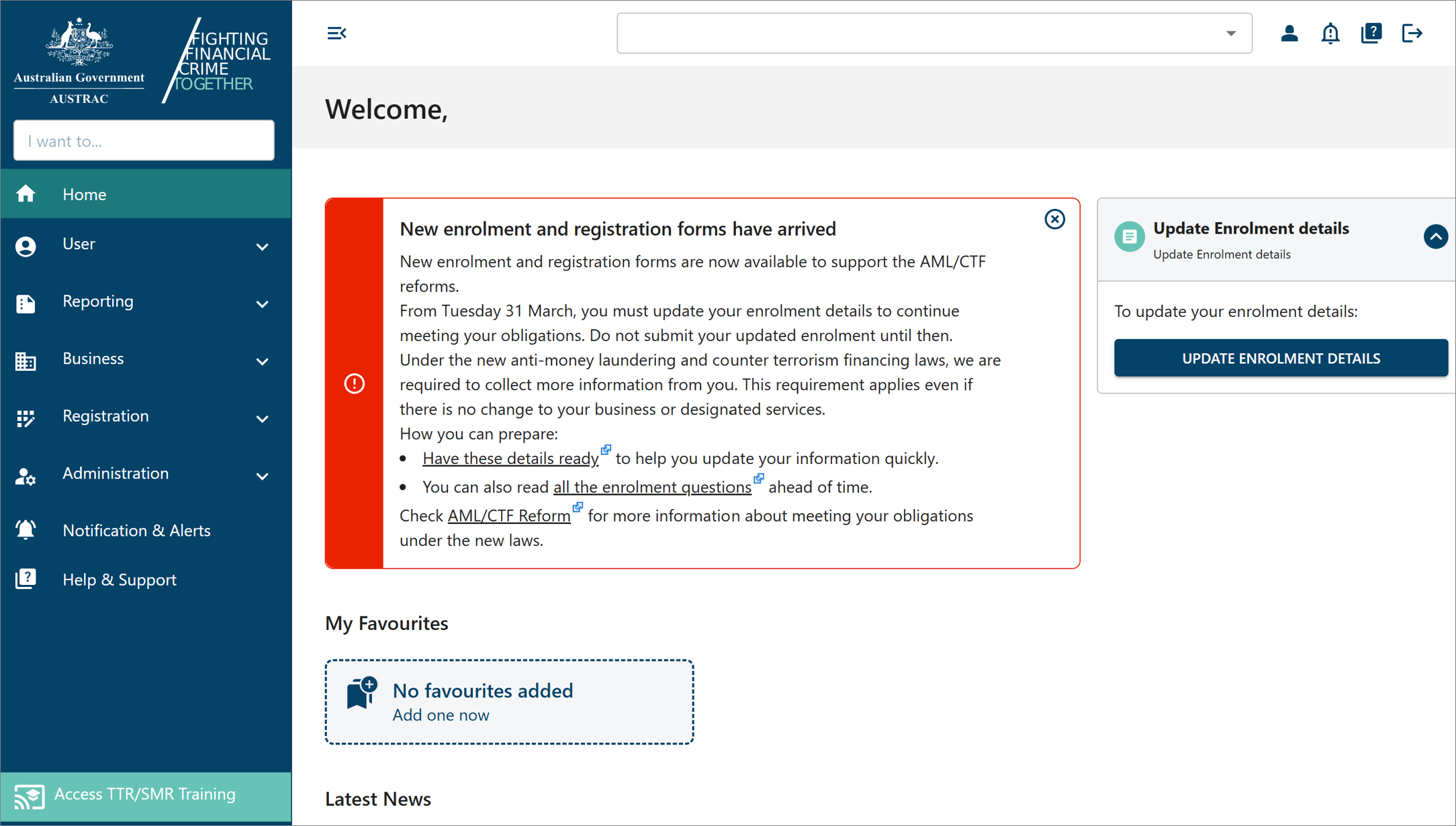
Accessing the training environment version
To access the SMR form in the training environment:
- Select Access TTR/SMR Training.
- Select Submit SMR to start your report, then select Start single report.
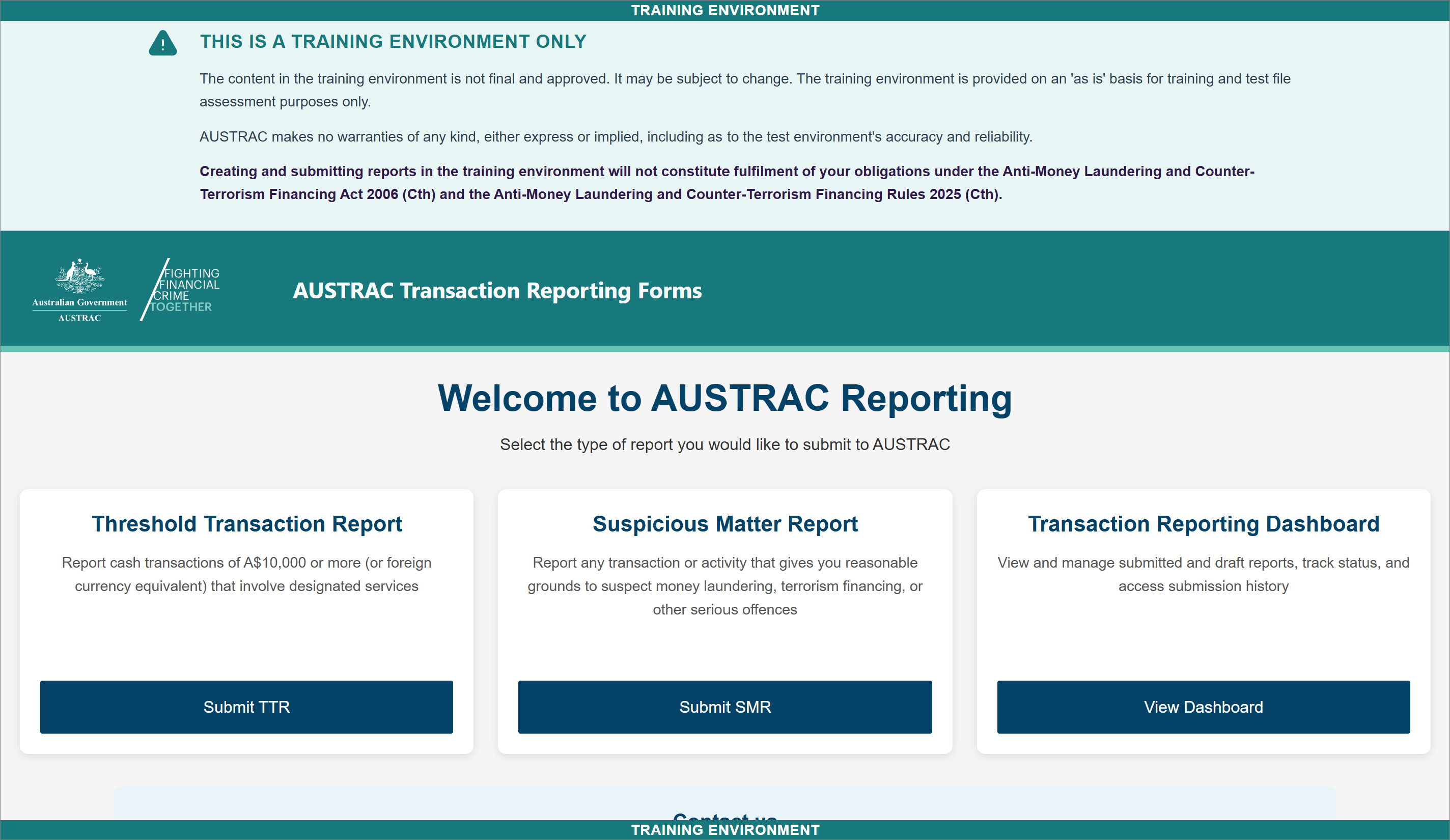
Understanding the report layout and progress bar
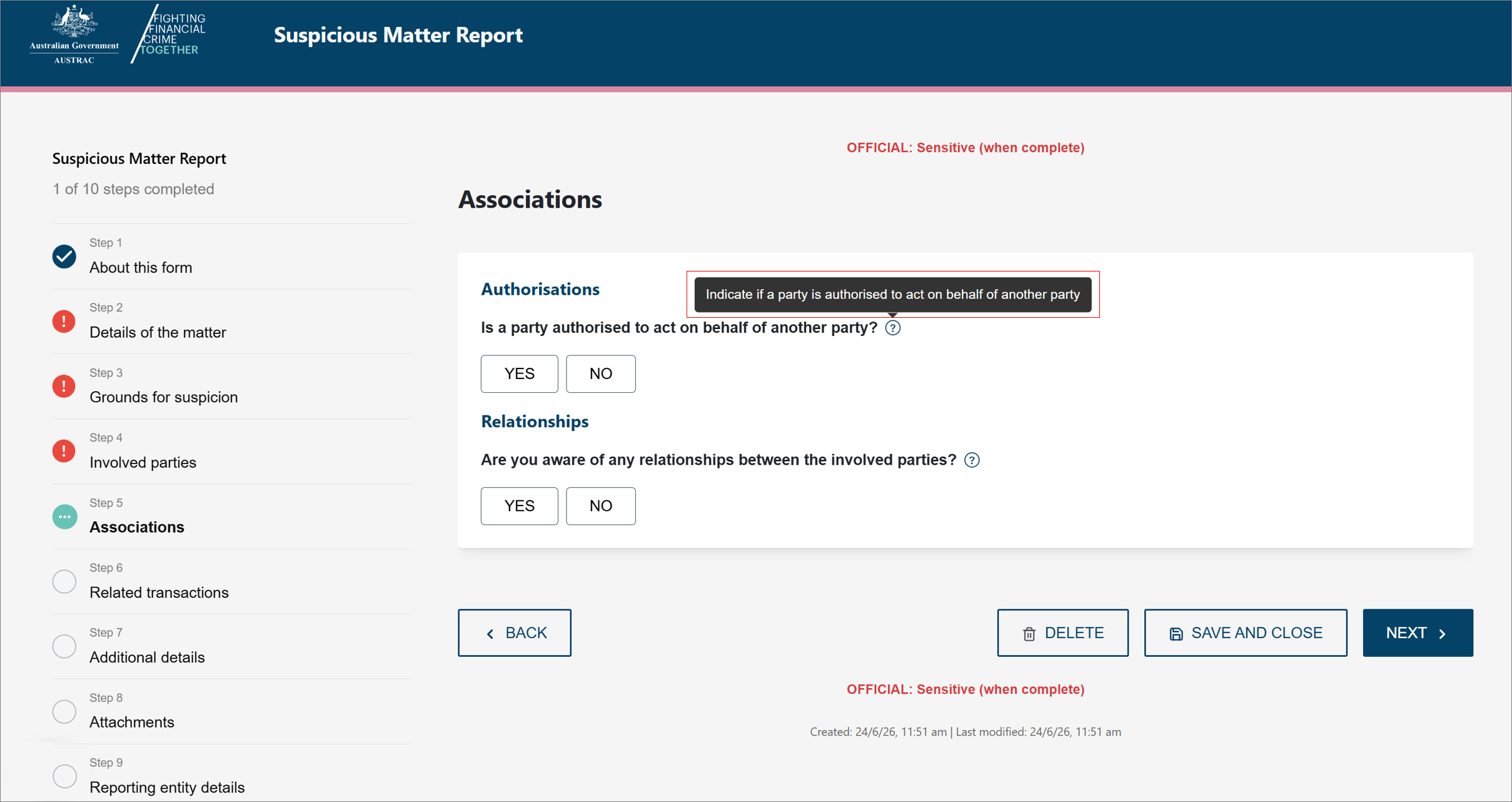
The SMR report is divided into sections, which are displayed in the progress panel on the left of the screen.
The progress panel shows the number of steps and the status of each one.
Each step is represented using an icon to indicate its status:
| Icon | Meaning | |
|---|---|---|

|
Tick | The section is complete |

|
Exclamation mark | The section is incomplete or contains errors |

|
Green ellipsis | The section you are currently working on |
You can move between sections using next and back or by selecting the individual steps within the progress bar.
Fields with the help icon ? next to them have tips to help you answer the question.
Completing and submitting the report
Complete each section of the report by entering the required information.
The report is dynamic and adjusts based on the information you provide:
- List all the parties involved before you complete associations and related transactions. You can then use ‘same as’ indicators to save on re-entering the same information again.
- Related transactions change based on the transaction type and the instruments or products involved.
You must complete all required fields before you can submit the report.
Note: You can select save and close at any time to save your progress and exit the report. You can access your saved reports later from your reporting dashboard so you can continue working on them.
You can select delete at any time to discard a draft report. However, once you submit a report you cannot delete it unless you request to withdraw it.
Downloading a copy of the report
You can download a copy of your report for your records. You can only do this before you submit the report. To download a copy:
- Complete all pages of the report and proceed to Summary and review.
- Select DOWNLOAD REPORT SUMMARY.
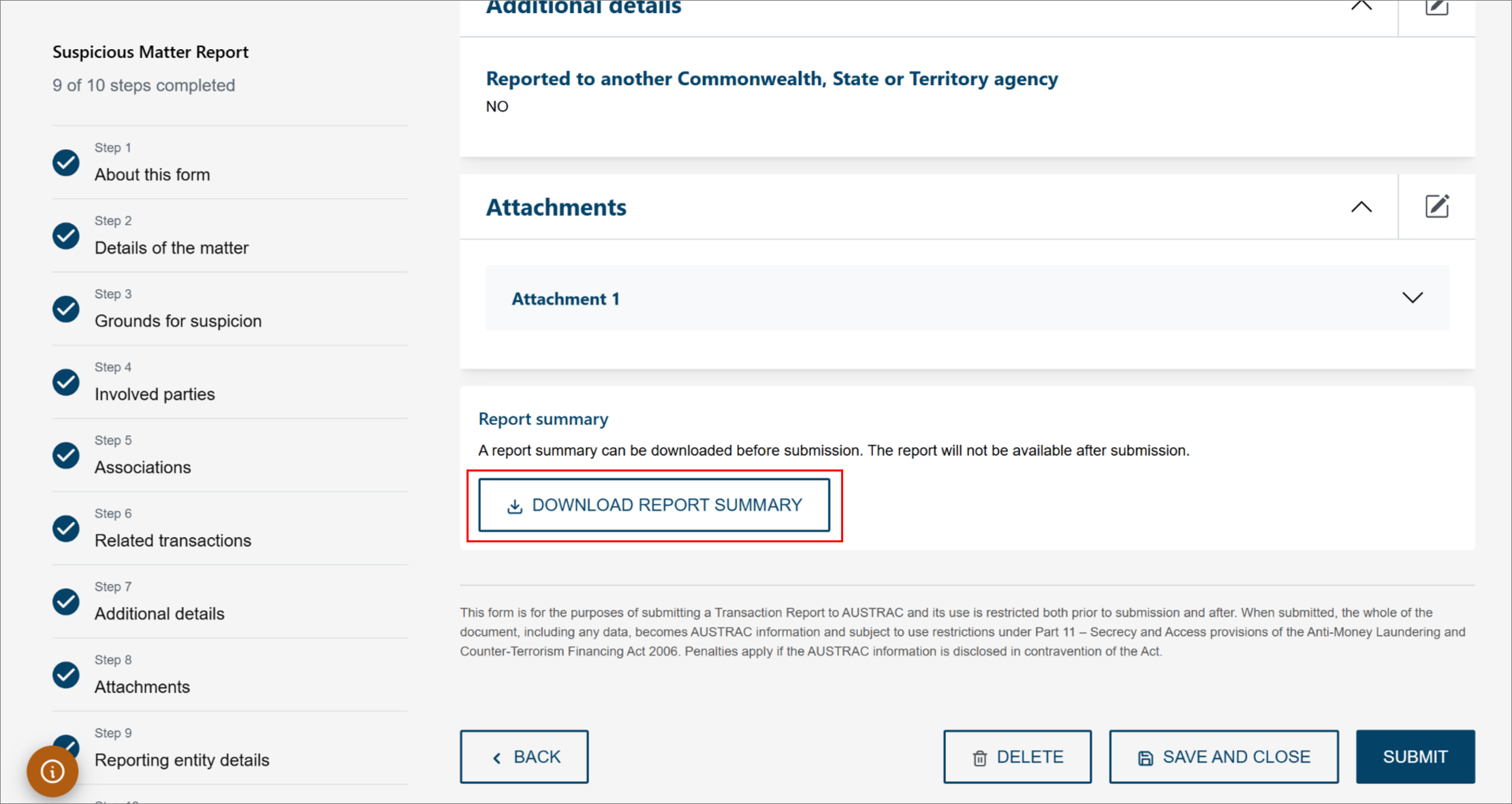
Note: The report will not be available after submission.
Submitting the report
After completing all sections, review the information in the summary and review section, then select submit.
AUSTRAC will acknowledge the receipt of your report. A receipt will be available to download or view from the reporting dashboard.
This guidance sets out how we interpret certain Australian legislation, along with associated Rules and regulations. Australian courts are ultimately responsible for interpreting these laws and determining if any provisions of these laws are contravened.
The examples and scenarios in this guidance are meant to help explain our interpretation of these laws. They’re not exhaustive or meant to cover every possible scenario.
This guidance provides general information and isn't a substitute for legal advice. This guidance avoids legal language wherever possible and it might include generalisations about the application of the law. Some provisions of the law referred to have exceptions or important qualifications. In most cases your particular circumstances must be taken into account when determining how the law applies to you.